

If your Elementor widgets panel is not loading, it’s usually caused by plugin conflicts, insufficient memory, JavaScript errors, or outdated software. To fix it, update Elementor and WordPress, disable conflicting plugins, increase memory limits, and check browser console errors.
When the Elementor panel stops loading, it can completely block your workflow. You open the editor expecting to design your page—but instead, the widget panel spins endlessly or appears blank. This issue is common, but the good news is: it’s 100% fixable.
In this guide, you’ll learn how to fix Elementor widgets panel not loading using beginner-friendly and advanced methods. Whether it’s a conflict issue or server limitation, we’ll help you diagnose and solve it fast.
Why is the Elementor Widgets Panel Not Loading?
Before jumping into fixes, you need to understand the root causes. This problem typically happens due to technical conflicts or performance limitations.
Most Common Causes
- Plugin conflicts (especially add-ons)
- Theme incompatibility
- Low PHP memory limit
- Outdated Elementor or WordPress version
- JavaScript errors in the browser
- Server configuration issues
- Improper file permissions
Understanding these helps you apply the right fix instead of guessing.
How to Fix Elementor Widgets Panel Not Loading (Step-by-Step)
1. Update Elementor, WordPress & PHP
Outdated software is one of the biggest reasons the Elementor panel fails to load.
What to do:
- Update Elementor (Free & Pro)
- Update WordPress core
- Use PHP 7.4 or higher (preferably PHP 8+)
Why it works:
New updates fix bugs, improve compatibility, and remove conflicts.
2. Check for Plugin Conflicts
Third-party plugins often break Elementor’s functionality.
Steps:
- Deactivate all plugins except Elementor
- Check if the panel loads
- Reactivate plugins one by one
Pro Tip:
Add-on plugins for Elementor are the most common culprits.
3. Switch to a Default Theme
Your theme might not be fully compatible with Elementor.
Try this:
- Switch to a default theme like Hello Elementor or Twenty Twenty-Four
- Reload the editor
If it works, your theme is the issue.
4. Increase PHP Memory Limit
Low memory can prevent Elementor from loading properly.
Recommended settings:
- Memory limit: 256MB or higher
Add this to wp-config.php:
define('WP_MEMORY_LIMIT', '256M');
5. Check Browser Console for Errors
JavaScript errors often break the Elementor panel.
Steps:
- Right-click → Inspect → Console tab
- Look for red error messages
Common issues:
- jQuery conflicts
- Script loading errors
Fixing these will restore the panel instantly.
6. Disable Browser Extensions
Some extensions interfere with Elementor.
Disable:
- Ad blockers
- Script blockers
- Privacy extensions
Then reload Elementor.
7. Regenerate Elementor Files & Data
Elementor has a built-in fix for broken files.
Steps:
- Go to Elementor → Tools
- Click “Regenerate Files & Data”
This often solves hidden issues.
8. Check Server Configuration
Your hosting environment matters more than you think.
Make sure:
- PHP version is up to date
- ModSecurity isn’t blocking scripts
- REST API is working
If unsure, contact your hosting provider.
9. Enable Safe Mode in Elementor
Safe Mode helps detect conflicts without affecting your live site.
Steps:
- Go to Elementor → Tools → Safe Mode
- Activate it
If the panel loads, the issue is from a plugin or theme.
10. Reinstall Elementor
If nothing works, reinstall Elementor.
Steps:
- Delete plugin (don’t worry, data stays safe)
- Install fresh version
This fixes corrupted files.
Advanced Fixes (For Persistent Issues)
Fix Mixed Content Errors (HTTPS Issues)
If your site has HTTP/HTTPS conflicts, Elementor scripts may fail.
Check REST API Status
Elementor depends on WordPress REST API.
- Go to Tools → Site Health
- Fix any REST API errors
Increase Server Limits
Ask your host to increase:
max_execution_timemax_input_vars
Pro Tips to Prevent This Issue in the Future
1. Use Lightweight Plugins Only
Too many plugins = higher conflict risk.
2. Keep Everything Updated
Always update:
- Elementor
- WordPress
- Themes
3. Choose Elementor-Compatible Themes
Avoid poorly coded themes.
4. Use Quality Hosting
Cheap hosting often causes performance issues.
Boost Elementor Performance with Easy Elements (Recommended Solution)
If you’re serious about avoiding issues like the Elementor widgets panel not loading, choosing the right add-ons matters, and this is where Easy Elements stands out.
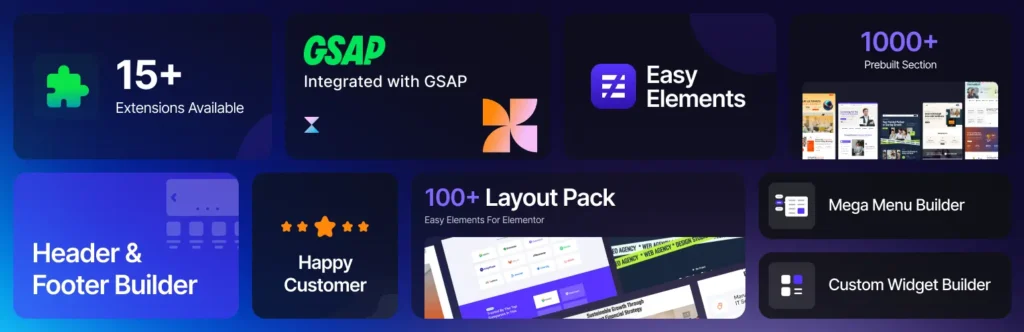
Easy Elements is a lightweight yet powerful Elementor extension designed to enhance your design workflow without slowing down your website. Unlike many bulky add-ons that overload your site with unnecessary scripts (often causing panel loading issues), Easy Elements is built with performance and stability in mind.
Why Easy Elements Helps Prevent Loading Issues
One of the main causes of Elementor panel problems is poorly optimized third-party widgets. Easy Elements solves this by offering:
- Clean, optimized code that reduces JavaScript conflicts
- Minimal resource usage for faster editor loading
- Modular control so you only enable the widgets you actually need
- Regular updates to ensure compatibility with the latest Elementor versions
This means fewer crashes, faster load times, and a smoother editing experience overall.
Key Features That Make It Stand Out
Easy Elements isn’t just about performance—it also helps you design better, faster:
- Advanced widgets like reading progress bar, creative CTAs, and UI elements
- Seamless integration with Elementor (no learning curve)
- Built specifically for speed-focused WordPress websites
- Developer-friendly structure for scalability
Why It’s a Smart Choice for Professionals
If you’re managing multiple websites or client projects, stability is everything. Using unreliable plugins can cost you hours in troubleshooting. Easy Elements minimizes that risk by providing a reliable, performance-first solution.
Instead of stacking multiple heavy add-ons, you get a streamlined toolkit that keeps your Elementor editor fast and responsive, helping you avoid issues like the widgets panel not loading in the first place.
Bottom line: If you want fewer Elementor errors, faster performance, and a cleaner workflow, Easy Elements is a smart addition to your toolkit.
Final Thoughts
The Elementor widgets panel not loading issue may look complex, but in reality, it’s usually caused by a small set of common problems. By following the step-by-step fixes in this guide, you can quickly identify the root cause and restore your Elementor editor without stress.
The key is simple: update everything, eliminate conflicts, and optimize your server environment. Once you do that, Elementor will run smoothly, and your workflow will be back on track in no time.
FAQ: Elementor Widgets Panel Not Loading
Why is my Elementor widgets panel stuck on loading?
It’s usually caused by plugin conflicts, low memory, or JavaScript errors.
How do I fix Elementor not loading widgets?
Update plugins, increase memory limit, and disable conflicting plugins.
Does hosting affect Elementor loading issues?
Yes, poor hosting can cause memory limits and slow performance.
Why is Elementor editor blank?
This happens due to JavaScript errors, plugin conflicts, or outdated versions.
Can Elementor Safe Mode fix loading issues?
Yes, Safe Mode helps identify conflicts with plugins or themes.
What PHP version is best for Elementor?
PHP 8.0 or higher is recommended for best performance.
Why are Elementor widgets not showing?
This can be due to add-on plugin conflicts or corrupted files.
How much memory does Elementor need?
At least 128MB, but 256MB+ is recommended.
Should I reinstall Elementor to fix issues?
Yes, reinstalling can fix corrupted plugin files.
How do I check Elementor errors?
Use browser developer tools and check the Console tab.
Does Elementor work with all themes?
No, only properly coded themes are fully compatible.
Can caching plugins break Elementor?
Yes, aggressive caching can cause loading issues.
What is Elementor Safe Mode?
A debugging mode that disables themes/plugins temporarily.
How do I clear Elementor cache?
Go to Elementor → Tools → Regenerate Files & Data.
Why does Elementor keep loading forever?
Usually due to server issues or script conflicts.
Can CDN cause Elementor issues?
Yes, a misconfigured CDN can block scripts.
What is the fastest way to fix the Elementor loading issue?
Disable plugins and switch theme to identify the cause quickly.
How to fix Elementor after the update?
Rollback version or disable conflicting plugins.
Is Elementor Pro required to fix this issue?
No, these fixes work for both free and Pro versions.