If your website, built with Elementor Page Builder, is loading slowly, the issue usually comes down to unoptimized assets, excessive widgets, and poor hosting configuration. The fastest way to fix Elementor performance is by optimizing images, reducing plugin load, enabling caching, and using lightweight themes.
Elementor is powerful, but without proper optimization, it can slow down your site and hurt SEO rankings. This guide reveals the exact steps to fix Elementor’s slow loading and dramatically improve performance.
Why Elementor Sites Become Slow
Heavy DOM Size and Extra Code
Elementor generates additional HTML layers for design flexibility. While useful, this increases DOM size, slowing down rendering time and impacting Core Web Vitals.
Too Many Widgets and Add-ons
Using multiple widgets and third-party add-ons loads extra CSS and JavaScript files, which can significantly delay page speed.
Unoptimized Images and Media
Large images are one of the biggest performance killers. Elementor doesn’t automatically compress media, which leads to slower load times.
Poor Hosting and No Caching
Even a perfectly optimized Elementor site will struggle on low-quality hosting without caching or CDN support.
Ultimate Elementor Performance Fix Guide
1. Optimize Images for Speed
Compress all images using tools like WebP format. Use lazy loading so images only load when needed.
2. Use a Lightweight Theme
Pair Elementor with fast themes like Astra or Hello Theme to reduce unnecessary bloat.
3. Minimize Plugins
Deactivate and remove unused plugins. Too many plugins increase server requests and slow down your website.
4. Enable Caching and CDN
Use caching plugins like WP Rocket or LiteSpeed Cache and integrate a CDN like Cloudflare to reduce load times globally.
5. Reduce Elementor Widgets Usage
Avoid overusing widgets. Replace complex sections with simpler designs where possible.
6. Enable Elementor Experiments
Turn on performance features inside Elementor settings, such as:
- Improved Asset Loading
- Optimized DOM Output
- Inline Font Icons
7. Optimize CSS & JavaScript
Minify and combine CSS/JS files. Delay JavaScript execution to improve initial load speed.
8. Use Fast Hosting
Choose high-performance hosting (VPS or managed WordPress hosting) for better speed and stability.
Advanced Optimization Strategies
i. Use Global Fonts and Colors
This reduces repeated styling code and improves performance.
ii. Limit Animations and Motion Effects
Too many animations increase CPU usage and slow down page rendering.
iii. Optimize Database
Clean up revisions, spam comments, and unused data regularly.
iv. Preload Critical Resources
Preload fonts and above-the-fold assets to improve Largest Contentful Paint (LCP).
Supercharge Your Elementor Website with Easy Elements
If you love using Elementor Page Builder but struggle with performance issues from heavy add-ons, Easy Elements is your secret weapon.
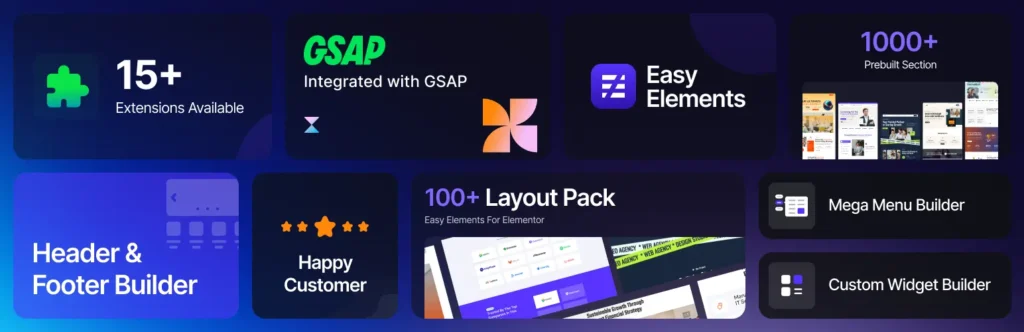
Unlike bulky Elementor addons that load unnecessary scripts and styles, Easy Elements is built with a performance-first approach, giving you powerful widgets without slowing down your site.
With Easy Elements, you can build stunning pages while keeping your website fast, lightweight, and optimized for Core Web Vitals. It’s the perfect balance between design flexibility and speed optimization, exactly what most Elementor users need but rarely achieve.
Final Thoughts: Elementor Page Builder Slow Loading
Elementor gives you unmatched design freedom, but speed depends on how you use it. By applying the strategies in this guide, you can transform a slow-loading Elementor site into a fast, high-performing machine that ranks better and converts more visitors.
If you implement even half of these fixes, you’ll notice a massive improvement in load time, SEO, and user experience.
Frequently Asked Questions (FAQs)
Why is my Elementor site loading so slow?
Elementor sites are slow mainly due to large images, too many widgets, heavy plugins, and lack of caching.
Does Elementor slow down websites?
Elementor itself is not slow, but poor optimization can make your site heavy and impact performance.
How do I speed up Elementor without plugins?
Optimize images, reduce widgets, use a lightweight theme, and enable Elementor’s built-in performance settings.
What is the best caching plugin for Elementor?
WP Rocket and LiteSpeed Cache are among the best options for improving Elementor performance.
Can hosting affect Elementor speed?
Yes, hosting plays a huge role. Slow servers can make even optimized Elementor sites load slowly.