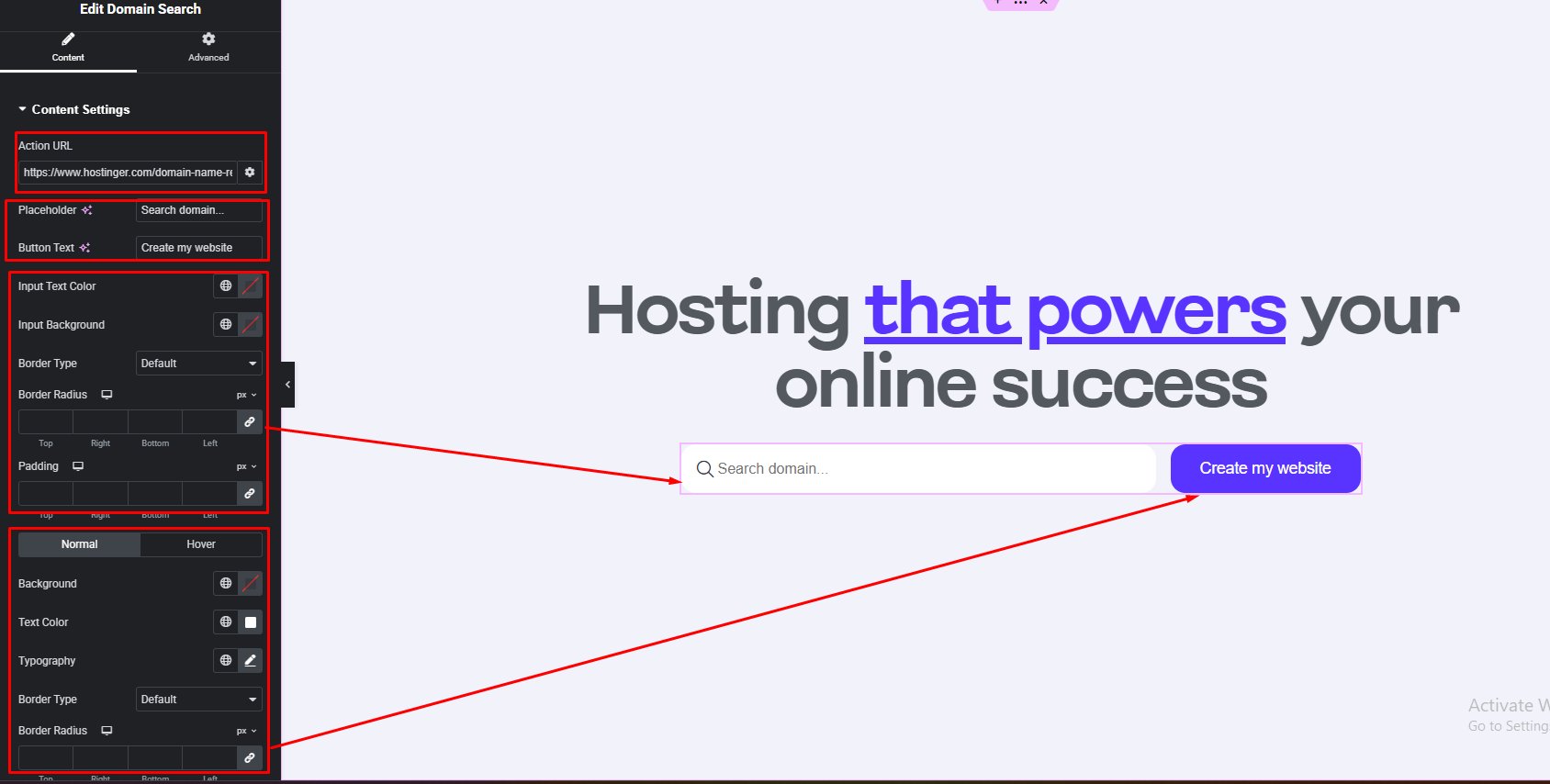


Domain Search widget lets you check domain availability using a custom Action URL instead. Simply add the URL where you want to send the search query, and the widget will forward the domain input to that destination for processing.
How to Use Domain Search Widget of Easy Elements
Step 1:
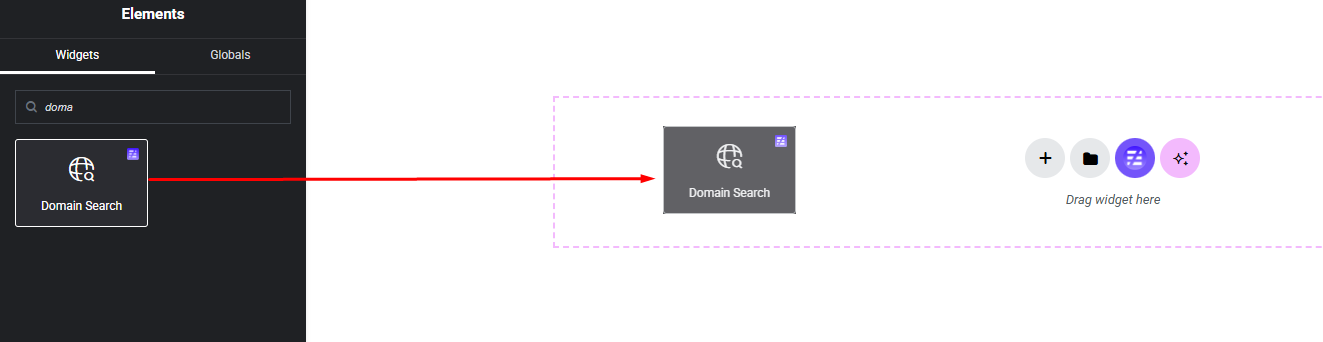
Add Domain Search Widget:
Select the Domain Search widget from the left panel, then drag and drop it into your desired area on the canvas.
Step 2:
Domain Search Settings:
- Redirect Action URL (ex: hostinger, namechape etc.)
- Input field & Button Content
- Input field style options
- Button style options