



The Info Box widget lets you highlight important information with an icon, title, and description—all in one stylish block. Perfect for showcasing features, services, or key points with attractive layouts and full customization options to match your website’s design.
How to Use Info Box Slider Widget of Easy Elements Pro
Step 1:
Add Info Box Slider Widget:
Select the Info Box Slider widget from the left panel, then drag and drop it into your desired area on the canvas.

Step 2:
- Info Box Settings
- Slider Settings
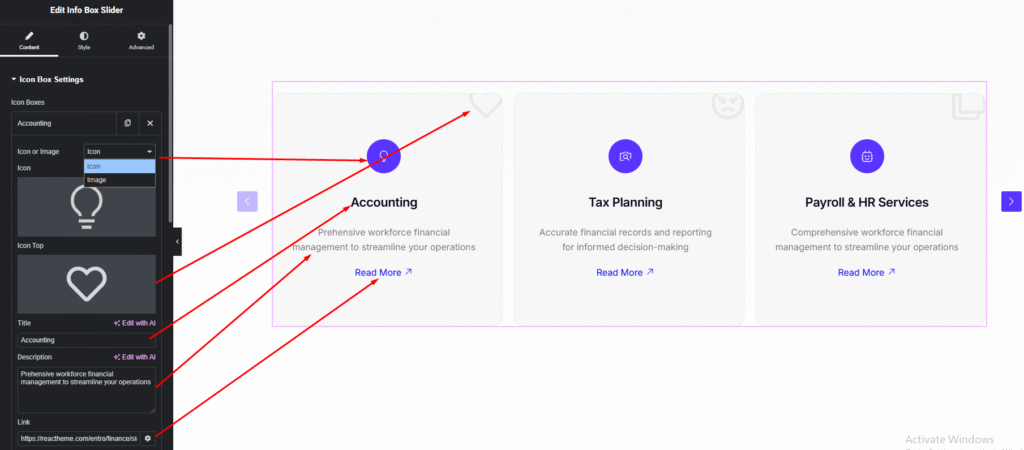
Info Box Settings:
- Icon or Image
- Shape Top Icon
- Title
- Description
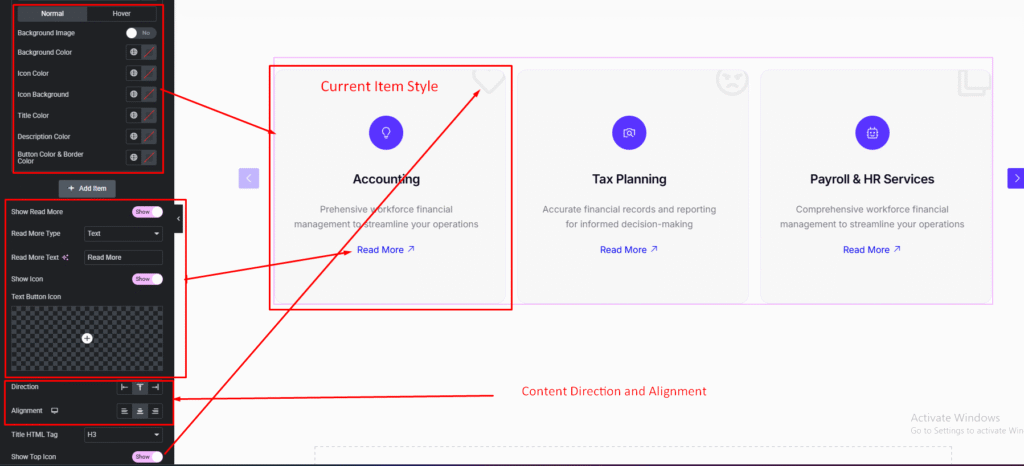
- Current Item Style
- Button Information
- Box Direction
- Content Alignment
- Title Tag (default {h3})
Slider Settings:
- Slider Default Settings
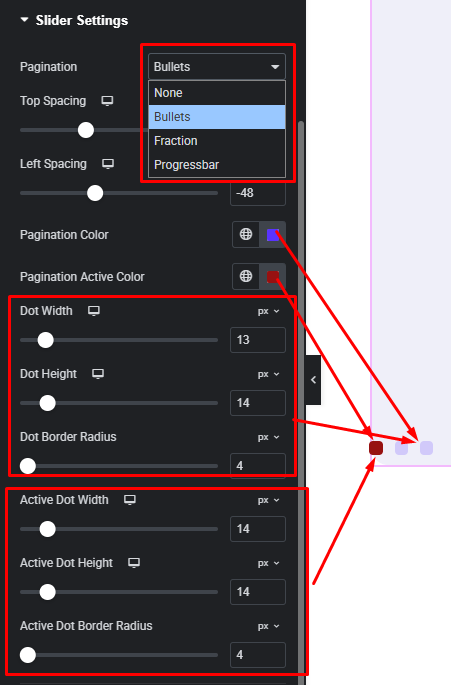
- Slider Pagination Settings
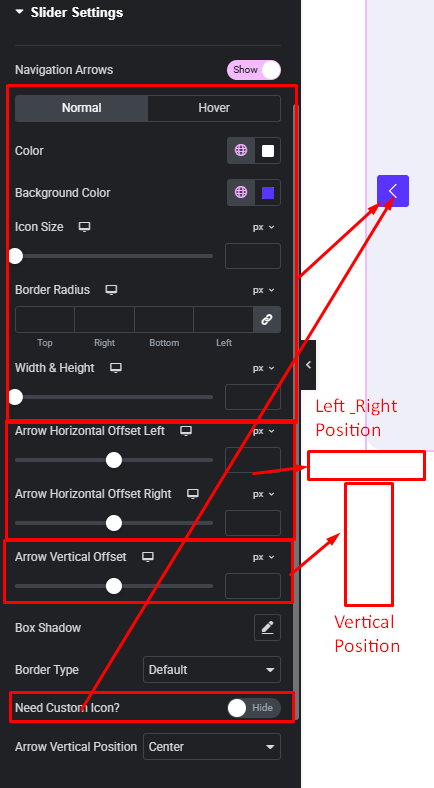
- Slider Navigation Settings
Slider Default Settings:

Slider Pagination Settings:
Slider Navigation Settings:
Step 3:
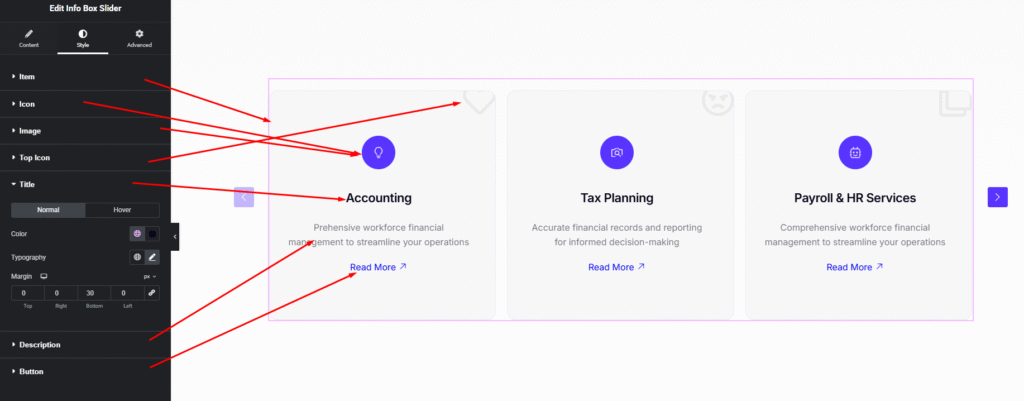
Customize Info Box Slider Style:
Easily customize your widget’s appearance including normal & hover item background, border, padding, title style, description style and more —all from the Style panel.
Watch this video with all settings changes and previews.
Video Coming Soon


