

The Login & Register widget allows users to easily sign in or create a new account directly from the front end of your website. It provides a clean and user-friendly form experience, helping improve user engagement while keeping account access simple and secure.
How to Use Login & Register Widget of Easy Elements
Step 1:
Add Login & Register Widget:
Select the Login & Register widget from the left panel, then drag and drop it into your desired area on the canvas.

Step 2:
Login & Register Settings:
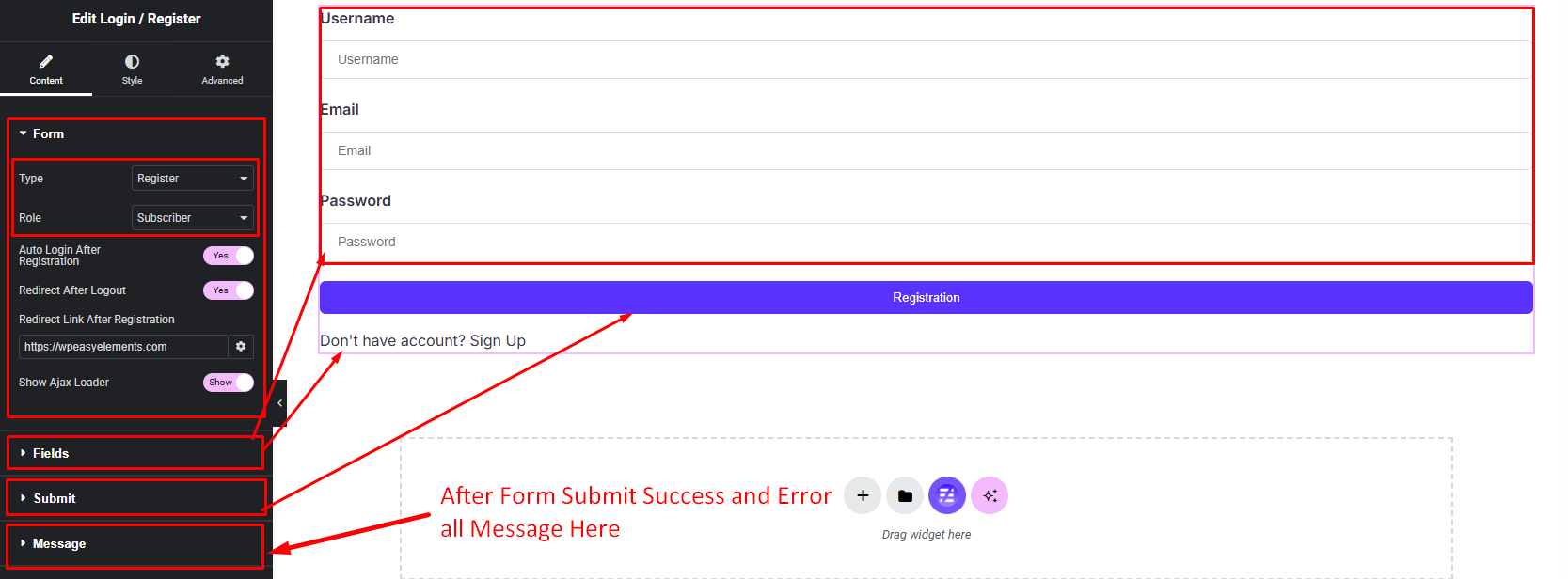
- Form Settings
- Field Settings
- Submit Button Settings
- Message Settings
Form Settings:
- Form Type
Form Type: Login (extra)
1. Password Reset Link Show / Hide
2. Remember Me Show / Hide
Form Type: Register (extra)
1. Auto Login After Registration Yes / No
2. Redirect After Logout Yes / No - User Role
- Redirect Link After Login or Registration URL
- Ajax Loader Show / Hide
Field Settings:
- Login or Registration Input Repeater Field
1. Input Type
2. Input Label or Icon
3. Placeholder
4. Min & Max Input Length
5. Required Field Yes / No
6. Current Field Width - Input Label or Icon Show / Hide
Submit Button Settings:
- Button Text
- Button Icon
Message Settings: Success, Error & all others message show / hide and message text field.
Step 3:
Customize Image Hotspot Style:
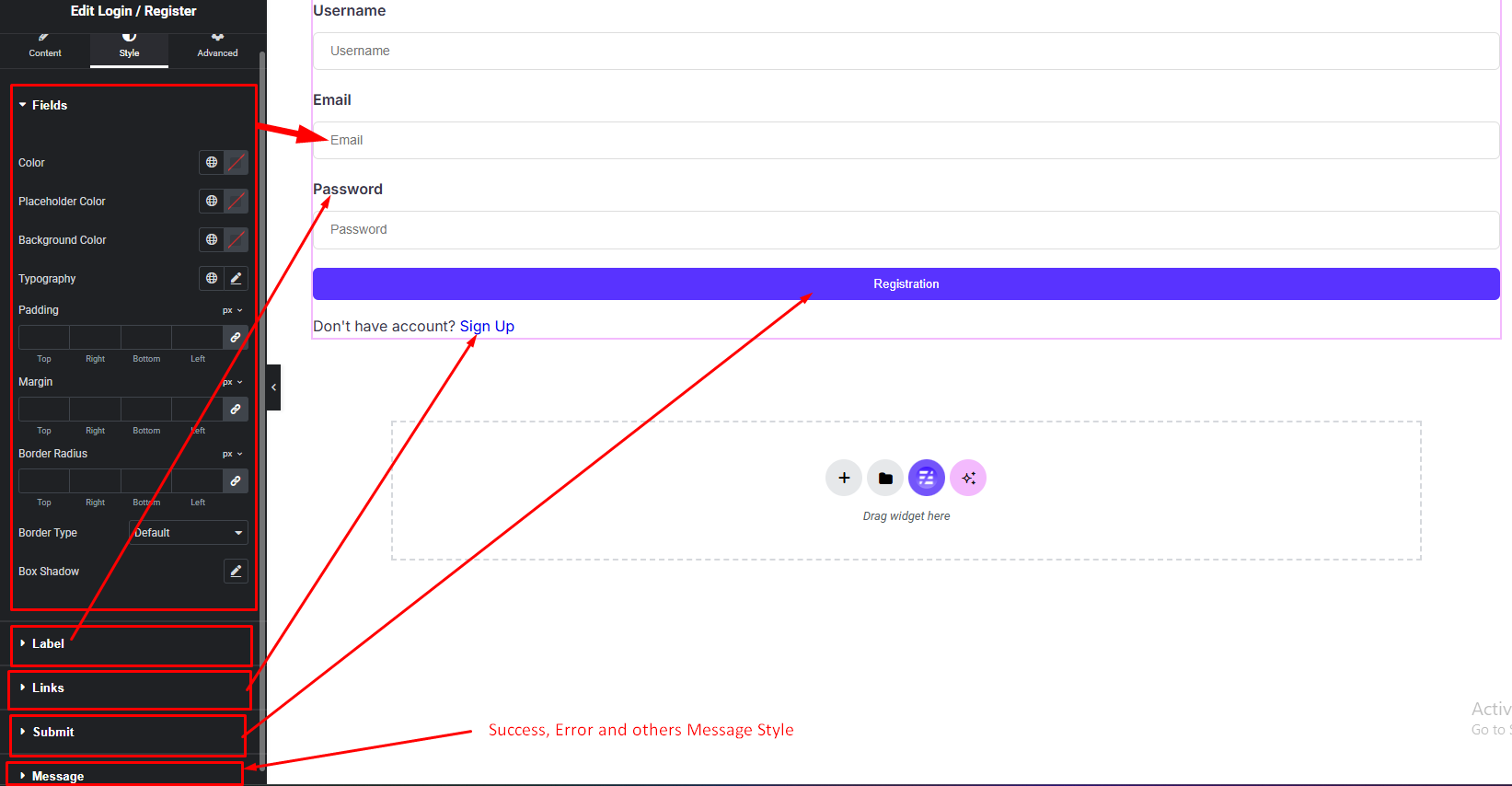
Easily customize your widgets appearance including input field, input label, text links, submit button & message style — all from the Style panel.