

Show your workflow in a clean, vertical or horizontal sequence with the Process List widget. Perfect for service steps or project workflows, it presents each stage clearly using icons, titles, and short text — making complex processes easy to understand at a glance.
How to Use Process Grid Widget of Easy Elements
Step 1:
Add Process List Widget:
Select the Process List widget from the left panel, then drag and drop it into your desired area on the canvas.

Step 2:
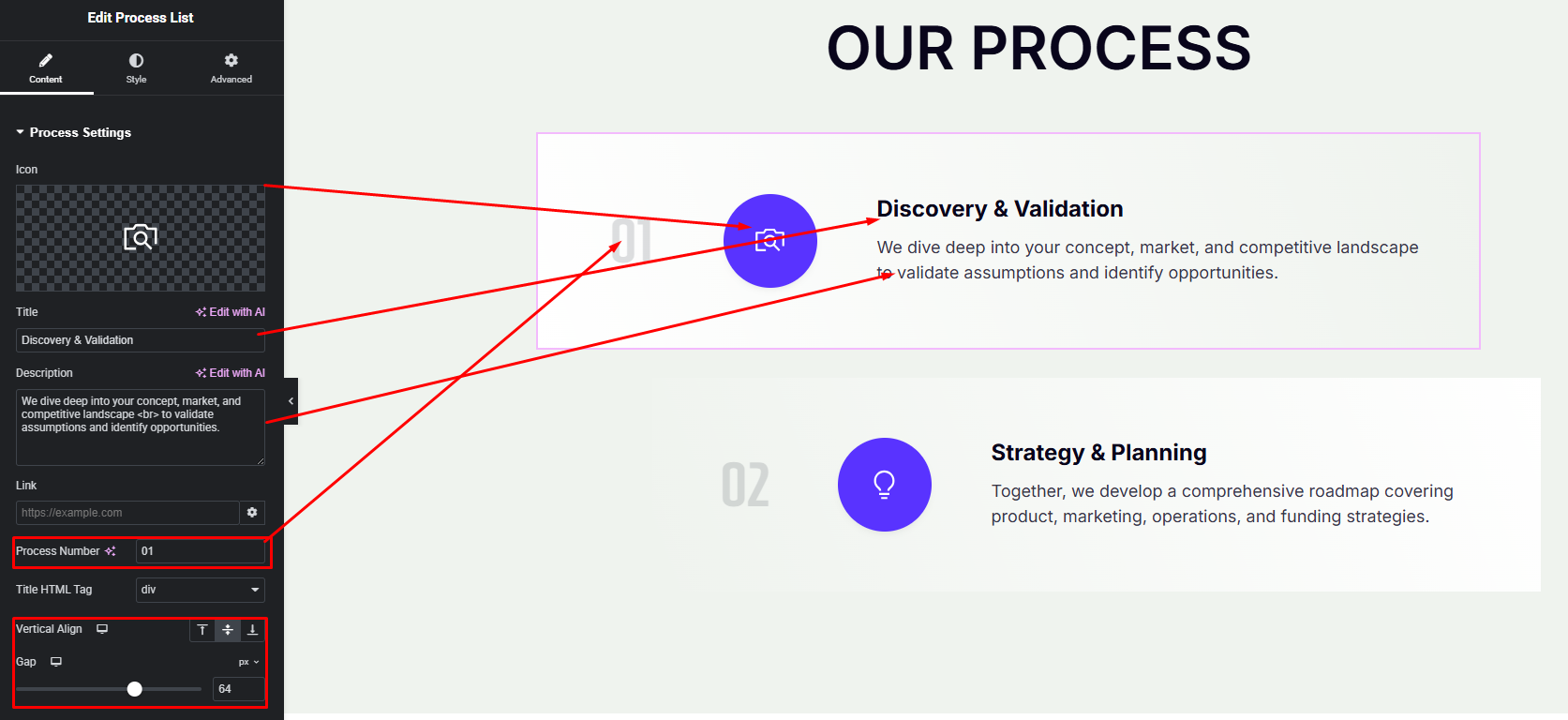
Process List Settings:
- Icon
- Title
- Description
- Process Number
- Vertical Align
- Item Content Gap
Step 3:
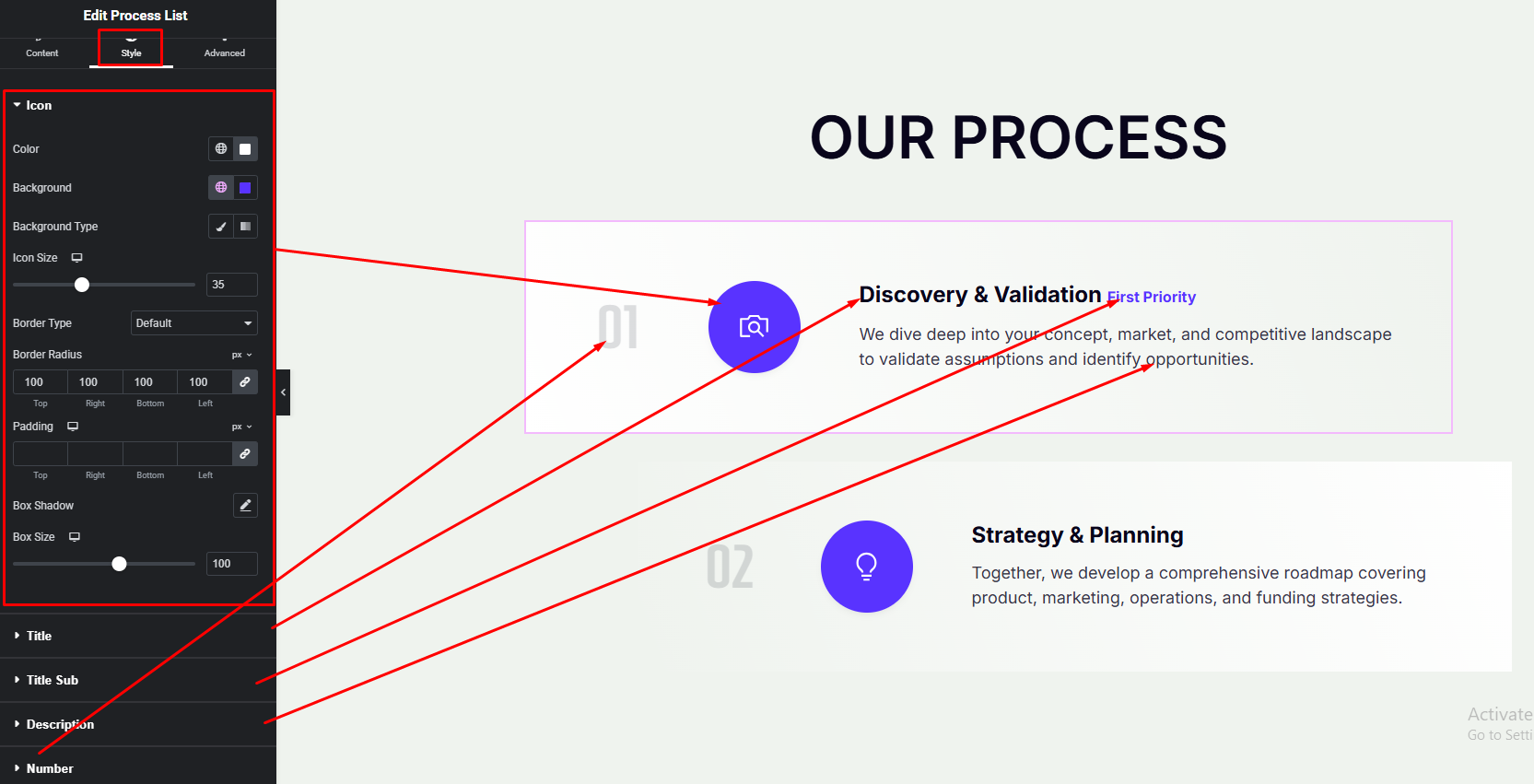
Customize Process List Style:
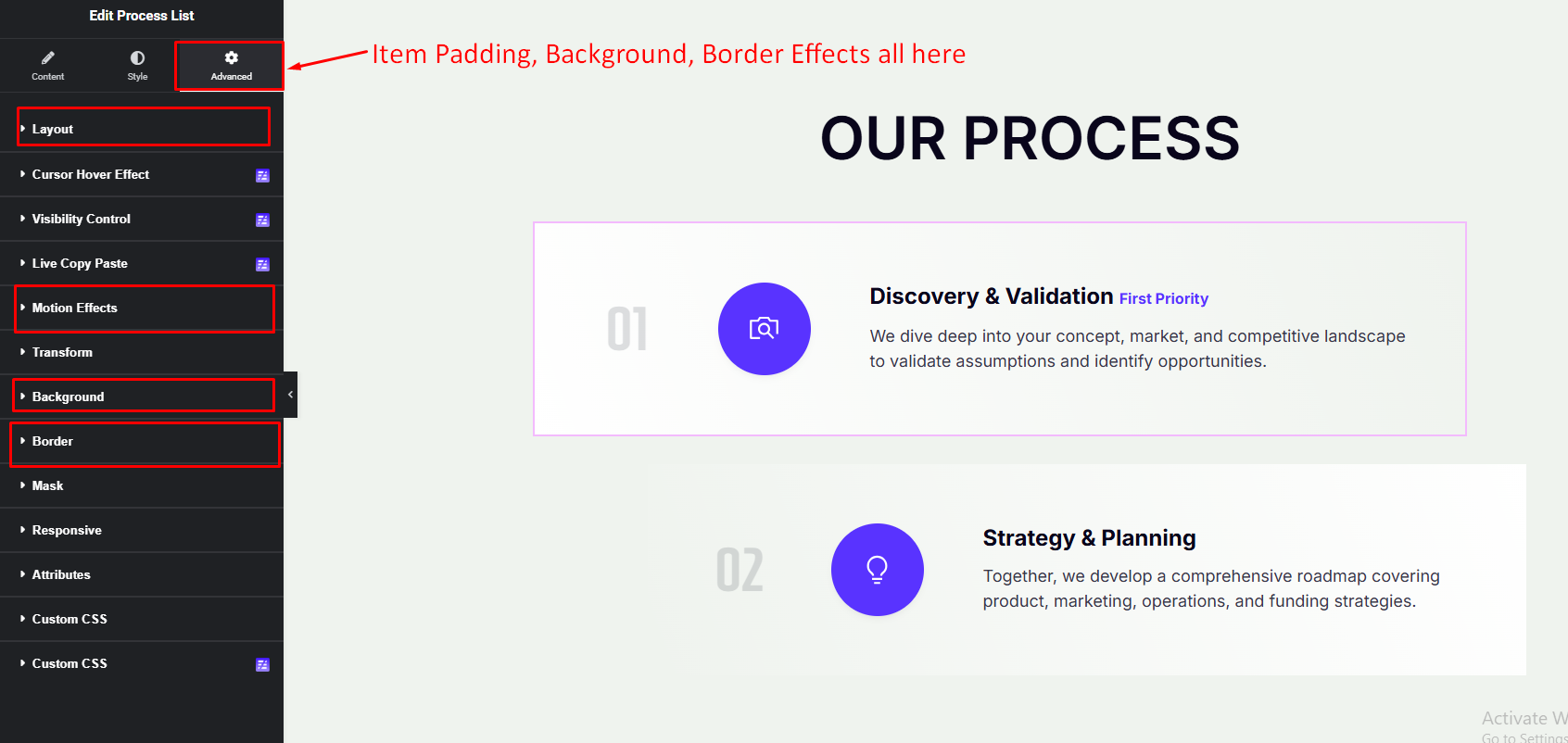
Easily customize your widgets appearance including Process List item, icon, title, description and more style — all from the Style and Advance panel.
Item Style: from advance panel.
Item Content Style: from style panel.