



How to Use Related Post Widget of Easy Elements
Step 1:
Add Related Post Widget:
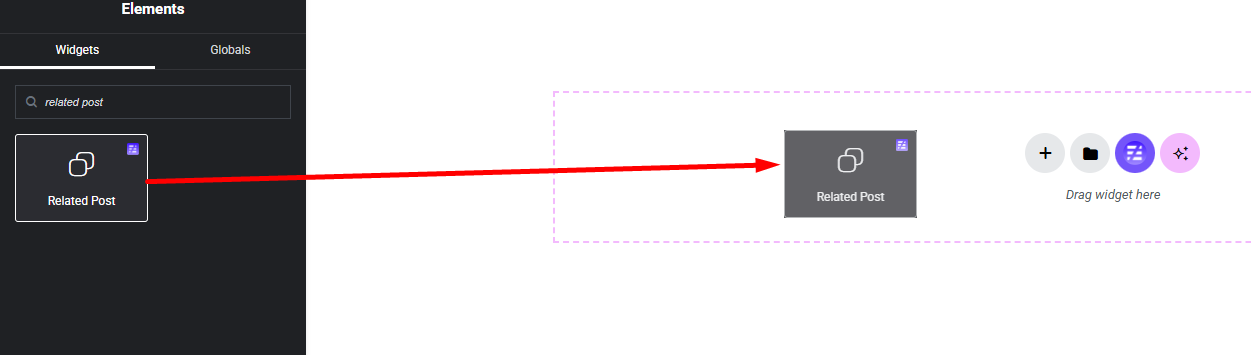
Select the Related Post widget from the left panel, then drag and drop it into your desired area on the canvas.
Step 2:
Related Post Settings:
- Posts Settings
- Query Settings
- Meta Settings
- Button Settings
- Icon Button Settings
- Slider
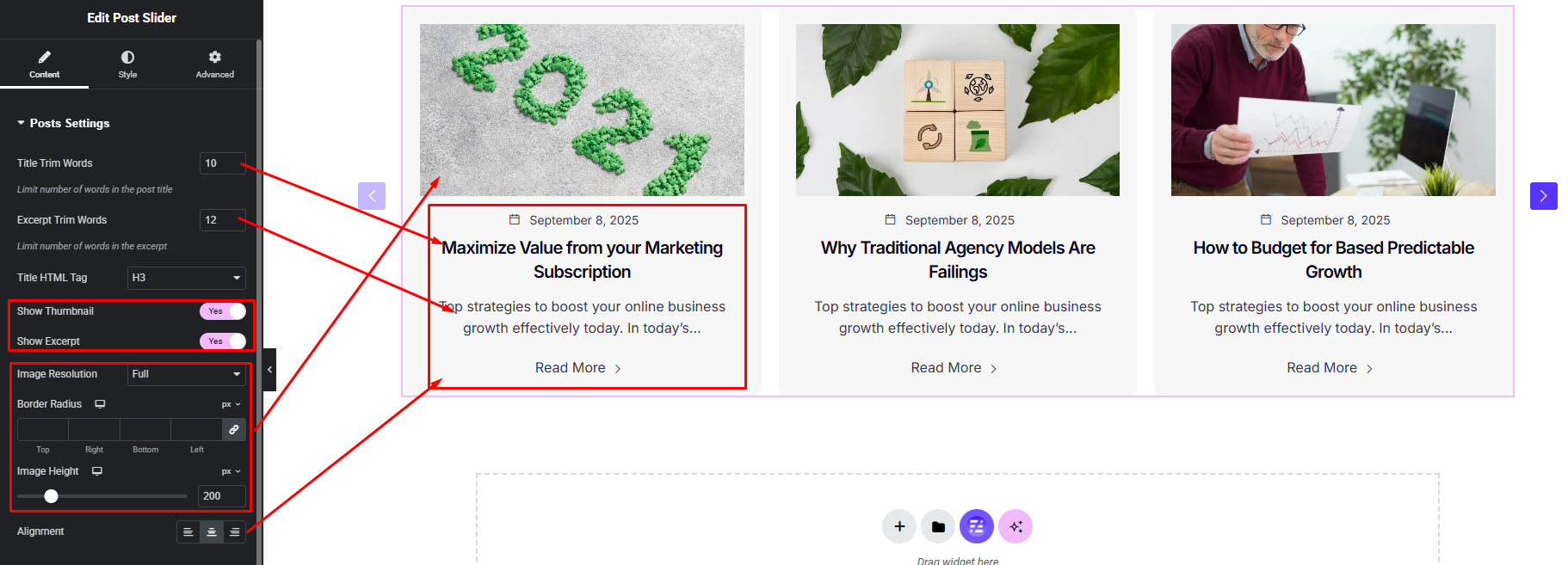
Posts Settings:
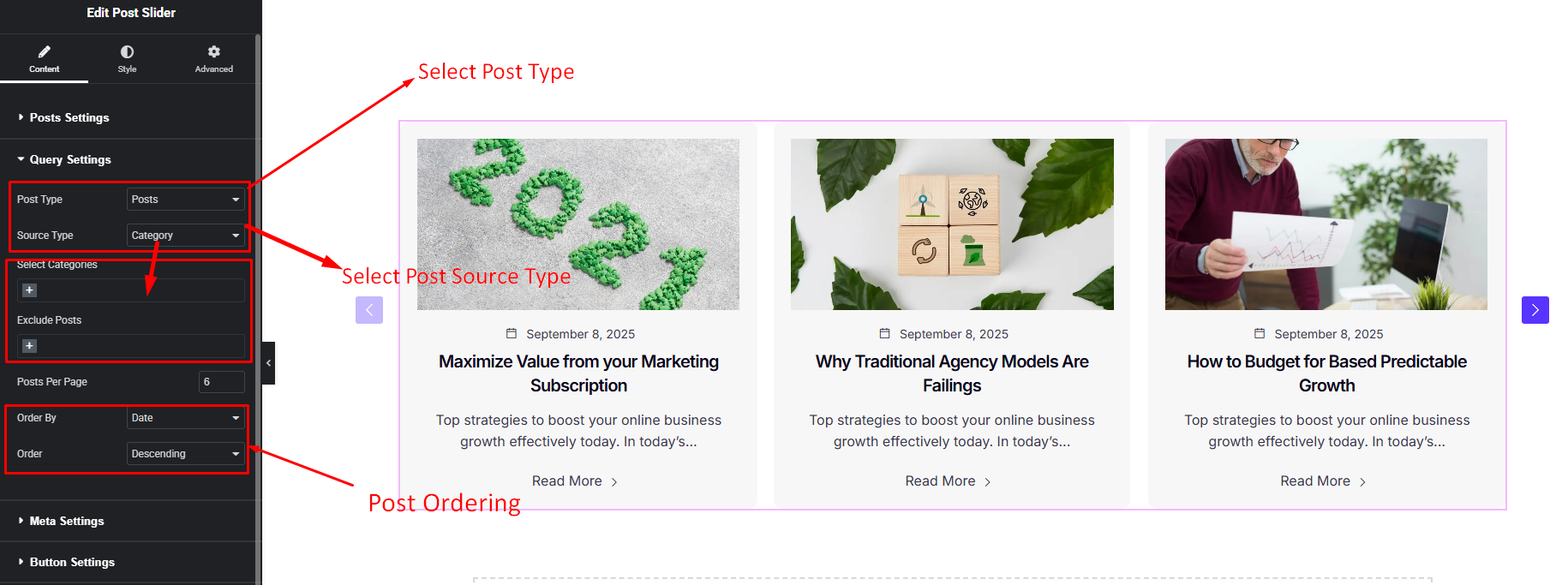
Query Settings:
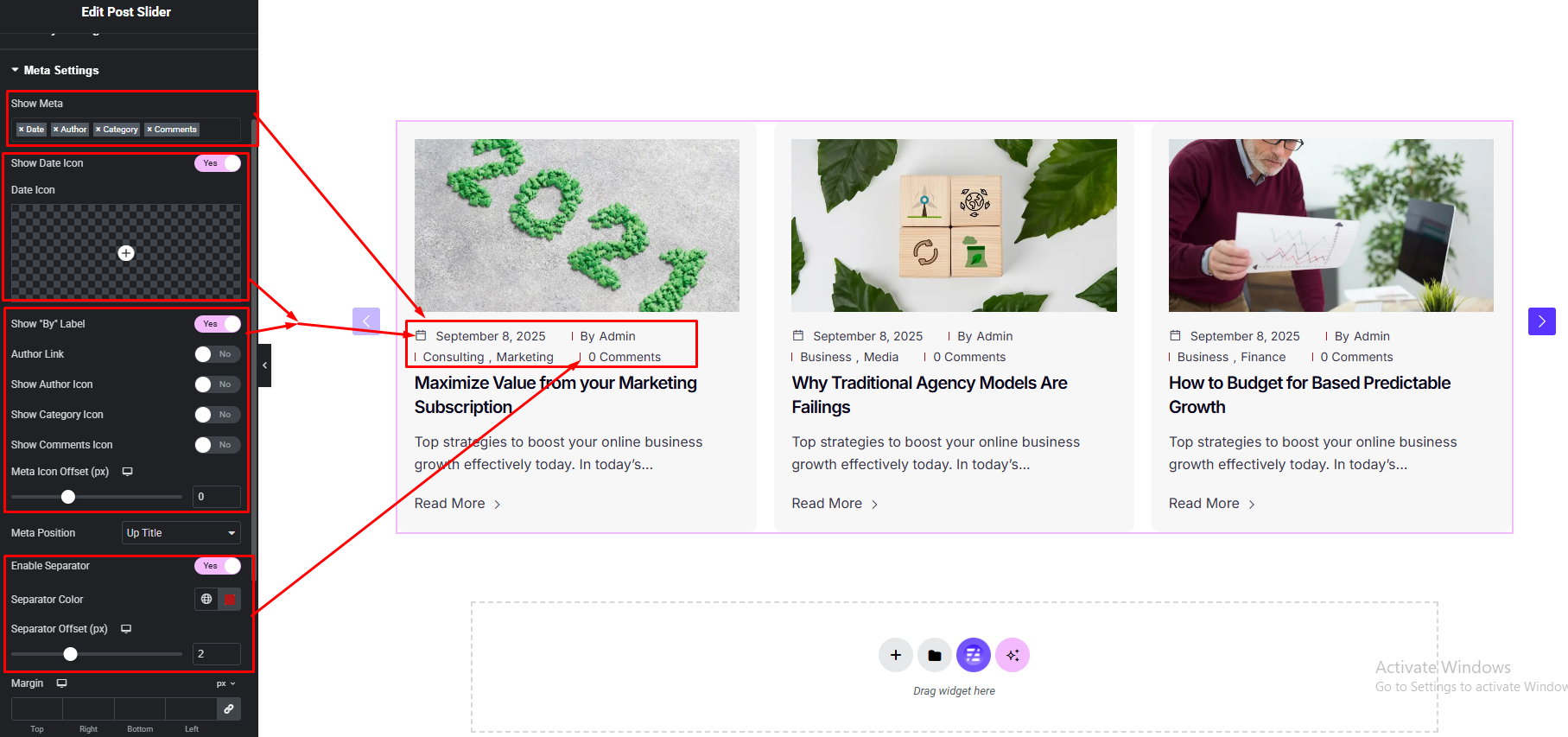
Meta Settings:
Button Settings:
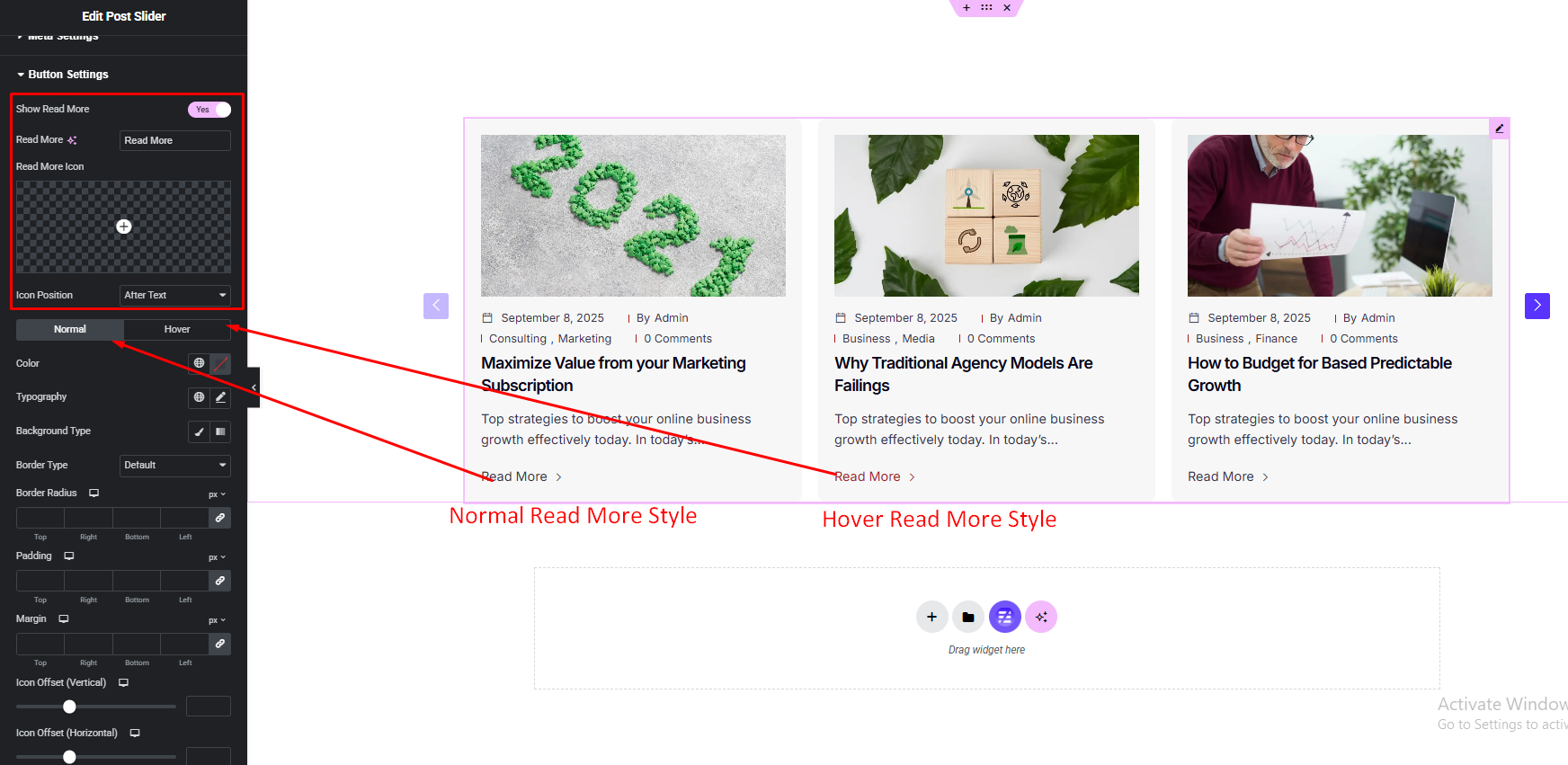
Icon Button Settings:

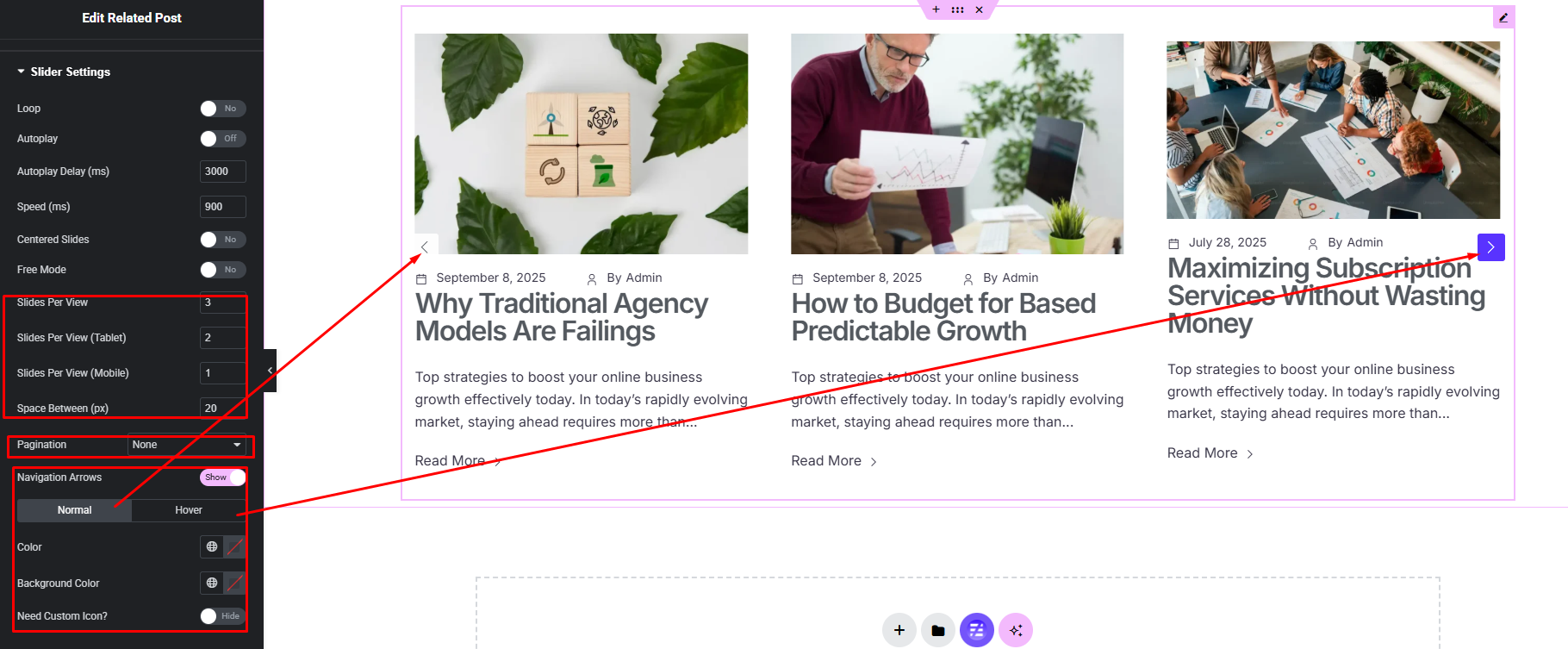
Slider Settings:
Step 3:
Customize Related Post Style:
Easily customize your widgets appearance including Related Post item, content part, title, excerpt, meta info and more style — all from the Style panel.


