



The Search Widget of Easy Elements allows you to add a clean and user-friendly search bar anywhere on your website. Users can quickly type a keyword and find relevant results from your site content. This widget is lightweight, fast, and fully responsive, making it suitable for any type of website.
How to Use Search Widget of Easy Elements
Step 1:
Add Search Widget:
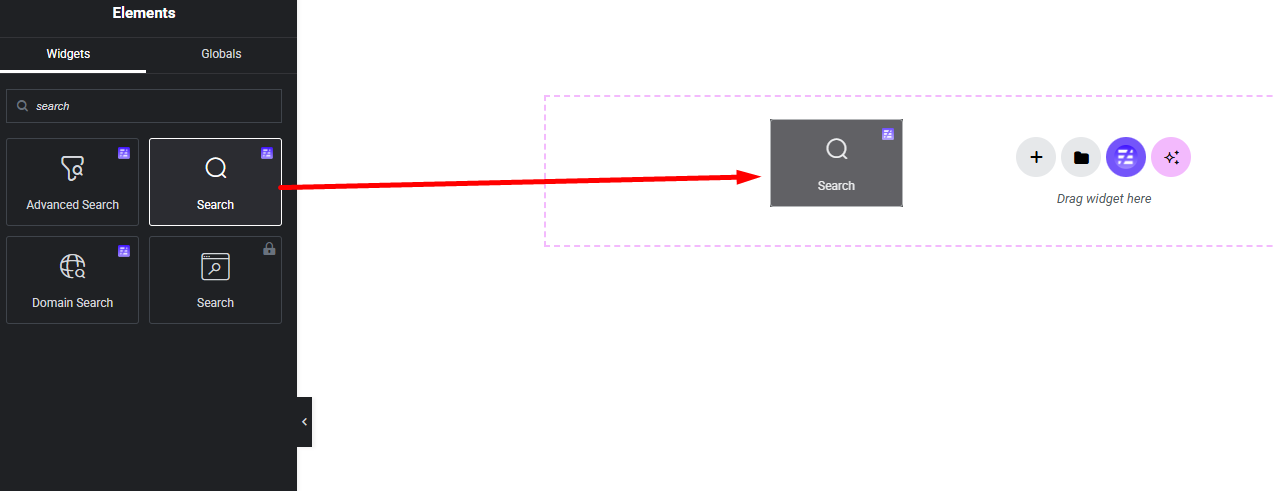
Select the Search widget from the left panel, then drag and drop it into your desired area on the canvas.
Step 2:
Search Settings:
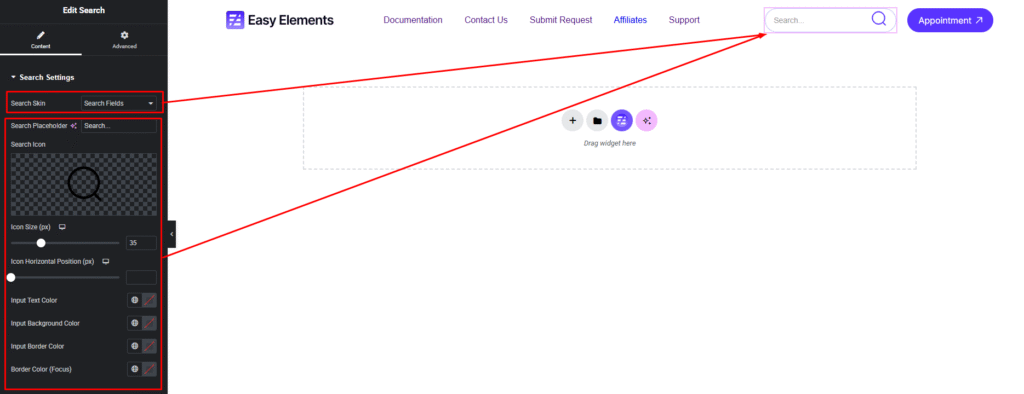
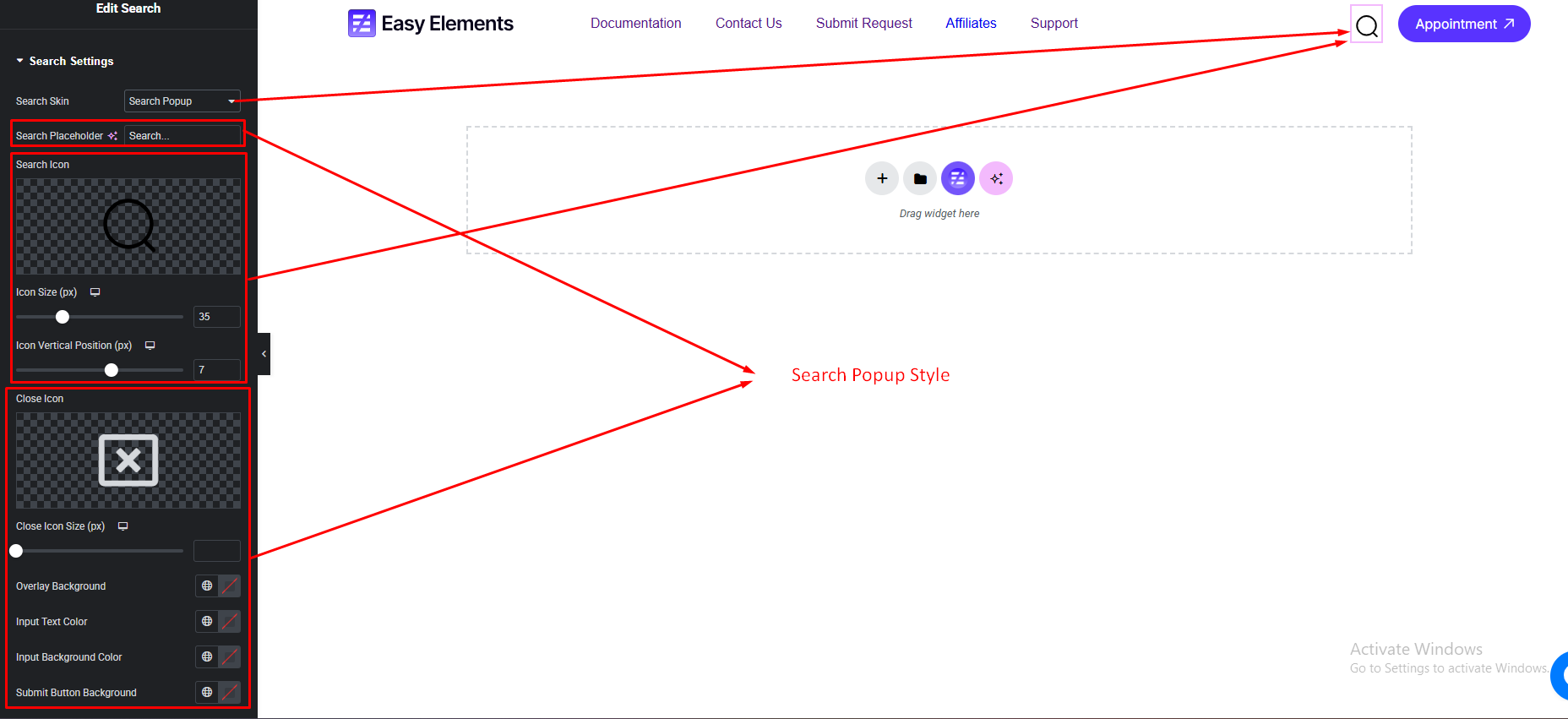
- Search Skin (Normal & Popup)
- Search Field Style
Normal Search:
Popup Search:

Watch this video with all settings changes and previews.
Video Coming Soon


