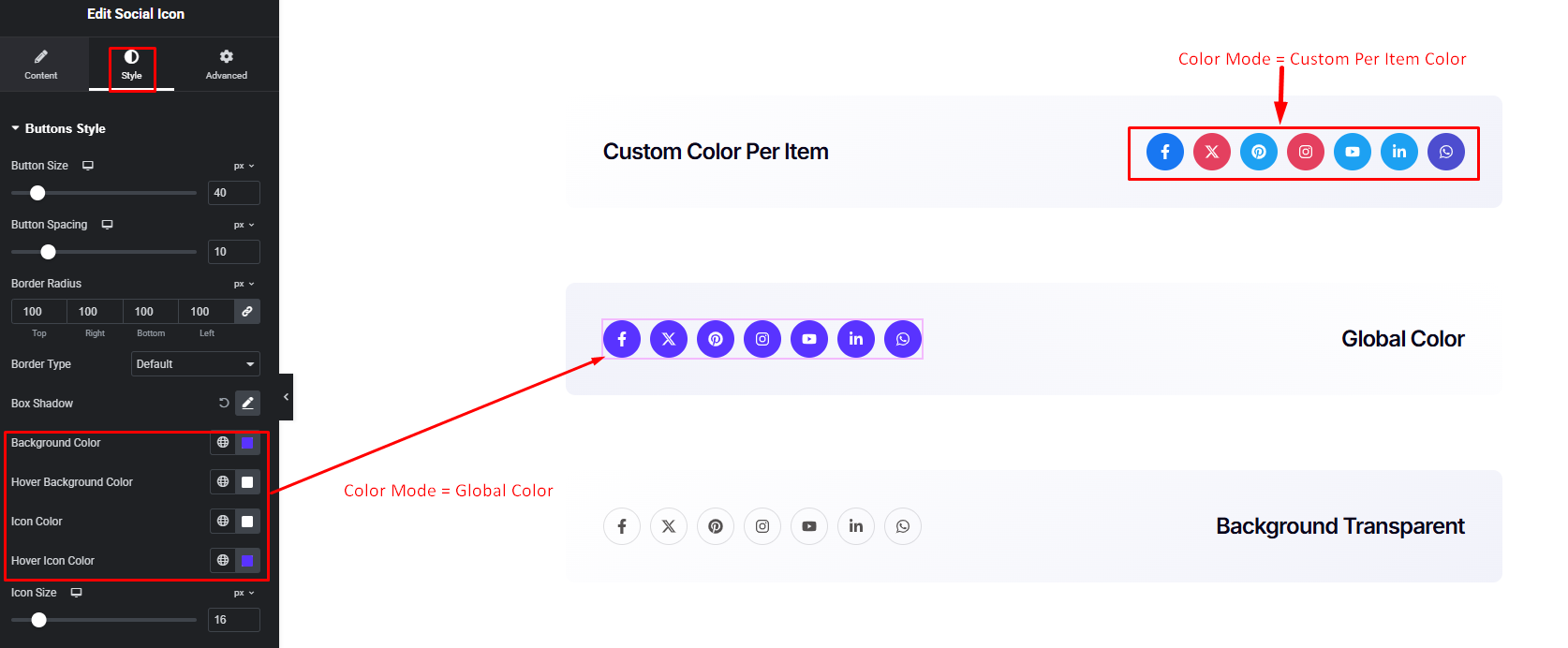


Connect your audience to your social profiles effortlessly with the Social Icon widget. Add stylish icons, customize colors, shapes, sizes, and hover effects, and link them to any platform you want. Perfect for boosting engagement and giving your website a modern, professional social presence.
How to Use Social Icon Widget of Easy Elements
Step 1:
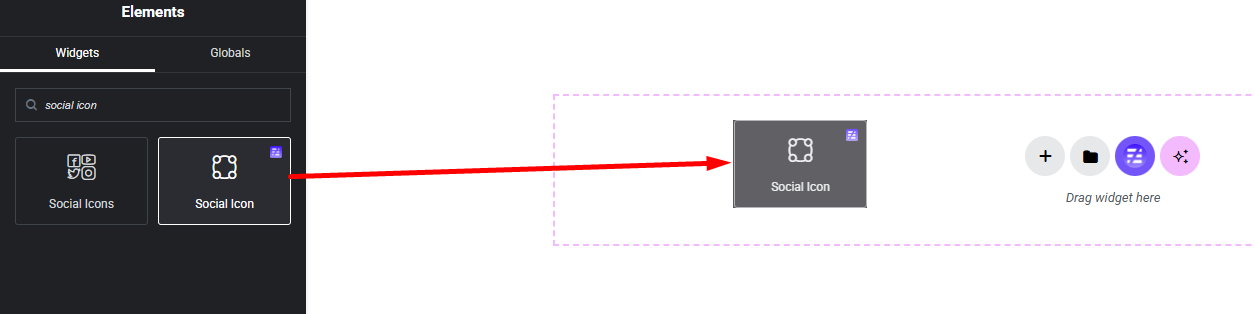
Add Social Icon Widget:
Select the Social Icon widget from the left panel, then drag and drop it into your desired area on the canvas.
Step 2:
Social Icon Settings & Style:
- Social Links Repeater Items
- Item Color Mode
1. custom color per item
2. global colors
Color Mode: Custom Colors (per item).
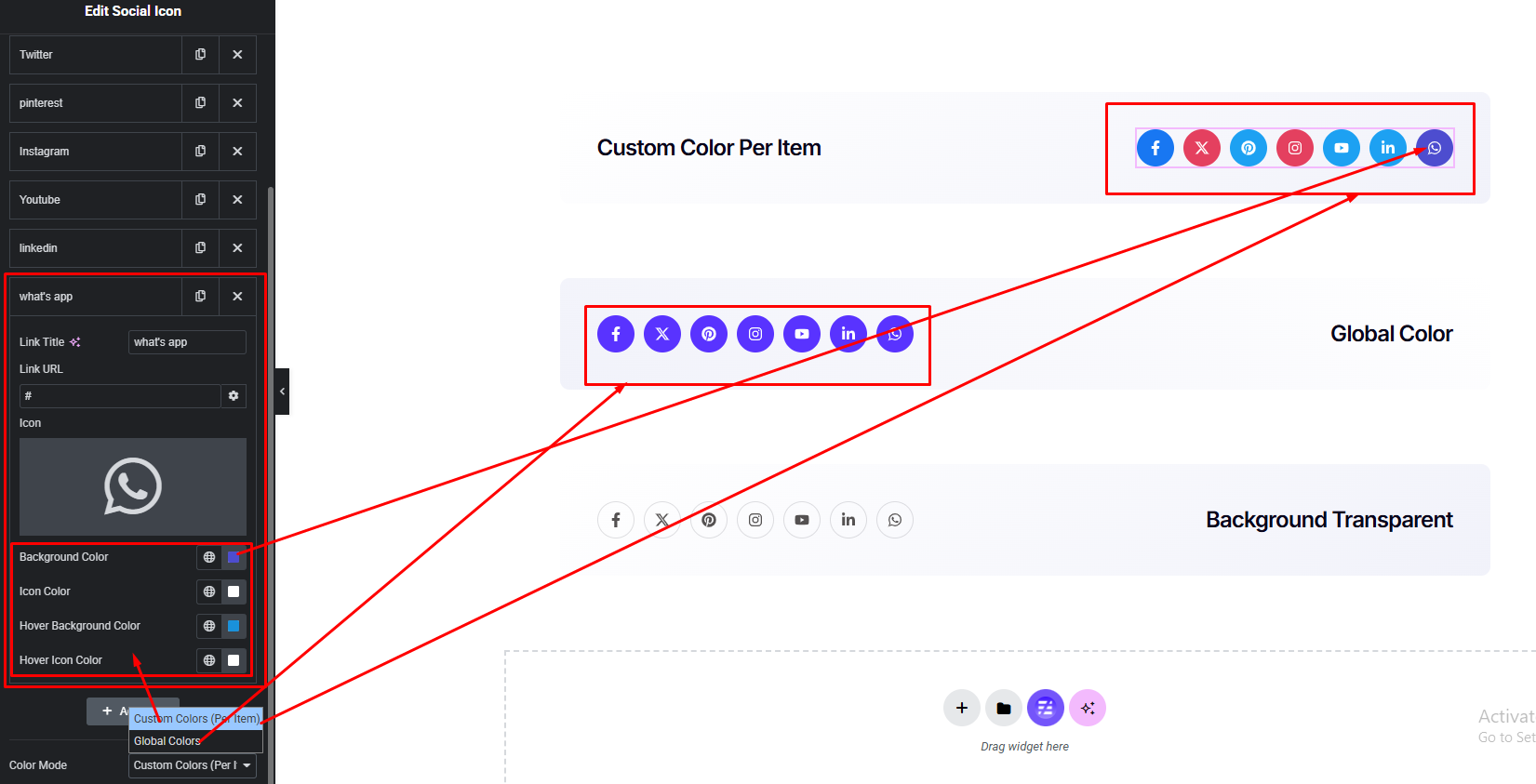
Color Mode: Global Colors.