



Display testimonials in an elegant, fully responsive slider. With smooth transitions, navigation controls, and advanced styling options, the Testimonials Slider widget lets you present customer reviews in an engaging and dynamic format—ideal for boosting credibility and enhancing user experience.
How to Use Testimonials Slider Widget of Easy Elements Pro
Step 1:
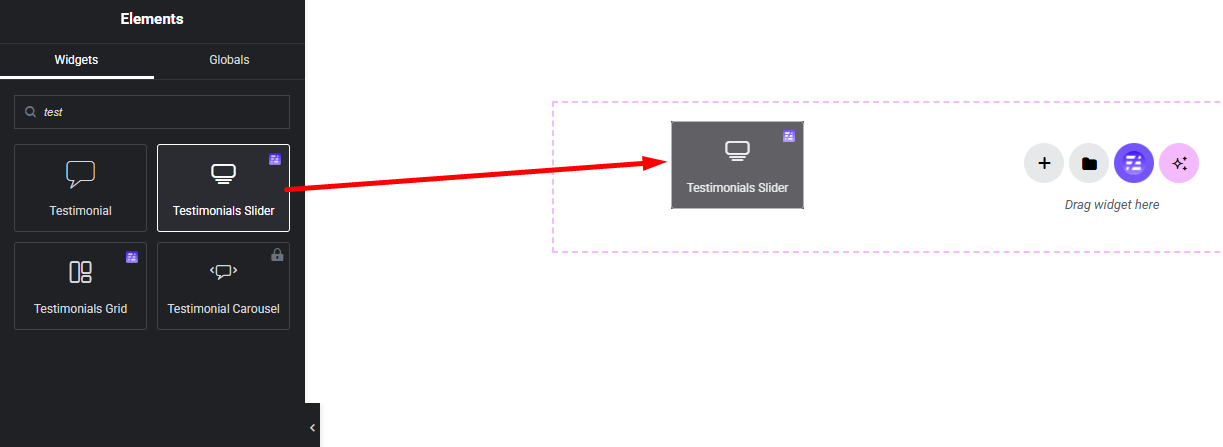
Add Testimonials Slider Widget:
Select the Testimonials Slider widget from the left panel, then drag and drop it into your desired area on the canvas.
Step 2:
Testimonials Slider Settings:
- Layout Settings
- Testimonials Settings
- Slider Settings
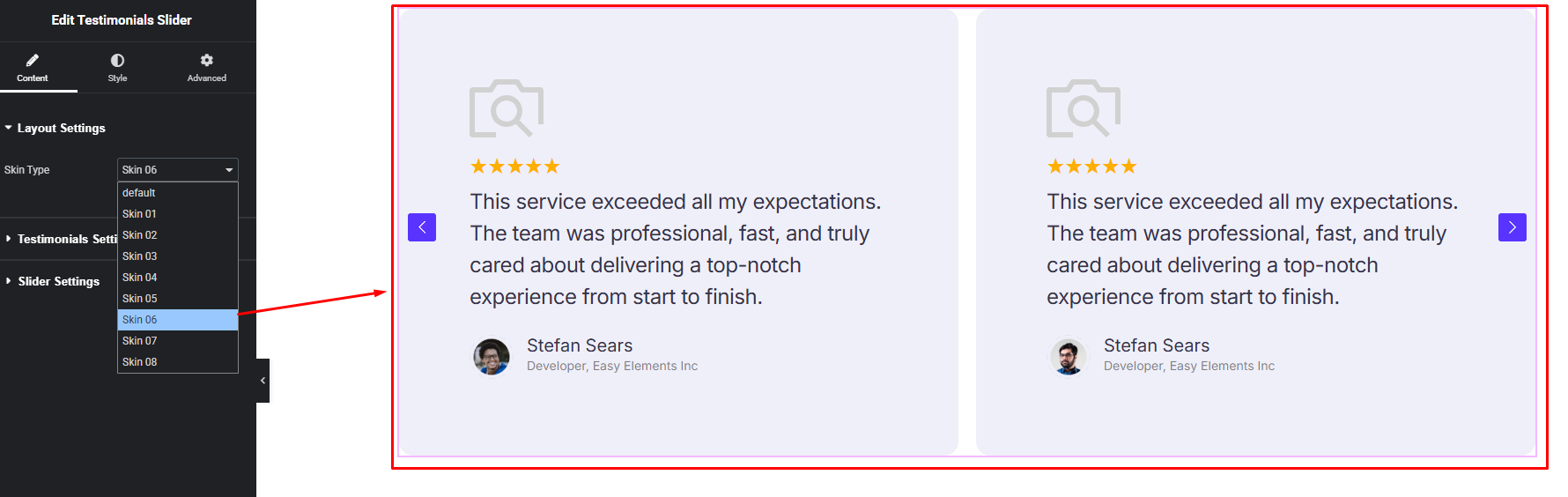
Layout Settings:
Choose the skin you like and use it.
Testimonials Settings:
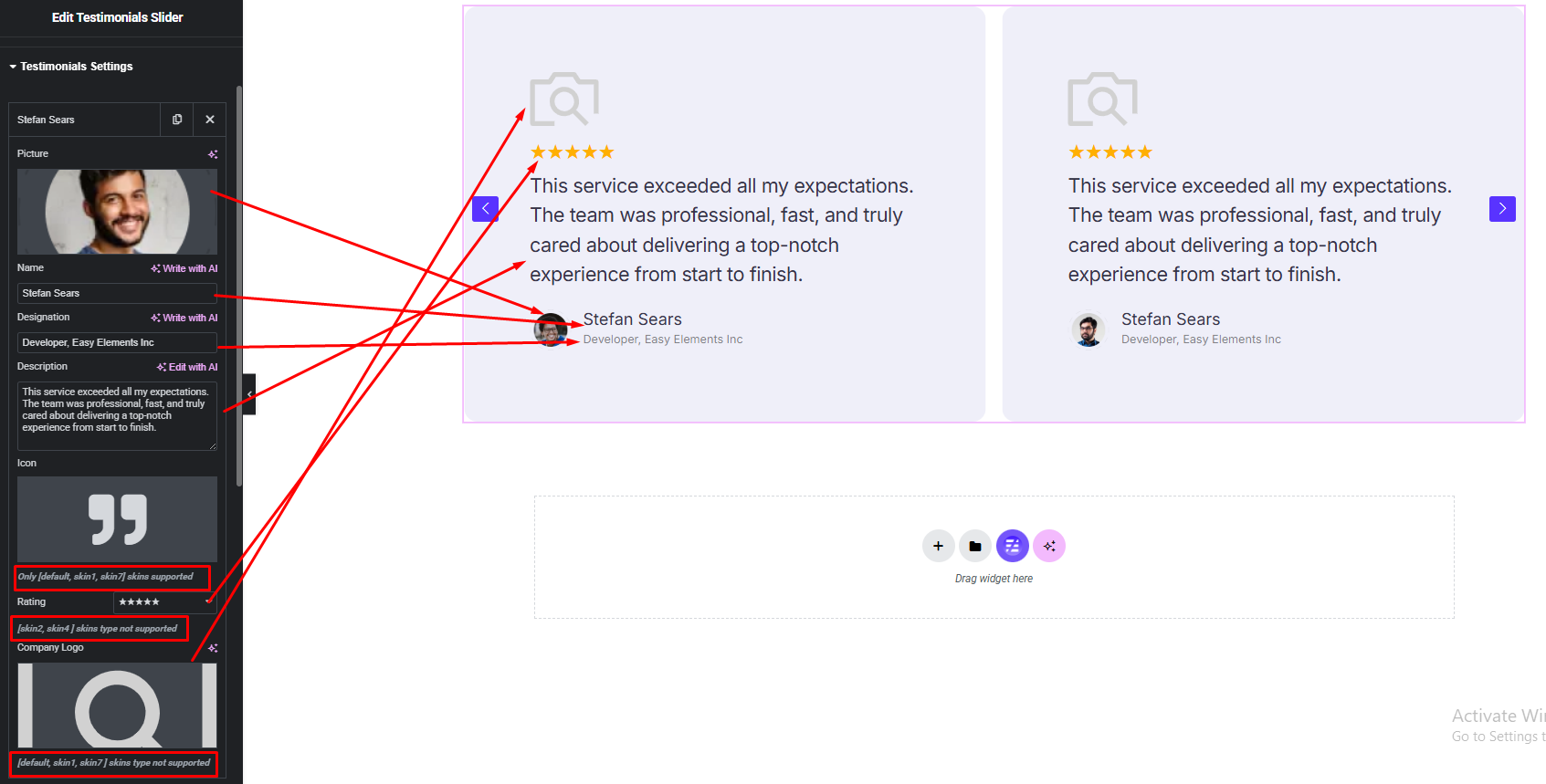
- Testimonial Item Fields
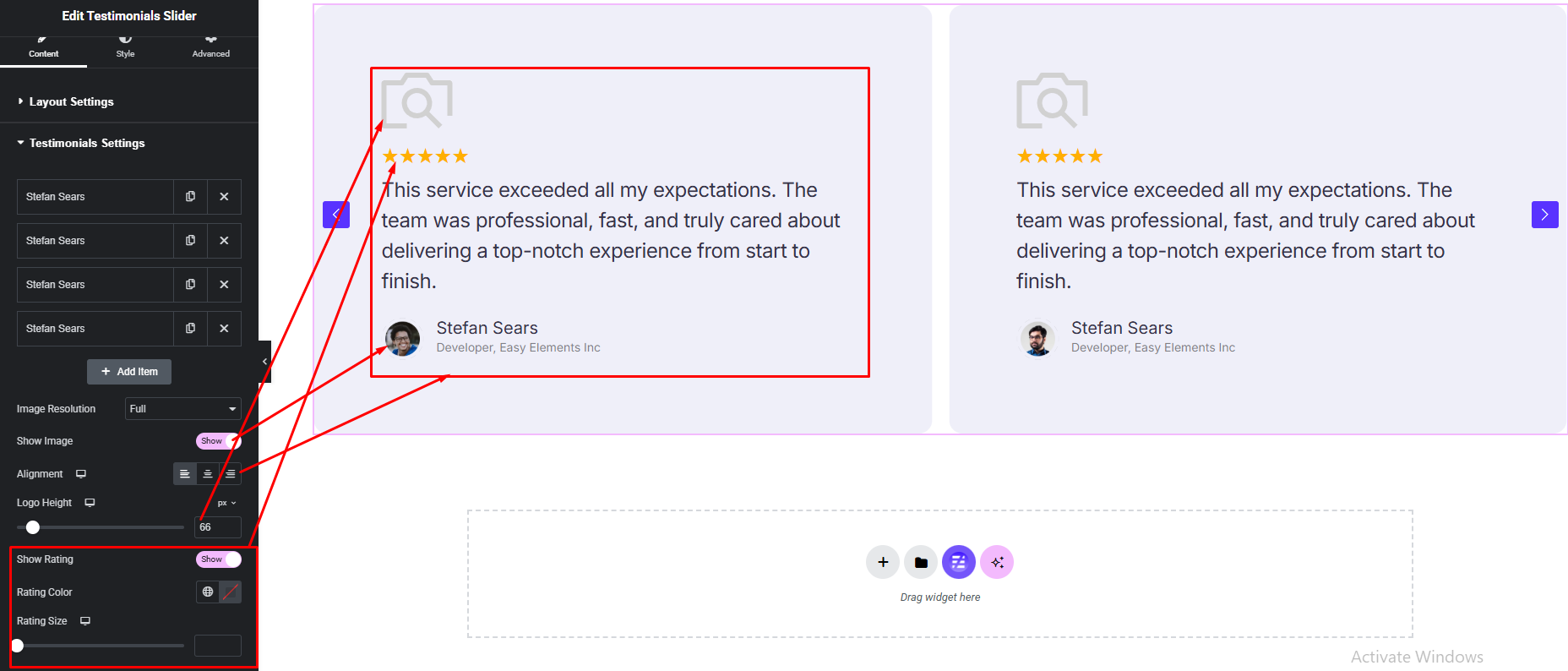
- Testimonial Item Options
Testimonial Item Fields:
Testimonial Item Options:
Slider Settings:
- Slider Default Settings
- Slider Pagination Settings
- Slider Navigation Settings
Slider Default Settings:

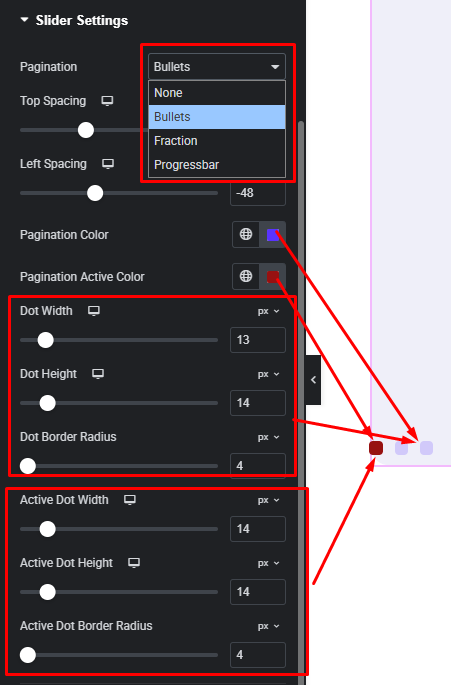
Slider Pagination Settings:
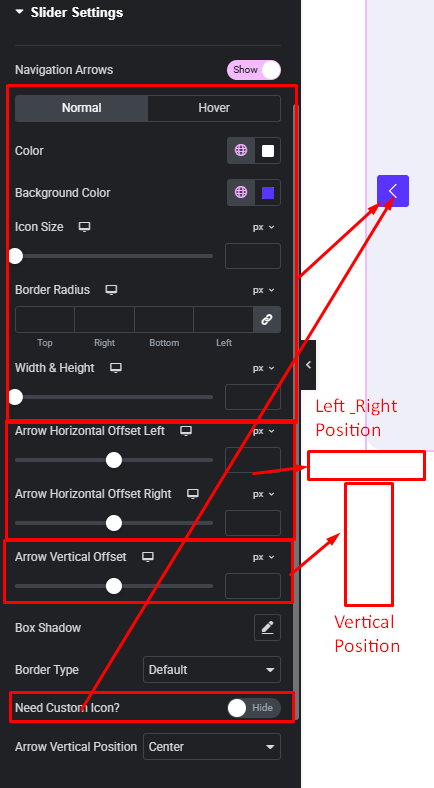
Slider Navigation Settings:
Step 3:
Customize Testimonial Style:
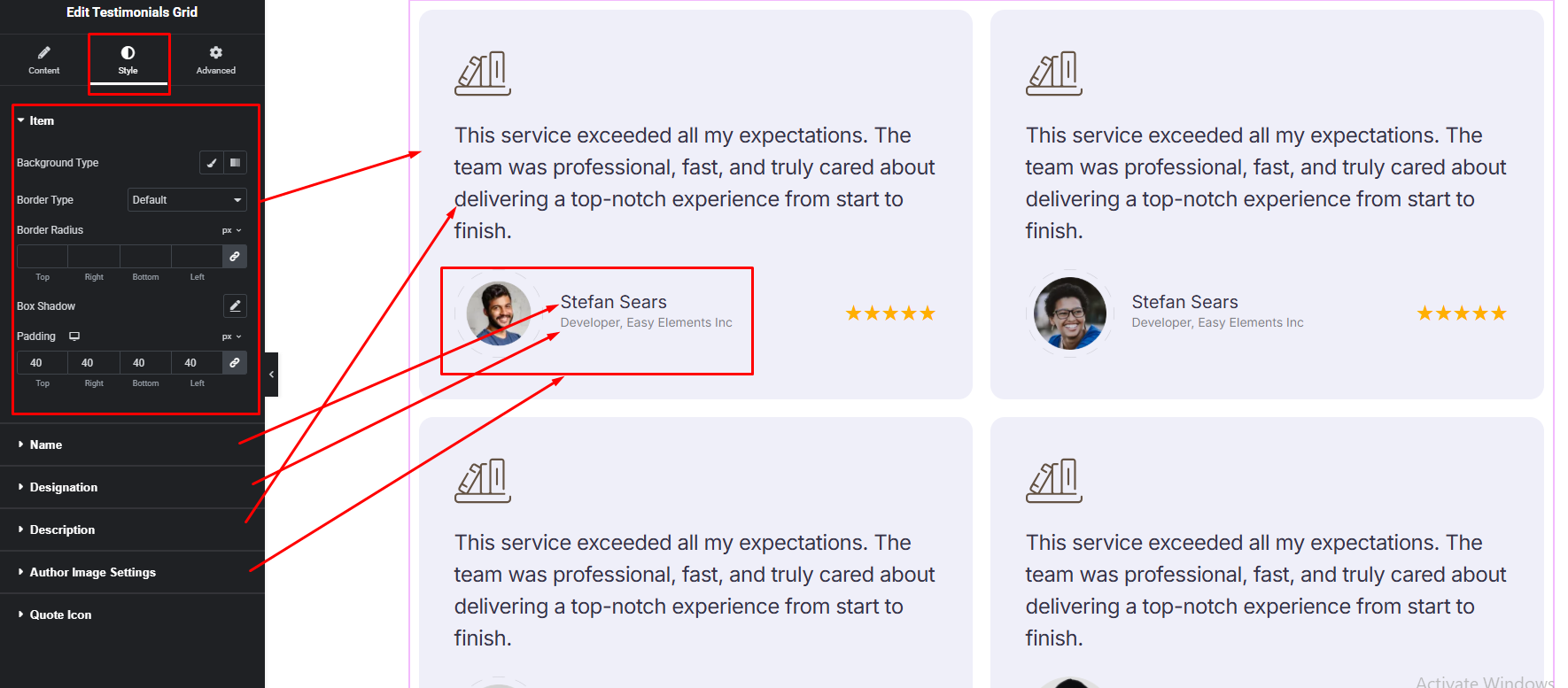
Easily customize your widget’s appearance including Testimonial item background, border, padding etc. & Testimonial Name, Designation, Description and more —all from the Style panel.
Watch this video with all settings changes and previews.
Video Coming Soon


