Building with Elementor but still not getting that “wow” factor? In 2026, basic designs just don’t cut it—users expect speed, interactivity, and polished UI, and Elementor alone often isn’t enough.
The real problem is relying on limited widgets or bloated plugins that slow you down instead of scaling you up.
The solution? The right Elementor addons. They unlock powerful features, streamline your workflow, and help you create high-converting websites without writing a single line of code.
Top 5+ Elementor Addons You Should Consider
Elementor is powerful but let’s be honest, it’s not enough on its own anymore. Modern websites demand advanced widgets, dynamic content, animations, and performance optimization.
That’s exactly where Elementor addons step in.
The right addon can:
- Expand your widget library
- Improve design flexibility
- Reduce the need for multiple plugins
- Boost performance (if chosen wisely)
In fact, experts now recommend using one high-quality addon instead of stacking multiple ones to avoid performance issues and conflicts.
Now, let’s break down the top 5 Elementor addons you should seriously consider.
1. Easy Elements (Best All-in-One Elementor Addon)
If you’re looking for a single addon that replaces multiple plugins, Easy Elements is exactly where you should start.
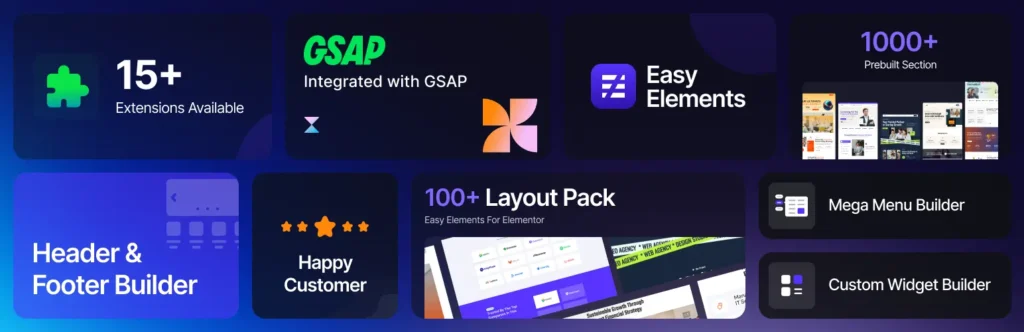
Unlike traditional bulky addon packs, Easy Elements focuses on performance + usability + modern UI components, making it ideal for agencies, SaaS websites, and growth-focused businesses.
Why Easy Elements Stands Out
Easy Elements is built with a minimal yet powerful philosophy. Instead of overwhelming you with hundreds of unnecessary widgets, it delivers high-impact elements that actually improve conversions and UX.
Key Features
- Conversion-focused widgets (CTA, pricing, testimonials)
- Lightweight architecture for faster load speed
- Modern design components tailored for latest UI trends
- Clean backend UI (no clutter, no confusion)
- Optimized for scalability (great for agencies)
Best For
- SaaS websites
- Landing pages
- Agencies that want speed + consistency
- Anyone tired of bloated addons
Verdict: If you want performance + simplicity + results, Easy Elements is a no-brainer.
2. Element Pack (Best for Sheer Widget Variety & Power)
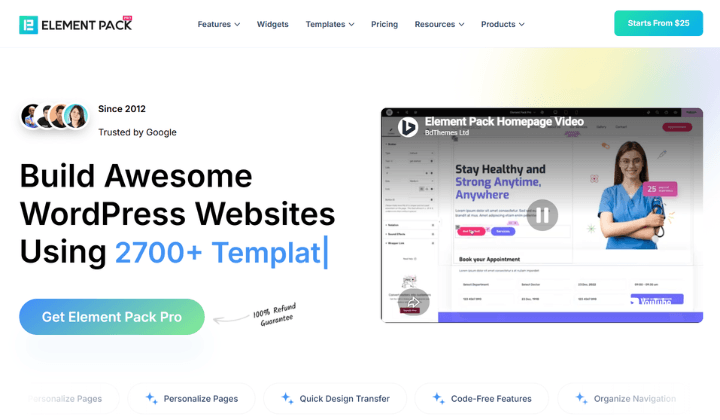
If you want one plugin that handles almost everything, Element Pack is a solid pick. It ships with 300+ widgets and 2,700+ ready-made templates covering design, content, WooCommerce, navigation, LMS and more.
Why It’s Popular
Most users switch to Element Pack because they’re tired of juggling multiple addon plugins. Everything lives in one place and the quality stays consistent across widgets.
Key Features
- 300+ widgets covering almost every use case you can think of
- Live Copy Paste — copy any design from one site and paste it into another in seconds
- Theme Builder with pre-built headers, footers, and dynamic page layouts
- ACF & Dynamic Content support for building data-driven pages
- Visibility Controls to show or hide content based on role, device, or date
- Assets Manager to keep things fast and bloat-free
- White Label Branding if you’re delivering sites to clients
- Full WPML & RTL support out of the box
Downsides
- A lot to take in at first — the widget count alone can feel like a lot
- Some advanced features take a bit of getting used to
- The free version is decent, but Pro is where it really opens up
Best For
- Agencies juggling multiple client projects
- Developers who need solid third-party integrations
- Anyone who’s tired of installing five plugins to do one job
Verdict: Element Pack is about as complete as an Elementor addon gets. There’s a small learning curve, but once you’re past it, you’ll rarely need anything else.
3. Essential Addons for Elementor (Best for Versatility)
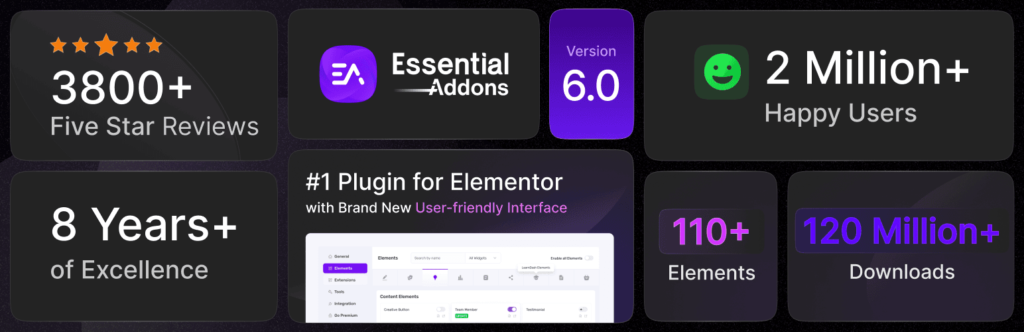
Essential Addons is one of the most widely used Elementor addon libraries, offering 100+ widgets covering almost every use case.
Why It’s Popular
It’s designed for users who want maximum flexibility without switching between multiple plugins.
Key Features
- Advanced data tables with sorting & filtering
- WooCommerce widgets (product grids, checkout builder)
- Content protection for membership sites
- Dynamic post grids with AJAX filtering
Downsides
- Can feel heavy if you enable too many widgets
- UI can be overwhelming for beginners
Best For
- Agencies building diverse client projects
- Users needing a “Swiss army knife” addon
Verdict: A powerful all-rounder but requires careful optimization.
4. Happy Addons (Best for Creative Design & Animation)
If your priority is visual storytelling and animations, Happy Addons is a strong contender.
Why It Stands Out
It focuses heavily on design creativity, offering unique widgets and motion effects not found in basic addons.
Key Features
- Image comparison & hotspot widgets
- Floating effects and advanced animations
- Live copy-paste between domains
- Display conditions for dynamic visibility
Downsides
- Slight learning curve for advanced features
- Animation-heavy sites may affect performance
Best For
- Creative portfolios
- Designers & freelancers
- High-end visual websites
Verdict: Perfect for design-first users who want their site to stand out.
5. ElementsKit (Best for Mega Menus & Advanced Layouts)
ElementsKit is known as a complete toolkit, especially for navigation and layout control.
Why It’s Powerful
It goes beyond widgets and provides core structural features like header/footer builders and mega menus.
Key Features
- Mega menu builder
- Header & footer builder
- 45+ widgets including pricing tables, testimonials, etc.
- Advanced controls (Ajax select, image picker)
Downsides
- Slightly heavier than lightweight alternatives
- Requires setup time to fully utilize
Best For
- Complex websites
- Corporate or large-scale projects
- Developers needing deep customization
Verdict: A solid choice for advanced site architecture.
6. Ultimate Addons for Elementor (Best for Performance + Reliability)
Ultimate Addons (by Brainstorm Force) is known for being stable, lightweight, and well-maintained.
Why It’s Trusted
It balances performance and functionality, making it ideal for long-term projects.
Key Features
- Clean, optimized widget loading
- Strong WooCommerce support
- Pre-built templates for faster workflows
- Reliable updates and support
Downsides
- Fewer flashy features compared to competitors
- Premium pricing
Best For
- Agencies focused on performance
- Business websites
- Long-term scalable projects
Verdict: A safe, professional-grade addon for serious projects.
How to Choose the Right Elementor Addon
Choosing an Elementor addon isn’t just about grabbing the one with the most widgets—it’s about finding the one that actually improves your workflow, design, and performance.
Pick the wrong addon, and you’ll end up with:
- Slow-loading pages
- Plugin conflicts
- Bloated dashboards
- Frustrating design limitations
Pick the right one, and Elementor becomes a conversion-focused, high-performance website builder.
Here’s how to make the right choice 👇
Understand Your Real Needs First (Not Just Features)
Most users make the mistake of choosing addons based on how many widgets they offer. That’s the wrong approach.
Instead, start by asking:
- Are you building landing pages or full websites?
- Do you need WooCommerce features?
- Are animations important or just a bonus?
- Do you prioritize speed or design flexibility?
If you only need 10–15 widgets, installing an addon with 100+ widgets is overkill and will likely hurt performance.
The goal is simple: Choose what you’ll actually use, not what looks impressive.
Prioritize Performance Over Quantity
Every addon adds extra CSS, JavaScript, and database load. That’s why performance should be your #1 decision factor.
Look for addons that:
- Load assets only when needed
- Allow widget-level enable/disable
- Are lightweight by design
Heavy addons might look powerful but they can slow your site dramatically, especially on mobile.
A fast site = better SEO, better UX, and higher conversions.
Check Widget Quality, Not Just Numbers
Not all widgets are created equal.
Some addons offer 100+ widgets but many are outdated, poorly designed, or rarely useful.
Instead, evaluate:
- Design quality (modern or outdated?)
- Customization flexibility
- Real-world usability
A smaller set of well-designed, conversion-focused widgets will always outperform a massive but cluttered library.
Look for Conversion-Focused Elements
If your goal is business growth, your addon should help you convert visitors into customers.
Must-have widgets include:
- Call-to-action sections
- Pricing tables
- Testimonials & reviews
- Lead capture forms
This is where solutions like Easy Elements stand out—they focus on high-impact widgets that drive results, rather than just filling space.
More widgets don’t mean more conversions—better widgets do.
Ensure Compatibility & Clean Integration
Your addon should work smoothly with:
- Elementor (latest version)
- Your WordPress theme
- Other essential plugins
Check:
- Regular updates
- Good user reviews
- Active support
Poorly maintained addons can break your site after updates—something you definitely want to avoid.
Avoid Plugin Overload (One Good Addon Is Enough)
Stacking multiple Elementor addons is one of the biggest mistakes.
It leads to:
- Conflicts between plugins
- Duplicate widgets
- Slower performance
Instead, choose one reliable addon that covers most of your needs.
Think quality over quantity—always.
Evaluate Ease of Use (This Saves Hours)
A powerful addon is useless if it’s confusing.
Look for:
- Clean dashboard UI
- Logical widget organization
- Easy customization controls
A smooth user experience will save you hours of design time, especially if you’re managing multiple projects.
Final Thoughts
Choosing the right Elementor addons can make the difference between an average website and a high-performing one. Instead of relying on Elementor alone, the right tools help you design faster, optimize better, and convert more visitors into customers.
Focus on quality over quantity, prioritize performance, and select addons that align with your goals. That’s how you build websites that truly stand out.
Frequently Asked Questions (FAQs)
Are Elementor addons necessary?
Yes, addons are essential if you want to extend Elementor’s functionality and build advanced, professional websites without coding.
Do Elementor addons slow down websites?
Not all addons slow down your site. Lightweight and well-coded plugins improve functionality without affecting performance, but poorly optimized ones can cause issues.
Which is the fastest Elementor addon?
Premium Addons and Easy Elements are known for their lightweight structure and fast performance.
Can I use multiple Elementor addons together?
Yes, but it’s recommended to use only a few high-quality addons to avoid performance issues and plugin conflicts.