

This powerful module helps customers compare multiple products side by side, making it easier to choose the best option for their needs.
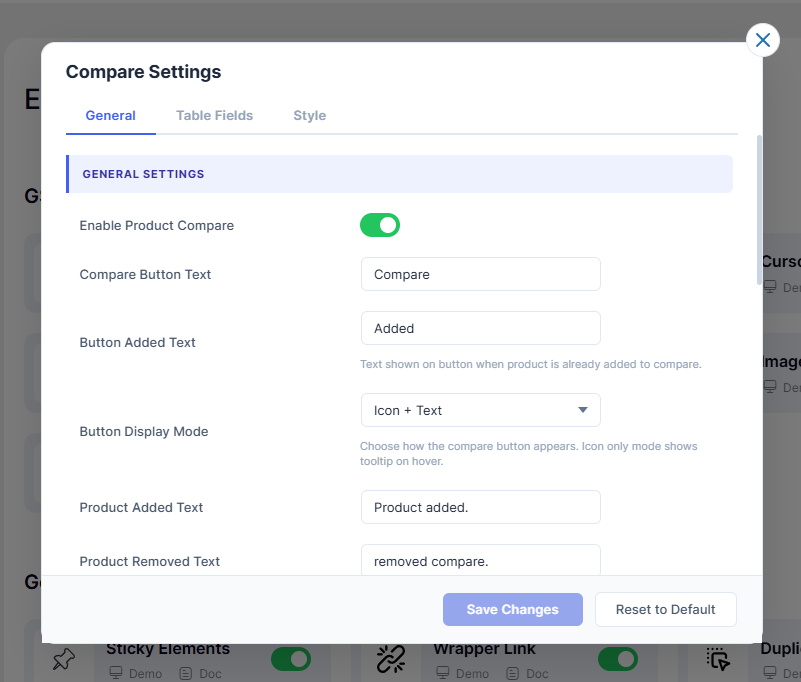
Compare feature has three tabs: General, Table Fields, and Style.
1. General Settings
- 1.1 – Enable Product CompareToggles the entire Compare feature on or off sitewide.
- 1.2 – Compare Button TextLabel shown on the Compare button. Default:
Compare - 1.3 – Button Added TextText shown on button when product is already added. Default:
Added - 1.4 – Button Display ModeChoose button appearance: Icon + Text, Text Only, or Icon Only.
- 1.5 – Product Added TextNotification text when a product is added to compare.
- 1.6 – Product Removed TextNotification text when a product is removed from compare.
- 1.7 – Browse Compare TextLabel for the link that opens the Compare page.
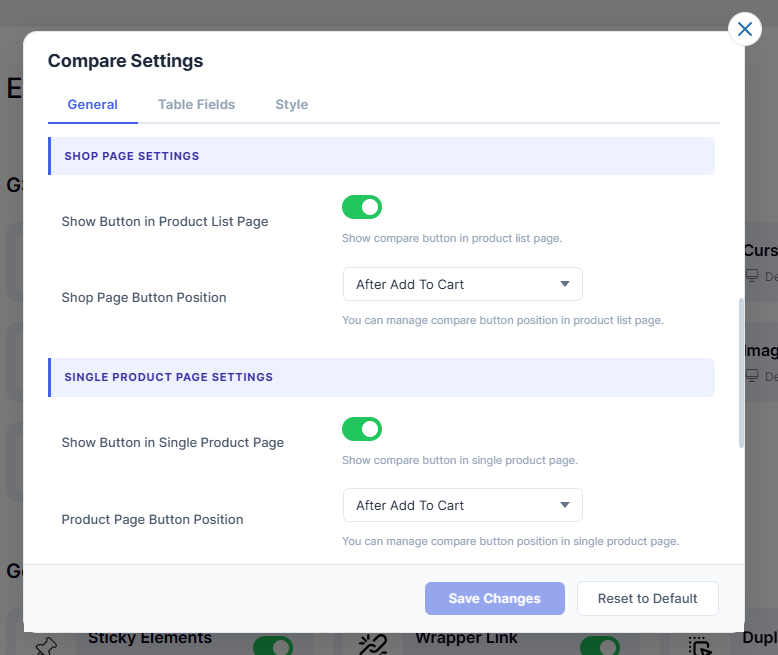
2. Shop Page Settings
- 2.1 – Show Button in Product List PageShows or hides Compare button on the Shop/archive page.
- 2.2 – Shop Page Button PositionSet where the Compare button appears on product list page.
- 2.3 – Shortcode (Use Shortcode mode)Use
to place the button manually. - 2.4 – Enter Hook NameEnter a WooCommerce hook name for custom button placement.
- 2.5 – Hook PrioritySet the hook execution priority. Default:
10
3. Single Product Page Settings
- 3.1 – Show Button in Single Product PageShows or hides Compare button on the single product page.
- 3.2 – Product Page Button PositionSet where the Compare button appears on the product page.
- 3.3 – Shortcode (Use Shortcode mode)Use
to place the button manually. - 3.4 – Product Hook NameEnter a WooCommerce hook name for custom button placement.
- 3.5 – Product Hook PrioritySet the hook execution priority. Default:
10
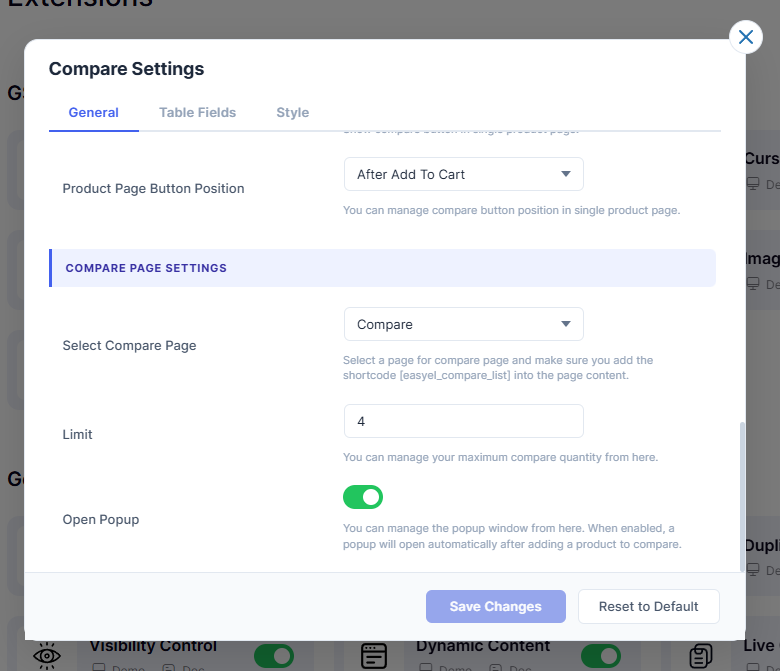
4. Compare Page Settings
- 4.1 – Select Compare PageChoose the page to use as the Compare page. Add shortcode
- 4.2 – LimitMaximum number of products a user can compare at once. Default:
4 - 4.3 – Open PopupAutomatically opens a popup after a product is added to compare.
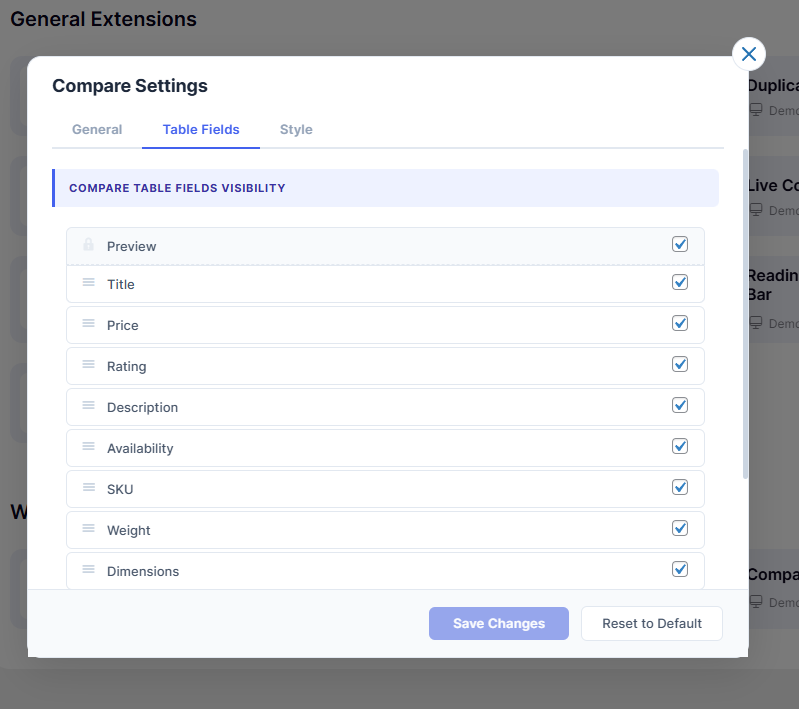
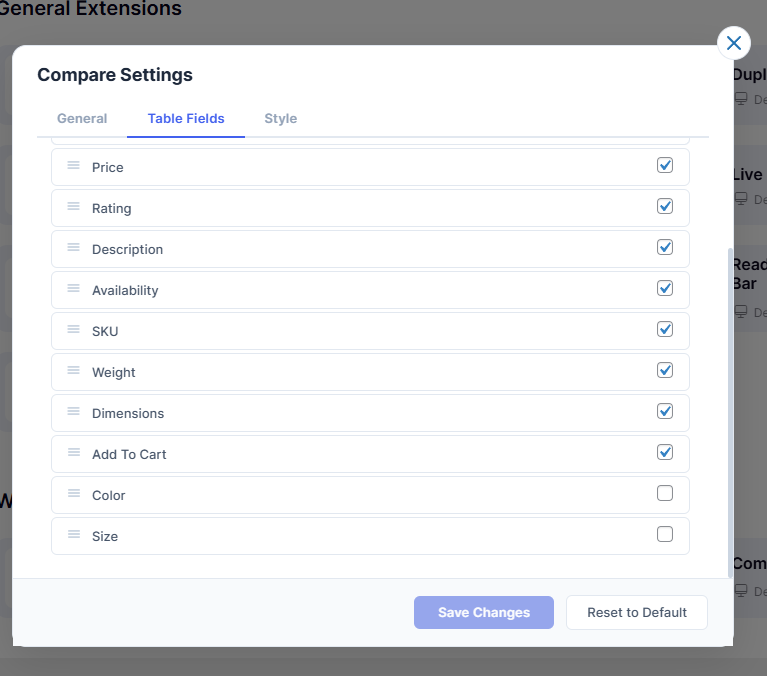
The following features will be displayed in the compare table.
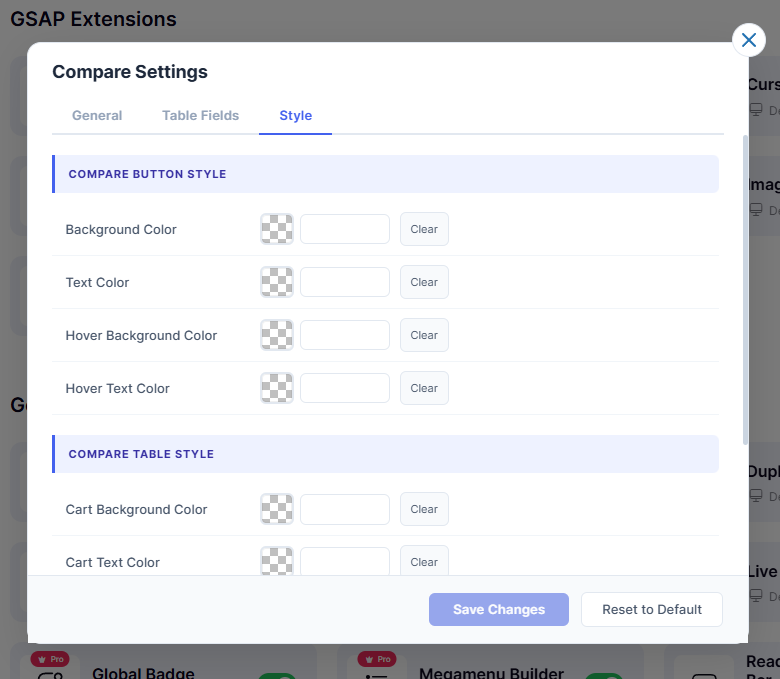
You can customize the following styles in the compare table.
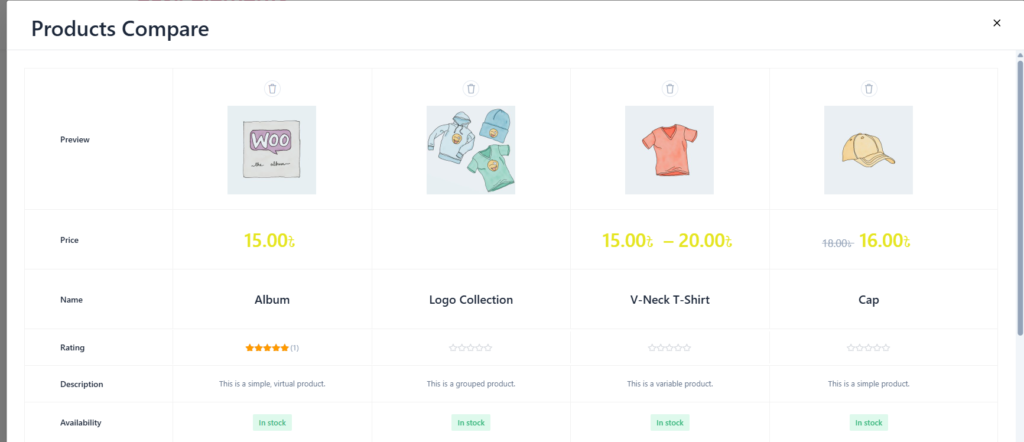
Front End View of Compare Product
Clear view of the compare icon and comparison table.
[easyel_compare_button] — Adds a compare button to products (supports product_id).

[easyel_compare_list] — Displays the compare table on a selected page.

[easyel_compare_count] — Shows total compared items (hide_empty="yes" to hide if empty).


