





Showcase multiple pricing options in a clean, switchable format with the Pricing Tab Widget. Let visitors instantly toggle between plans (like Monthly/Yearly) and compare prices without leaving the page. Highlight featured packages, customize button actions, and style the tabs to match your brand. It’s perfect for subscription services and product offerings that change based on time or usage.
How to Use Pricing Tab Widget of Easy Elements Pro
Step 1:
Add Pricing Tab Widget:
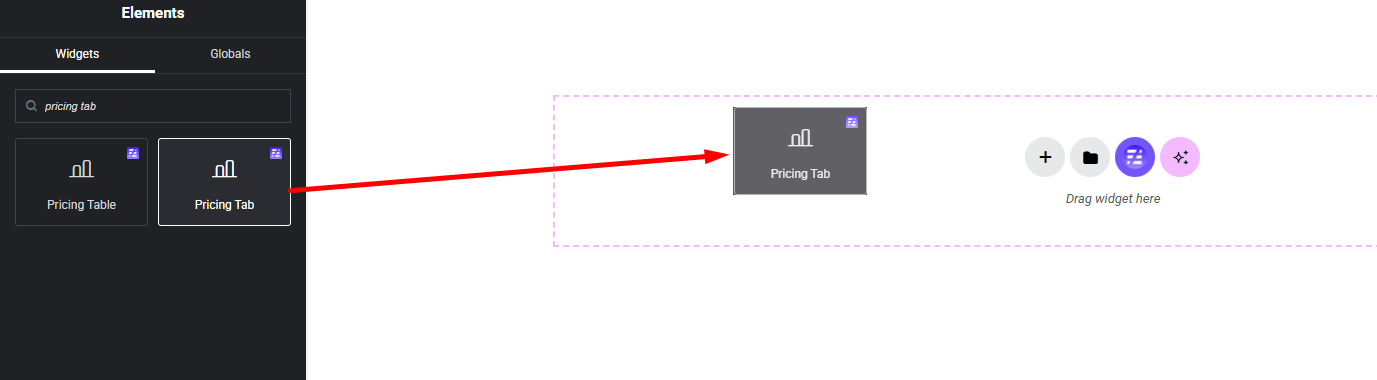
Select the Pricing Tab widget from the left panel, then drag and drop it into your desired area on the canvas.
Step 2:
Pricing Tab Settings:
- Pricing Settings
- Tabs Title
- Plans
- Featured Badge Settings
- Button Settings
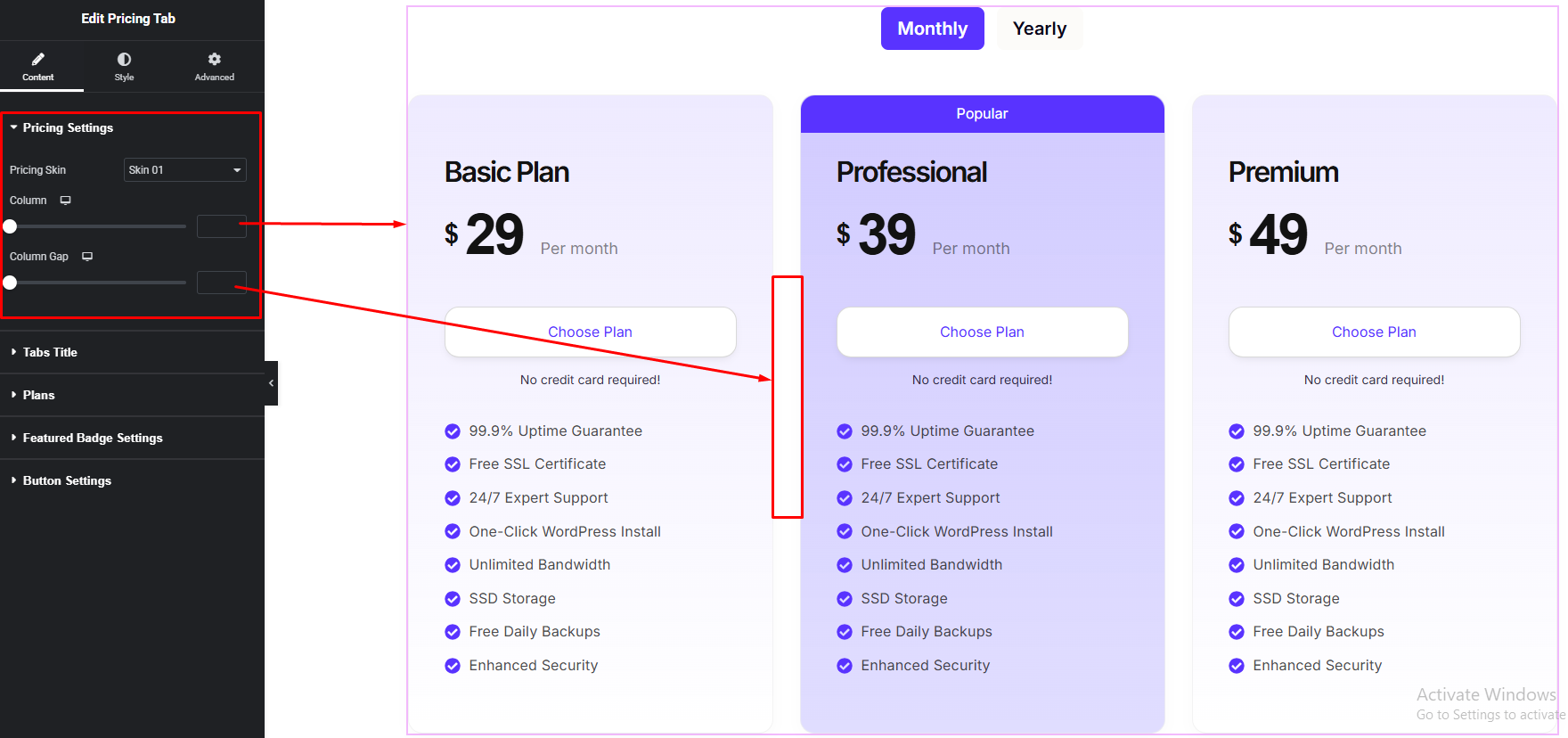
Pricing Settings:
Tabs Title:
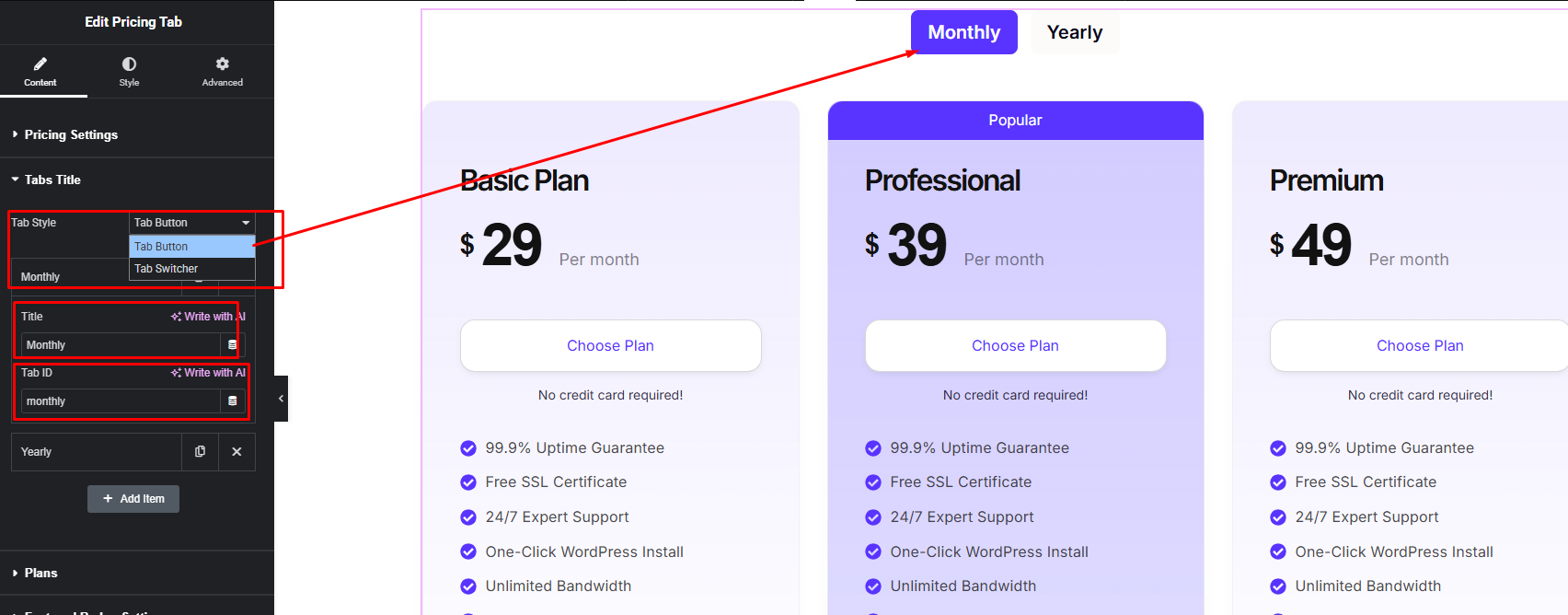
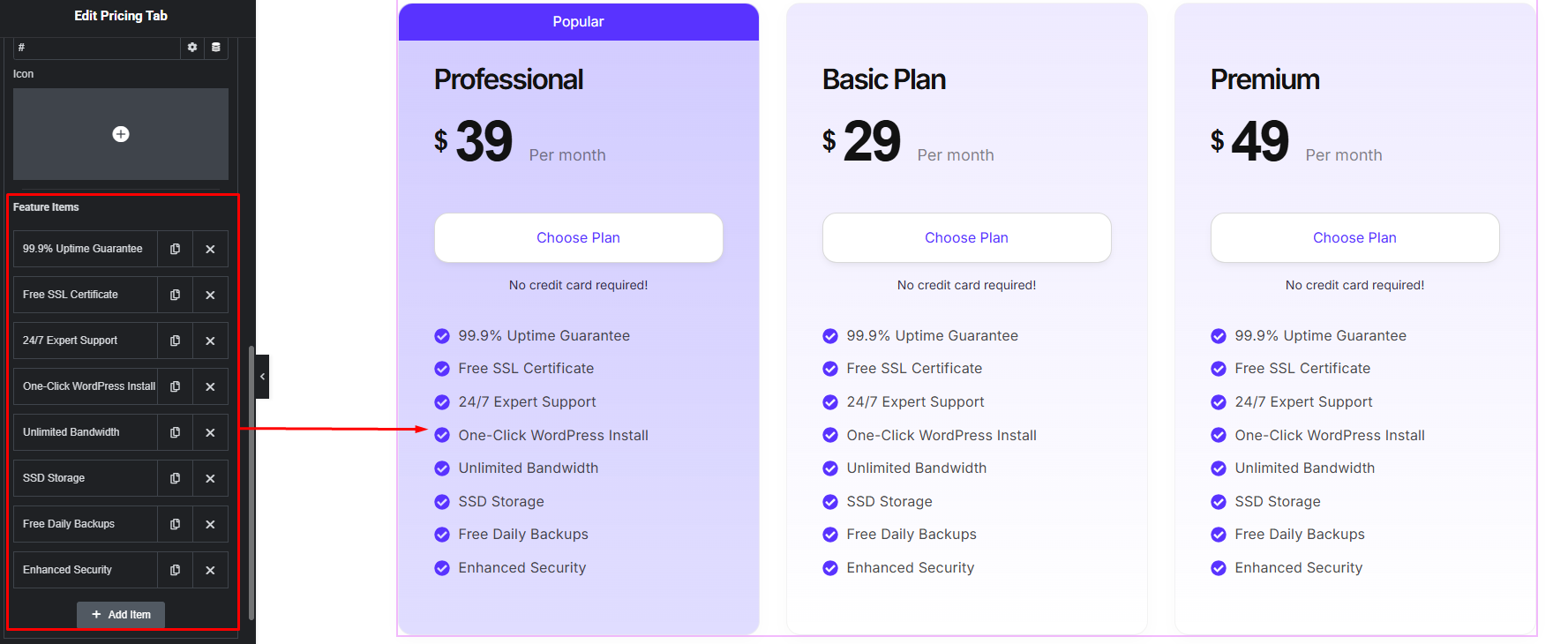
Plans: Tab ID and panel ID must be same.
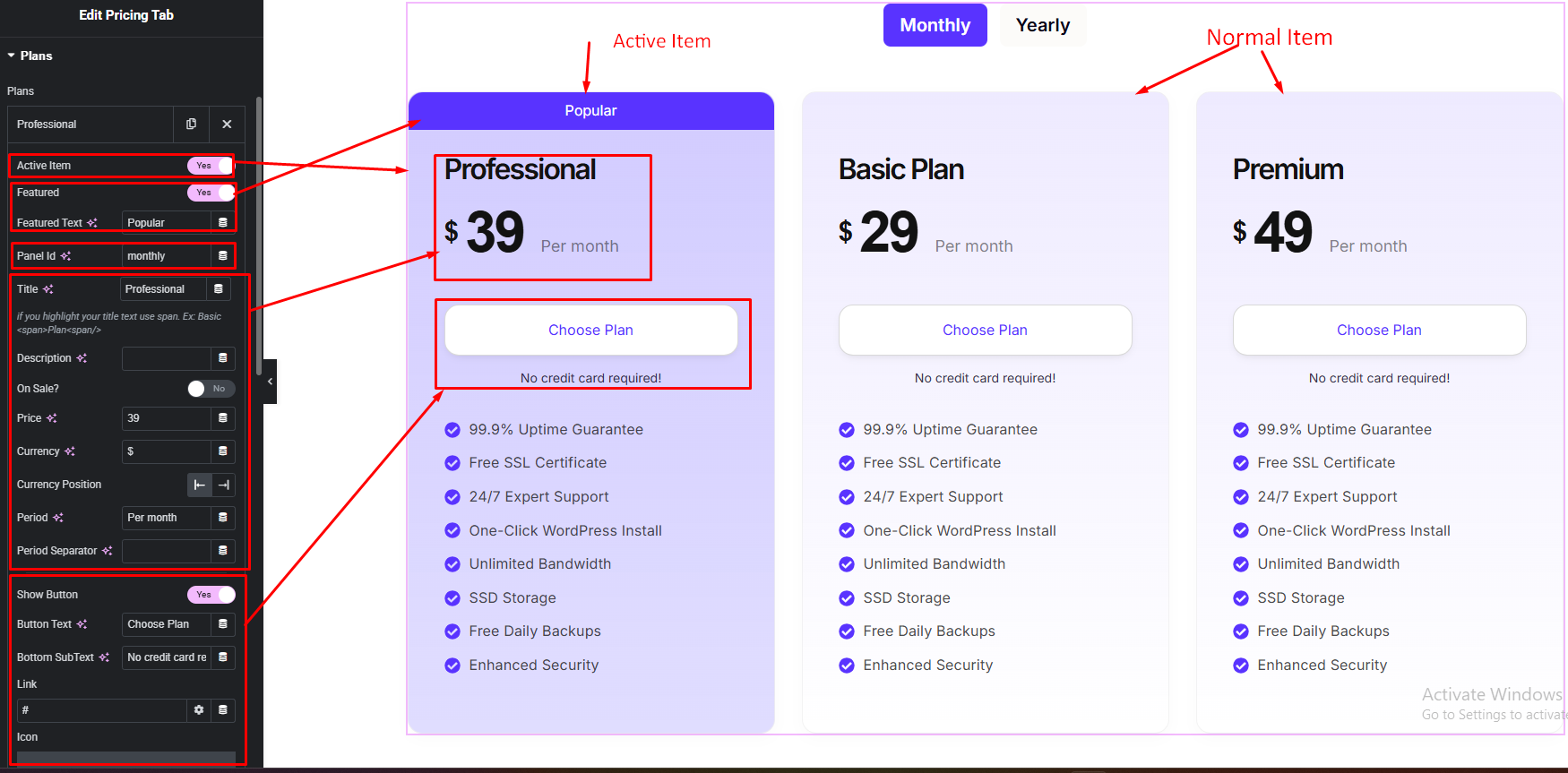
Tabs Title:
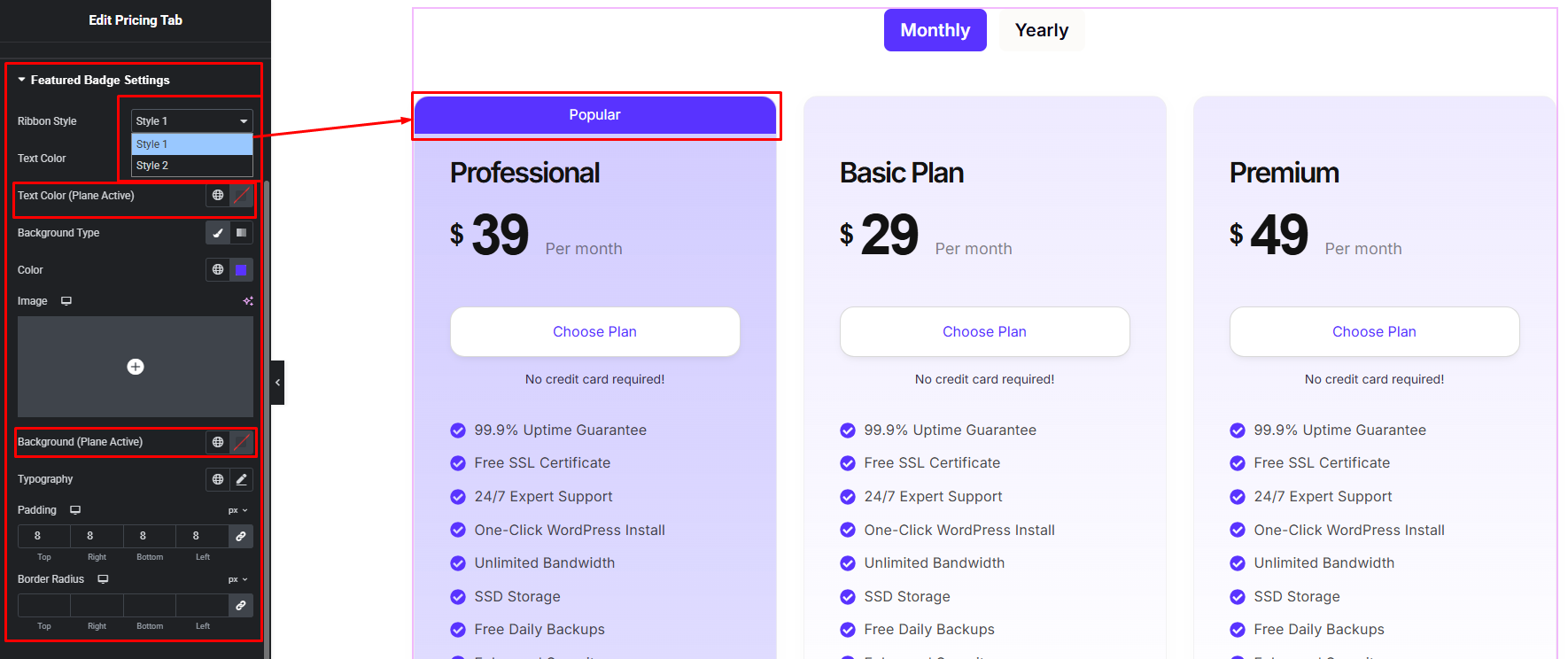
Featured Badge Settings:
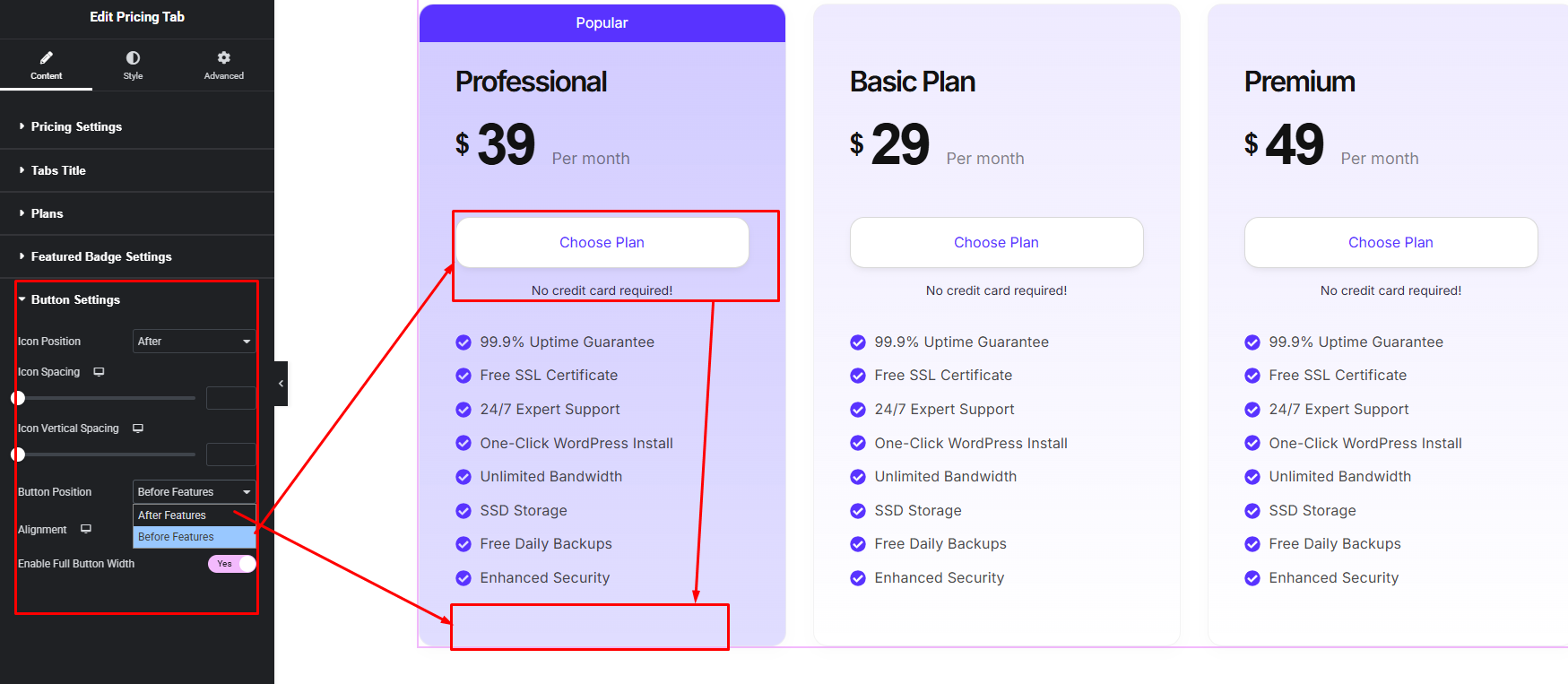
Button Settings:
Step 3:
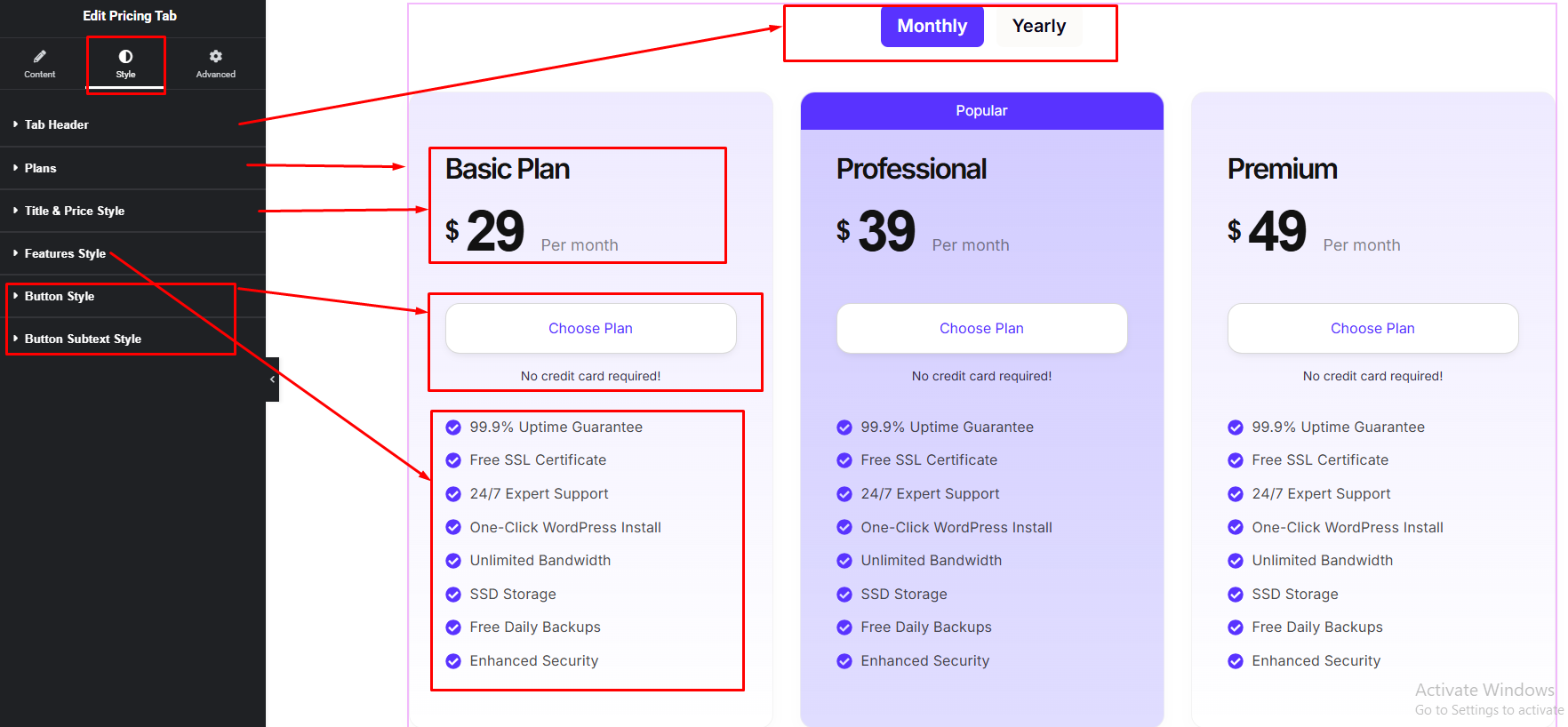
Customize Pricing Tab Style:
Easily customize your widget appearance including Pricing Tab plans, tab header, title, description, features and button — all from the Style panel.
Watch this video with all settings changes and previews.
Video Coming Soon







