
The Product Categories widget allows you to display WooCommerce product categories in a clean and organized layout. It helps users easily browse different product sections by showing category images, names, and product counts.
How to Use Product Categories Widget of Easy Elements Pro
Step 1:
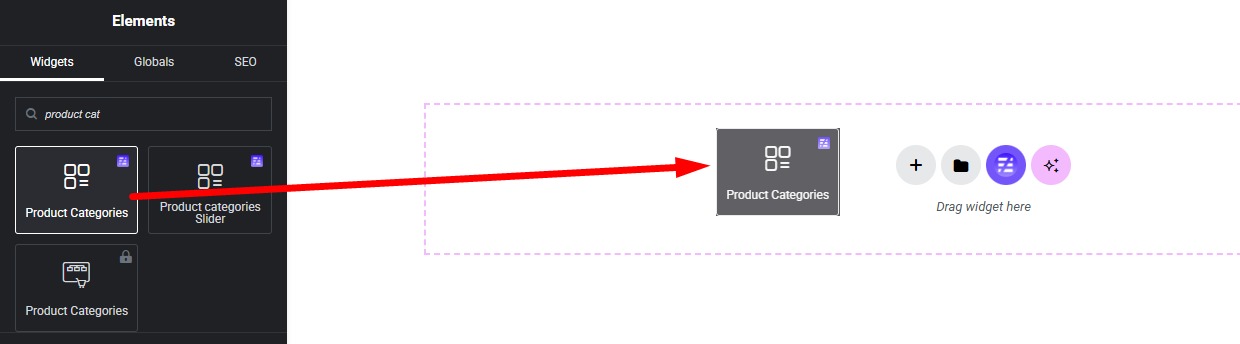
Add Product Categories Widget:
Select the Product Categories widget from the left panel, then drag and drop it into your desired area on the canvas.
Step 2:
Product List Options:
- General
- Query
- Advanced Settings
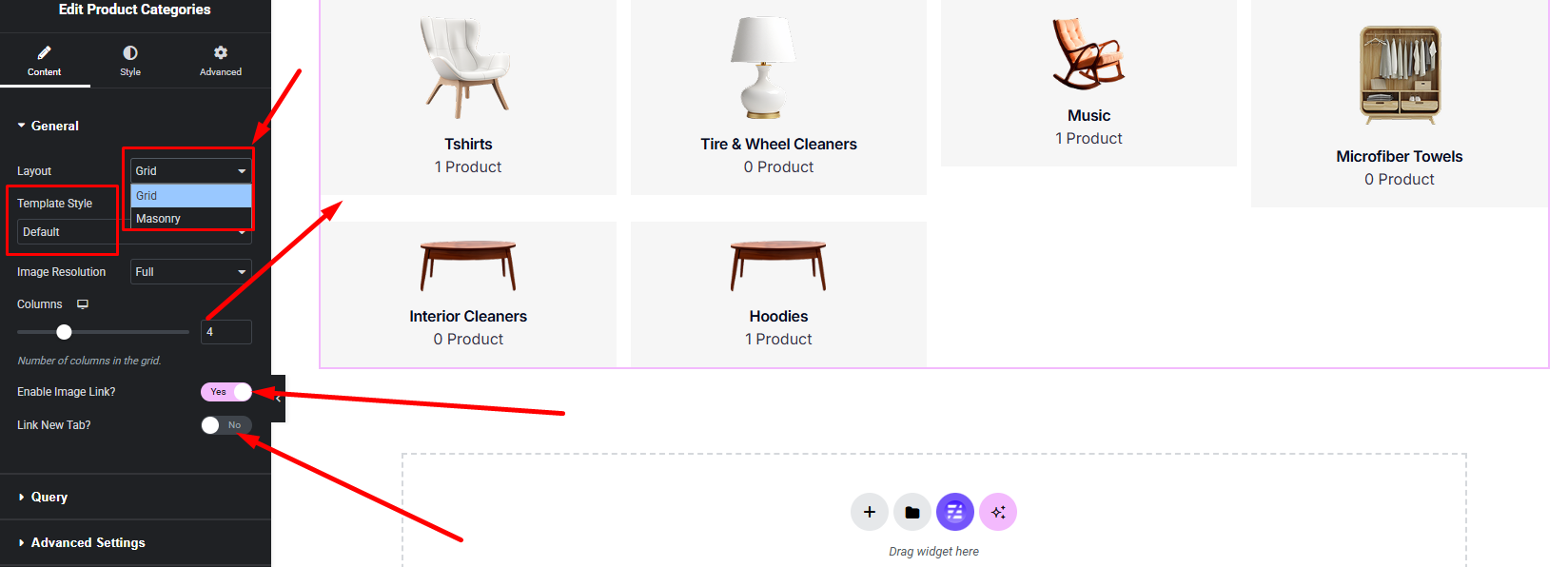
General:
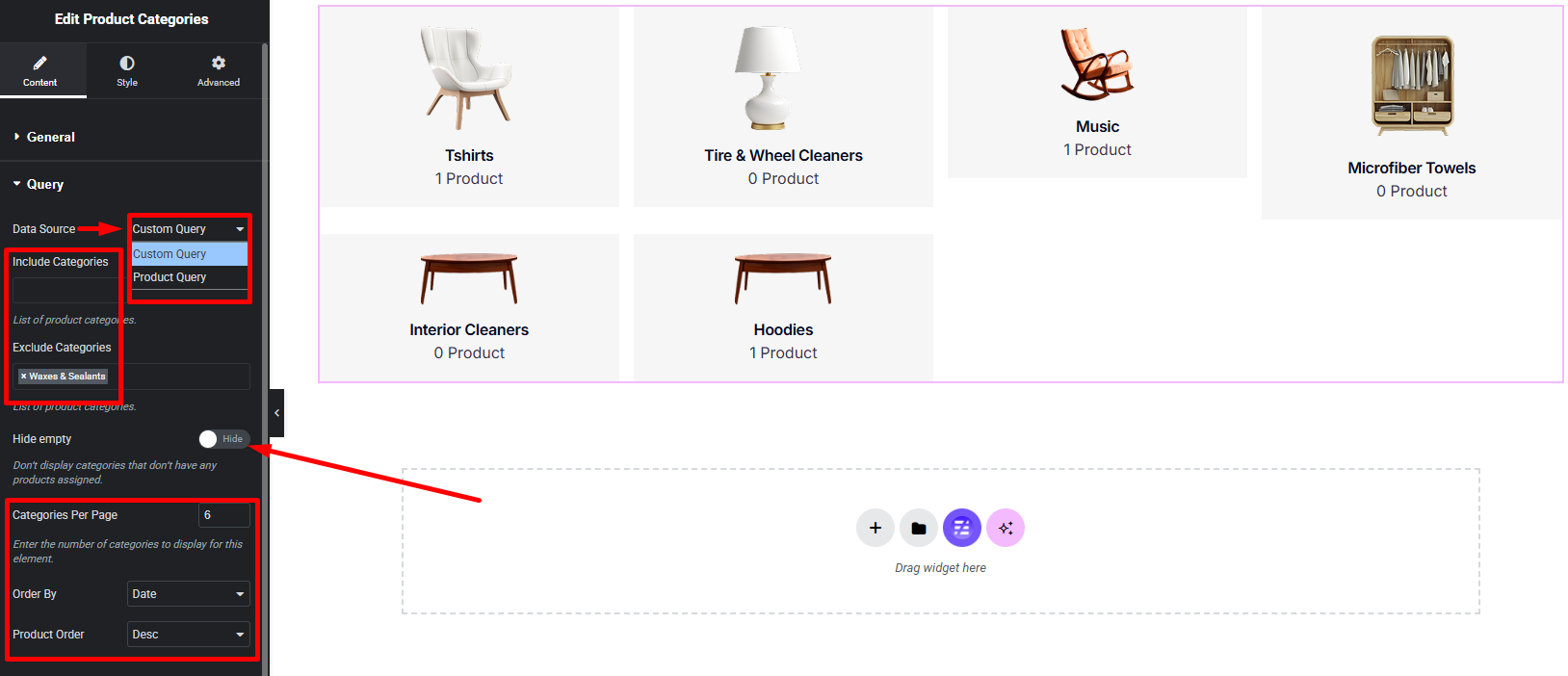
Query:
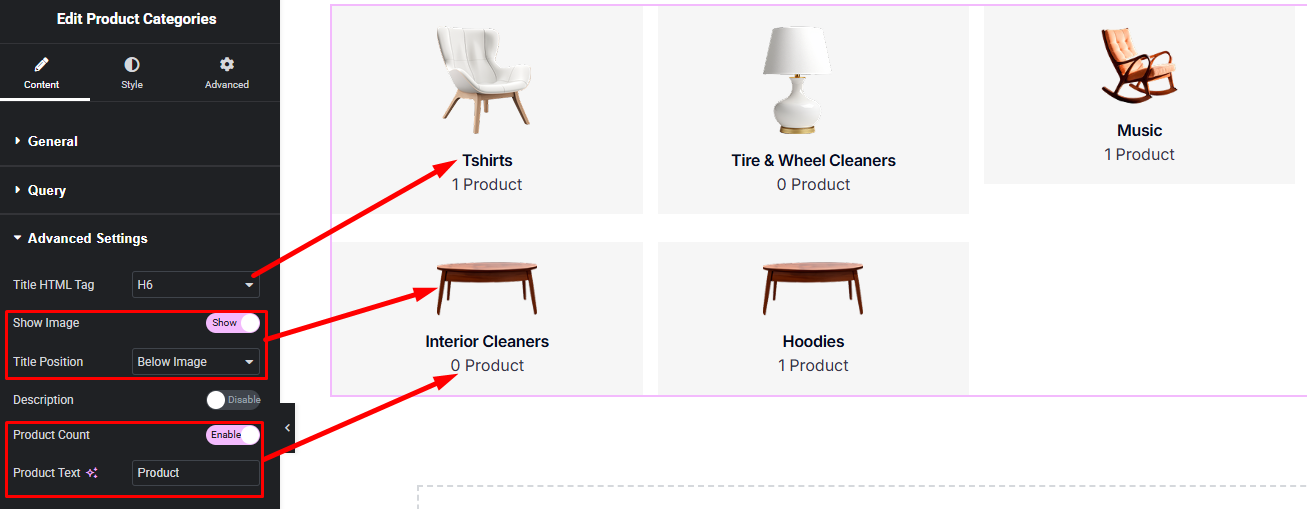
Product Display Options:
Step 3:
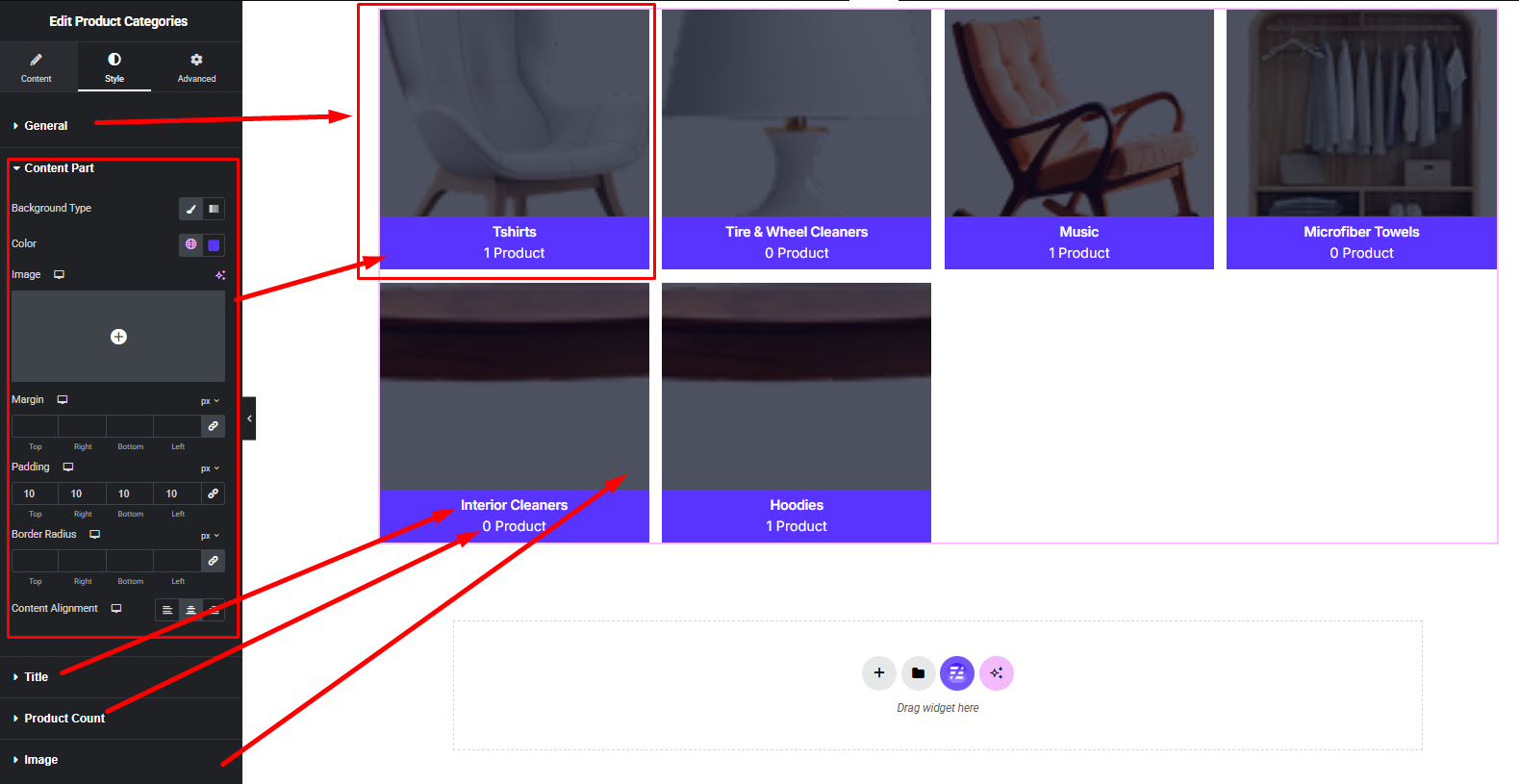
Customize Product Categories Style:
Easily customize your widgets appearance including Item, Content Part, Title, Image, Product Count style — all from the Style panel.