


Go to Easy Elements → All Extensions → GSAP Extension → Scroll Smoother
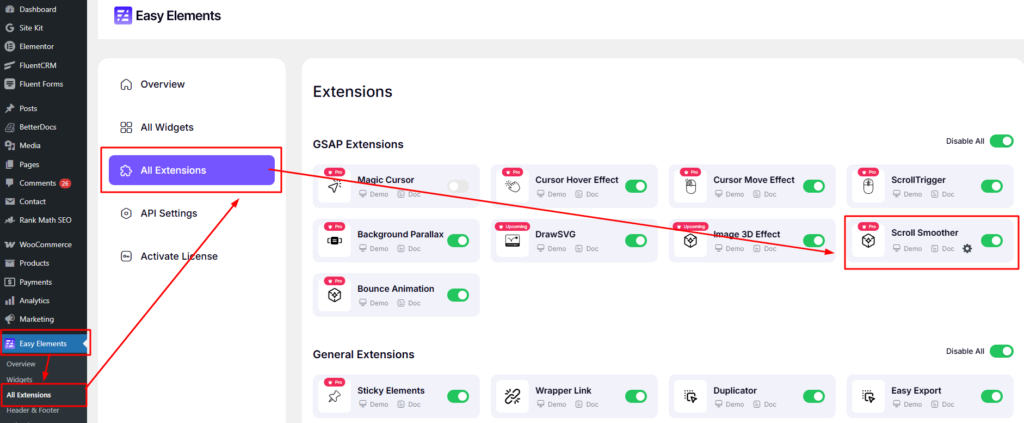
When you click the Settings icon, a Scroll Smoother popup will appear.
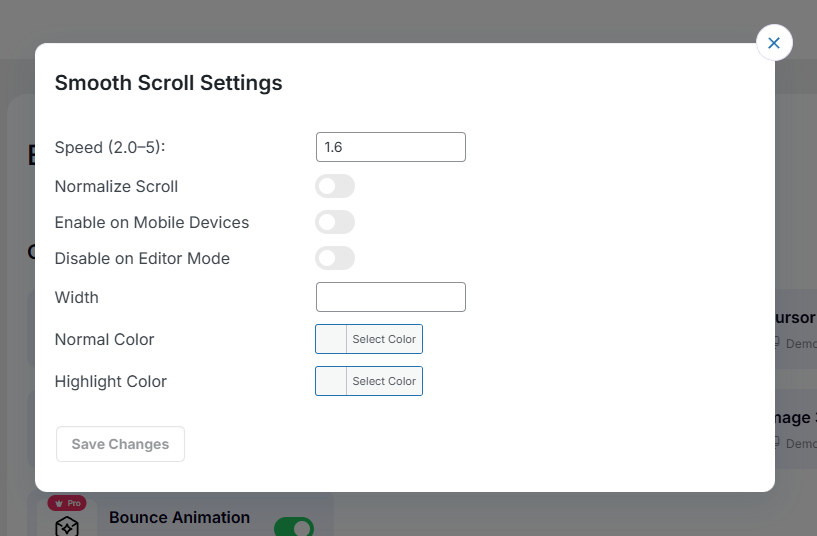
Smooth Scroll Settings
- Speed (2.0–5):
Controls how fast or slow the smooth scrolling feels. - Normalize Scroll:
Makes scrolling behavior consistent across different devices and browsers. - Enable on Mobile Devices:
Activates smooth scrolling on mobile screens. - Disable on Editor Mode:
Turns off smooth scrolling inside the editor for better editing performance. - Width:
Sets the width of the scroll indicator or effect area. - Normal Color:
Defines the default color of the scroll element. - Highlight Color:
Sets the active or highlighted color during scrolling.







