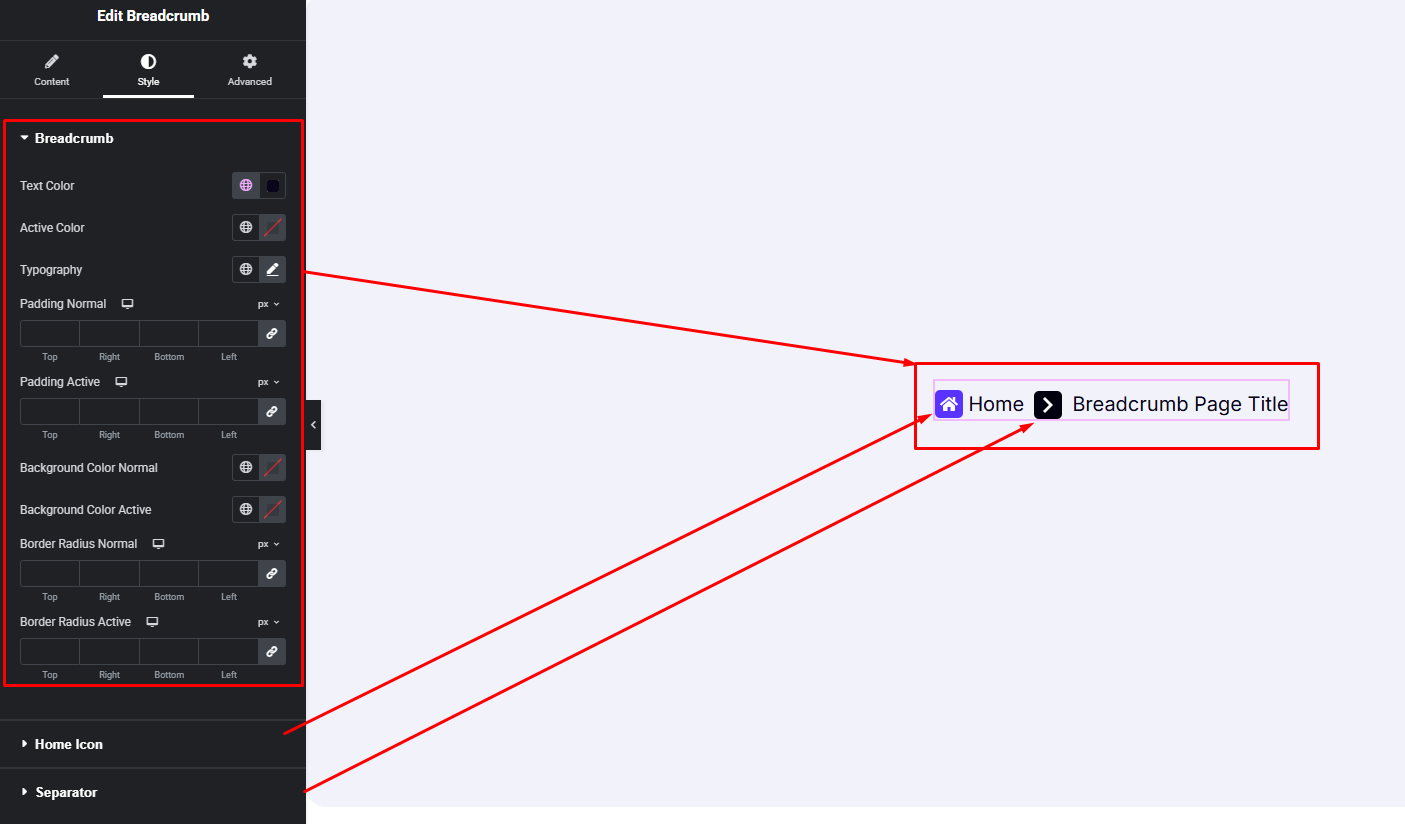



Add navigational links with the Breadcrumbs widget for Elementor to help users find their way. Follow this detailed tutorial to learn every method and set up breadcrumbs correctly.
How to Use Breadcrumb Widget of Easy Elements
Step 1:
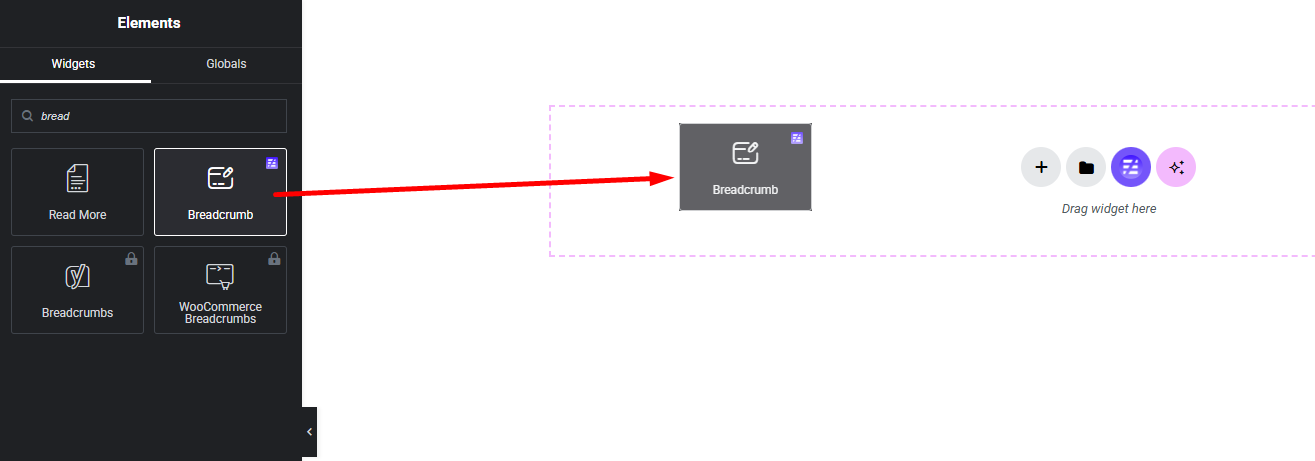
Add Breadcrumb Widget:
Select the Breadcrumb widget from the left panel, then drag and drop it into your desired area on the canvas.
Step 2:
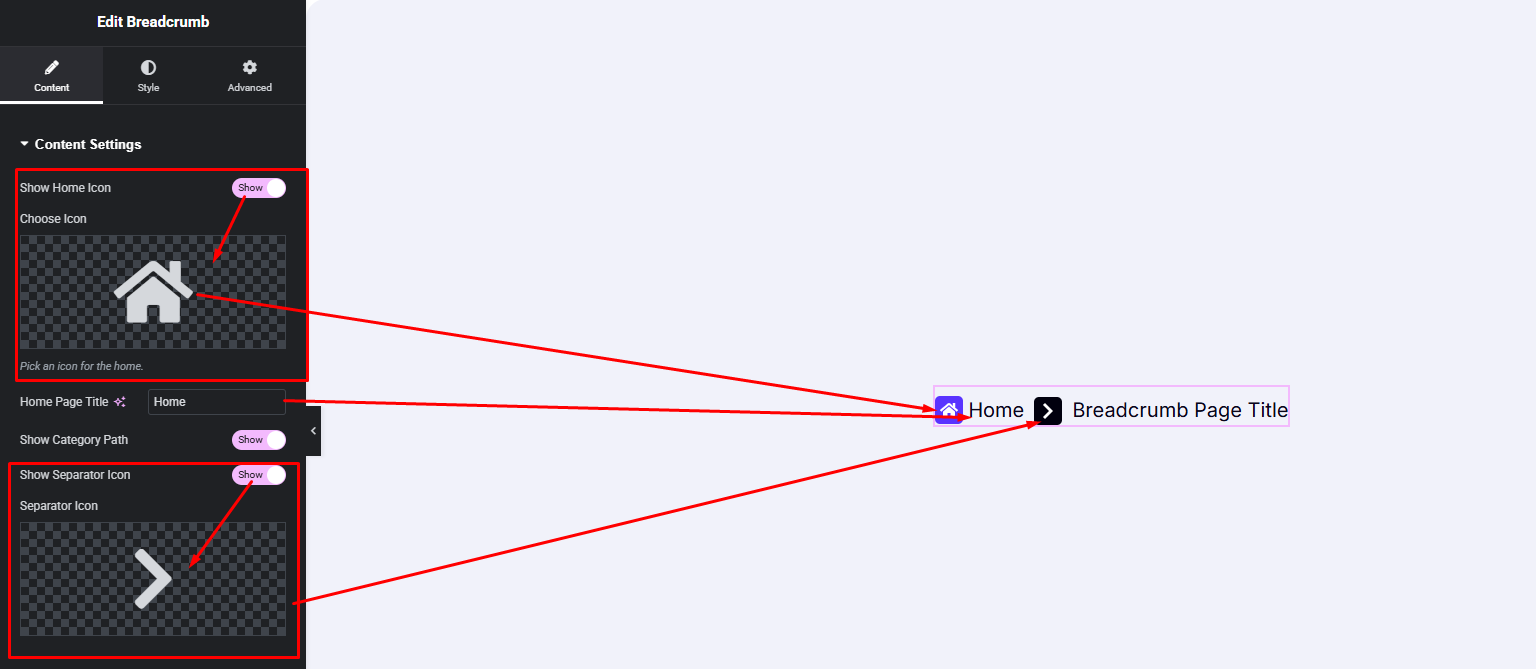
Breadcrumb Content Settings:
- Home Icon Show / Hide
- Home Title Changeable
- Posts Category Show / Hide
- Separator Icon Show / Hide
Step 3:
Customize Breadcrumb Style:
Easily customize your widgets appearance including Breadcrumb wrapper style, home icon and separator icon style —all from the Style panel.