Showcase your visuals with an eye-catching reveal animation using the Reveal Image widget. Instead of loading images instantly, this feature unveils them smoothly with stylish motion effects, making every image feel premium and interactive. Perfect for portfolios, product highlights, hero banners, service showcases, and promotional campaigns.
How to Use Reveal Image Widget of Easy Elements Pro
Step 1:
Add Reveal Image Widget:
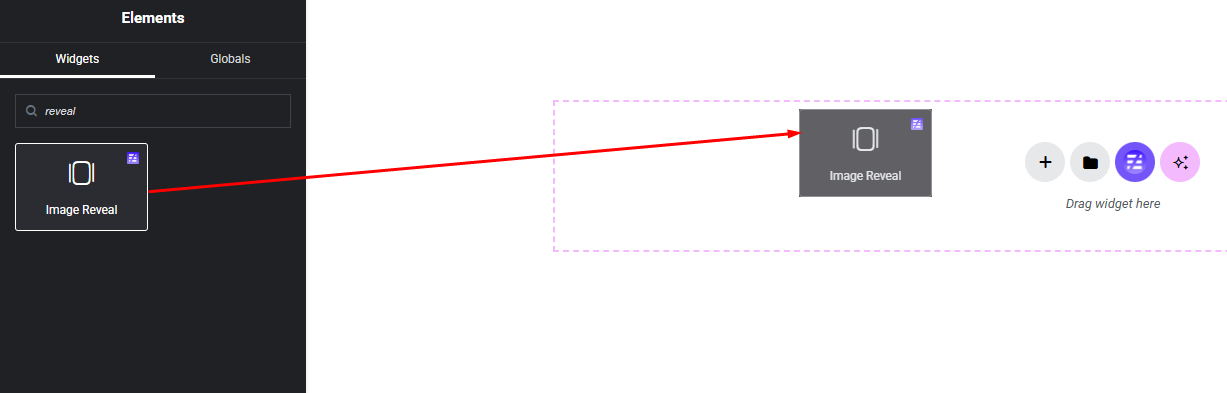
Select the Reveal Image widget from the left panel, then drag and drop it into your desired area on the canvas.
Step 2:
Reveal Image Settings:
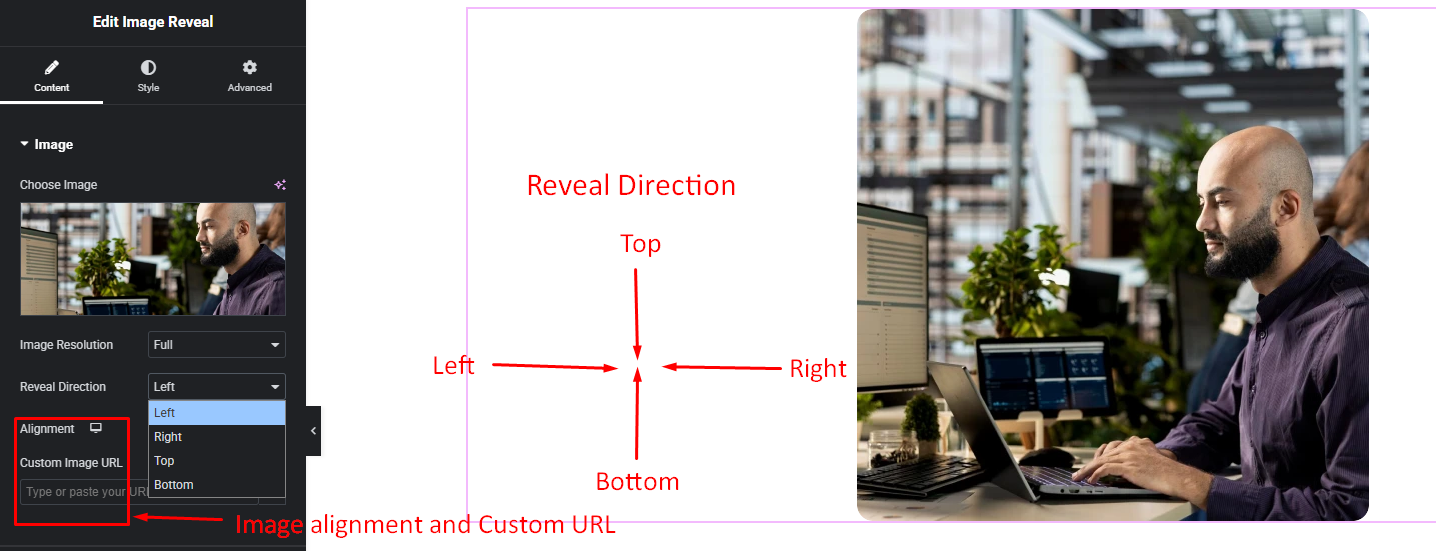
- Select Image
- Reveal Direction (Left, Right, Top, Bottom)
- Image Alignment
- Custom URL Option
Step 3:
Customize Reveal Image Style:
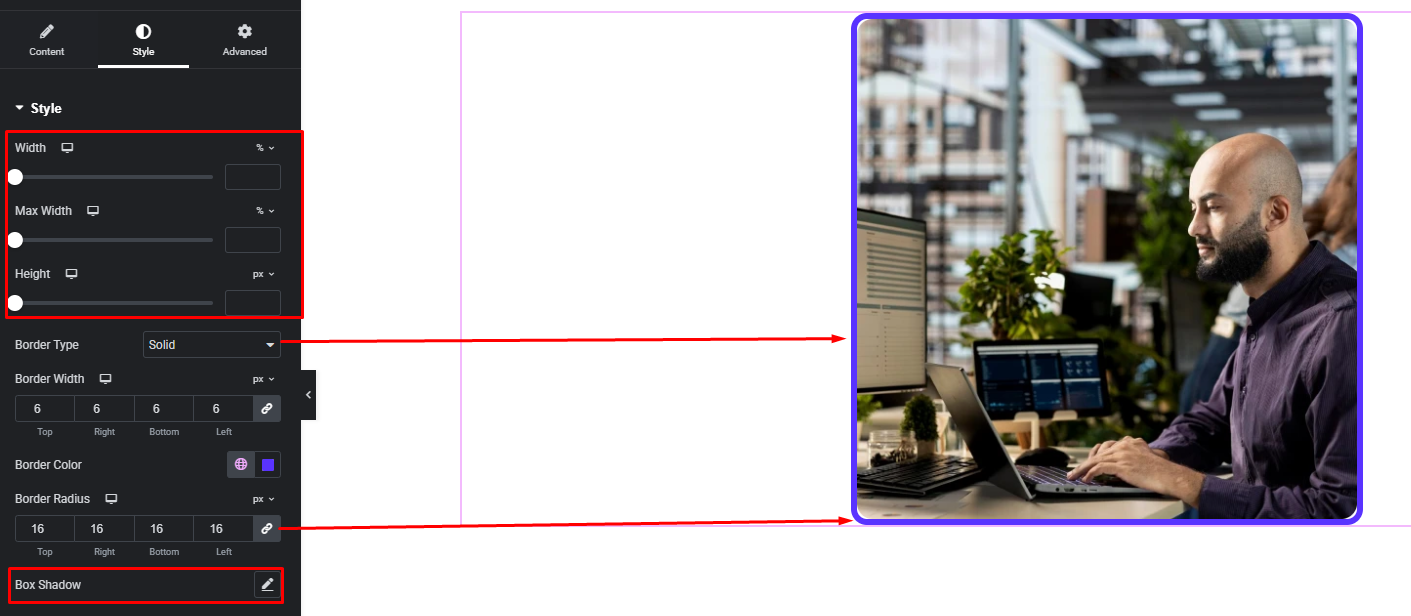
Easily customize your Reveal Image widgets all style — from the Style panel.