


The Counter Up widget animates numbers smoothly as users scroll, making statistics and achievements more engaging. It is ideal for displaying success metrics, milestones, or performance data in a visually attractive way.
How to Use Counter Widget of Easy Elements
Step 1:
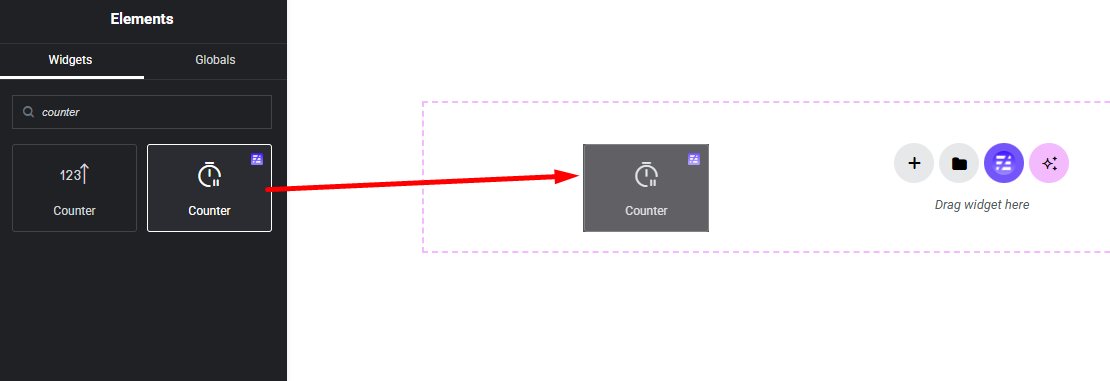
Add Counter Widget:
Select the Counter widget from the left panel, then drag and drop it into your desired area on the canvas.
Step 2:
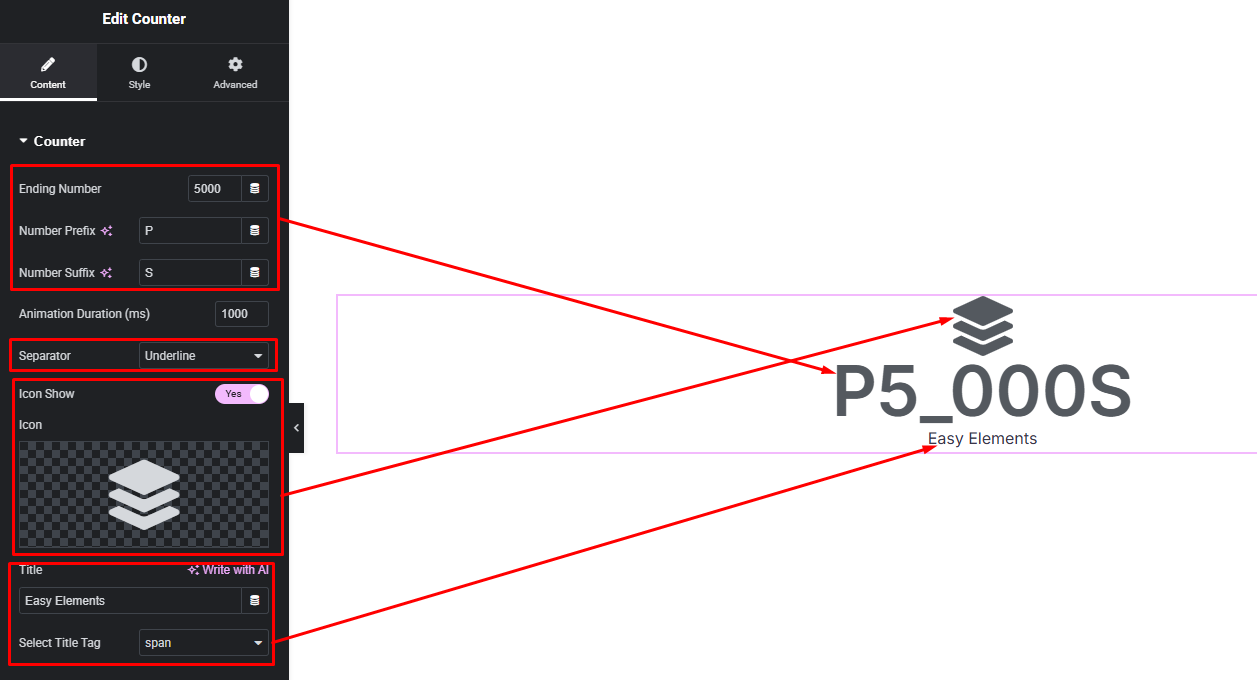
Counter Settings:
- Counter Number, Prefix and Suffix Number
- Animation Duration
- Separator Style
- Icon Show / Hide
- Counter Title
Step 3:
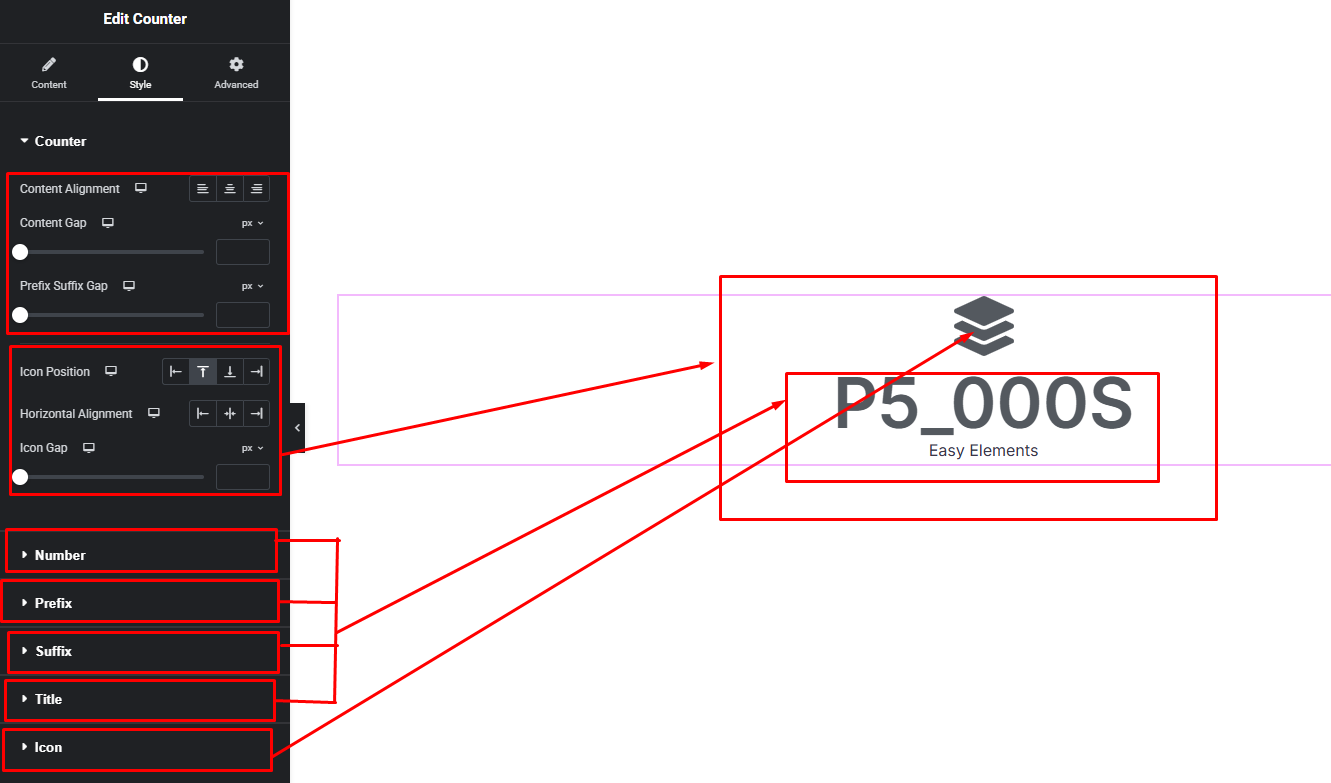
Customize Counter Style:
Easily customize your widgets appearance including Counter Item and others style —all from the Style panel.