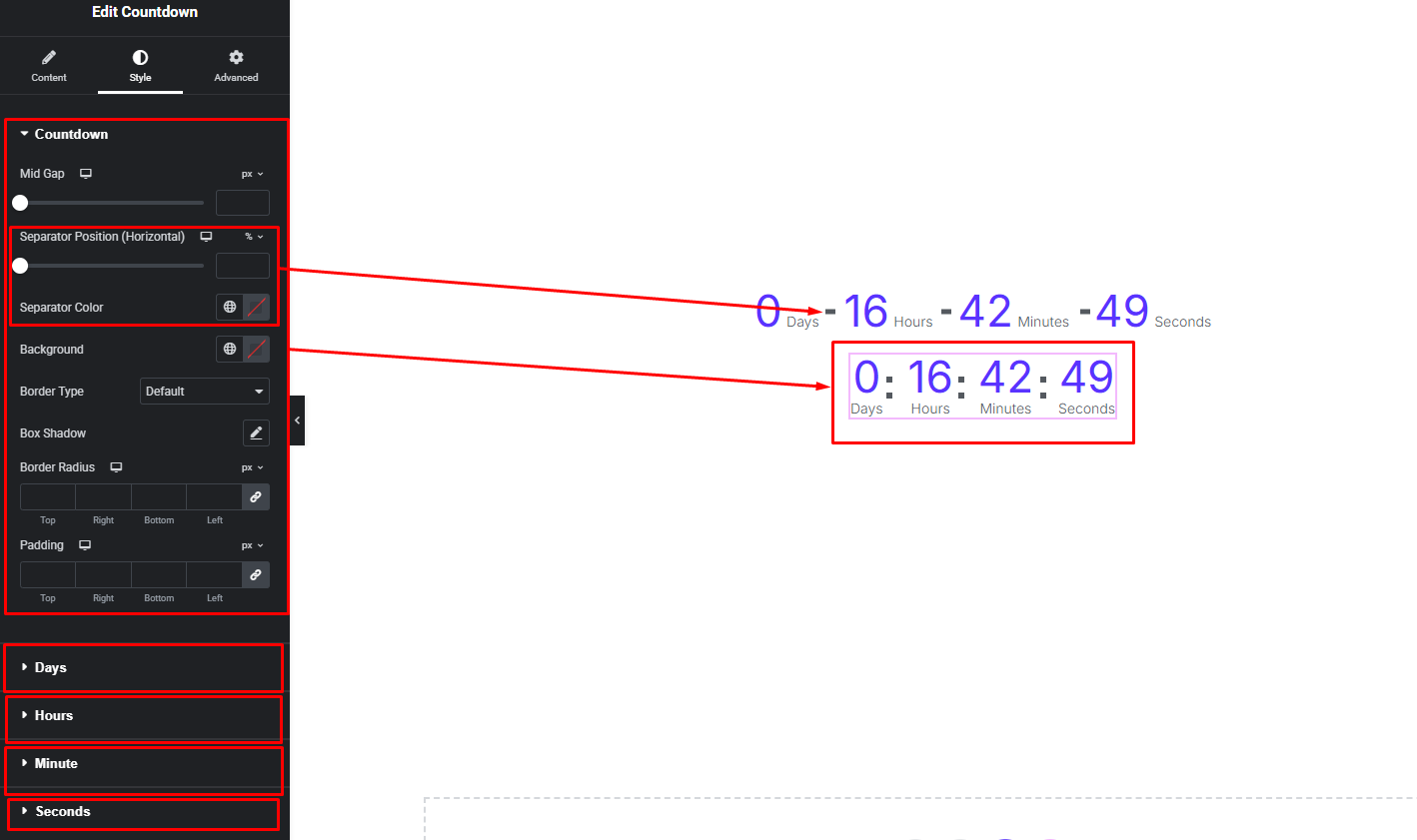
The Countdown widget displays a real-time countdown timer for upcoming events, product launches, or special offers. It automatically updates time and helps create urgency, encouraging users to take action before the countdown ends.
How to Use Countdown Widget of Easy Elements
Step 1:
Add Countdown Widget:
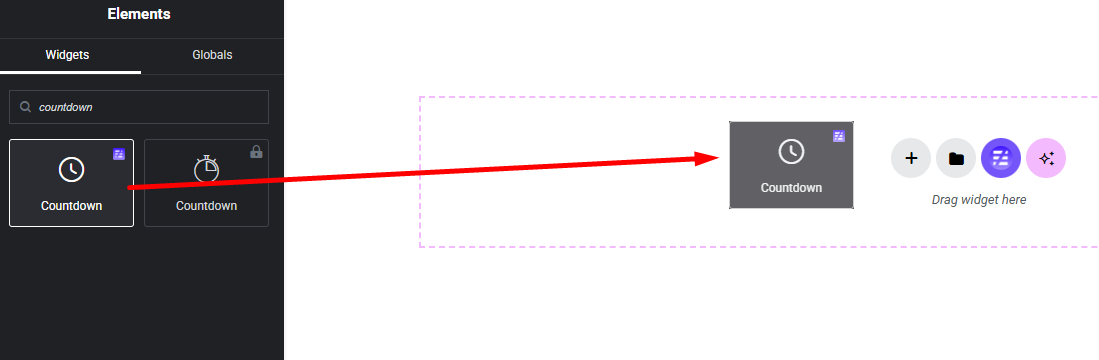
Select the Countdown widget from the left panel, then drag and drop it into your desired area on the canvas.
Step 2:
Countdown Settings:
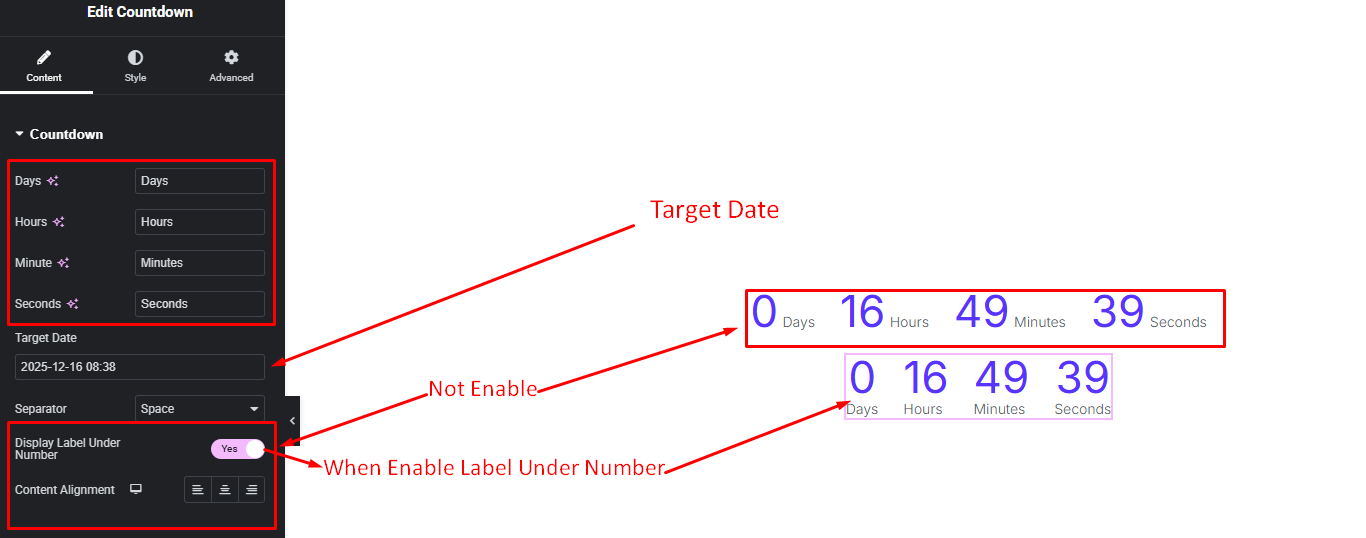
- Days, Tile, Minute, Seconds Text Changes Field
- Target Date
- Separator Style
- Countdown Label Under Number On / Off
- Content Alignment (When countdown Label Under Number)
Step 3:
Customize Countdown Style:
Easily customize your widgets appearance including Countdown Item and others style —all from the Style panel.