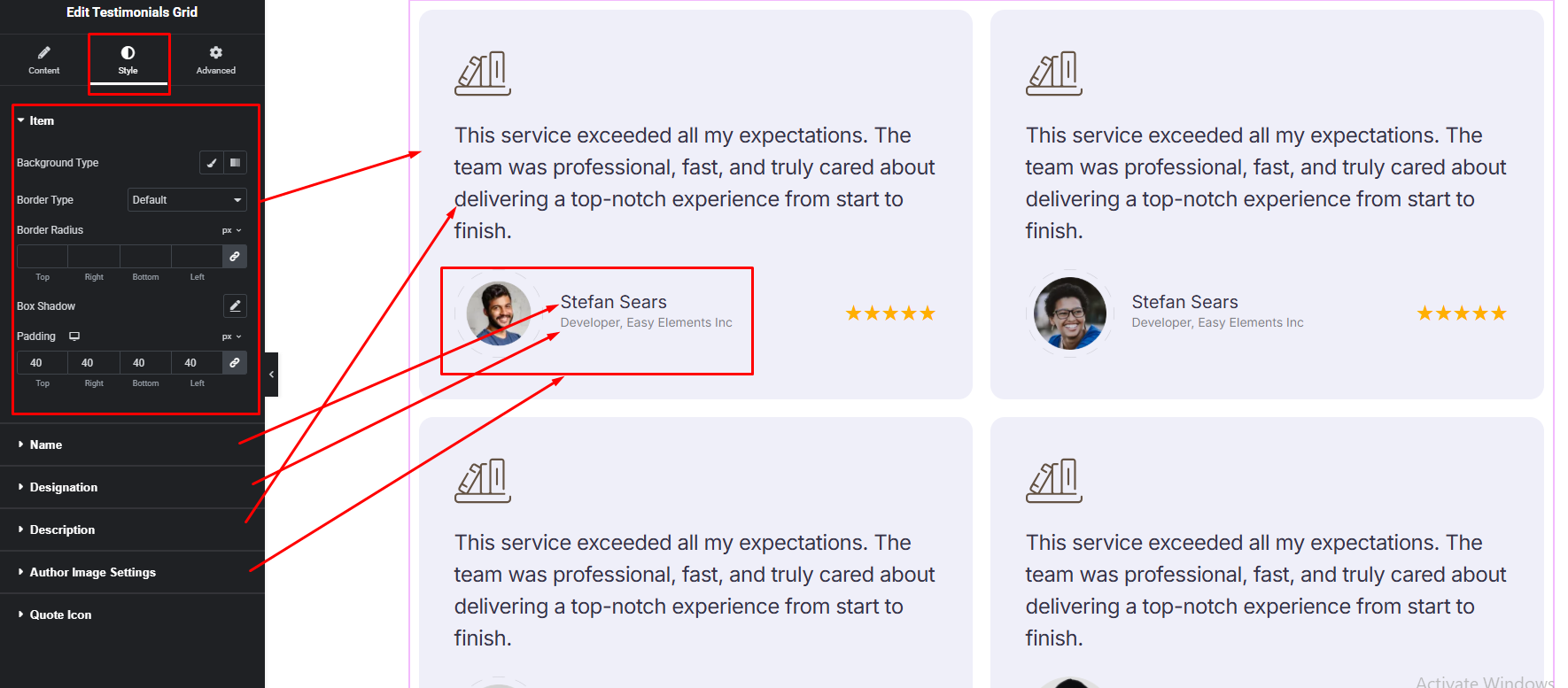



Showcase customer feedback in a clean and modern grid layout. The Testimonials Grid widget helps you display multiple reviews beautifully with customizable styles, columns, and designs. Perfect for building trust and highlighting client success stories in a visually organized way.
How to Use Testimonials Grid Widget of Easy Elements
Step 1:
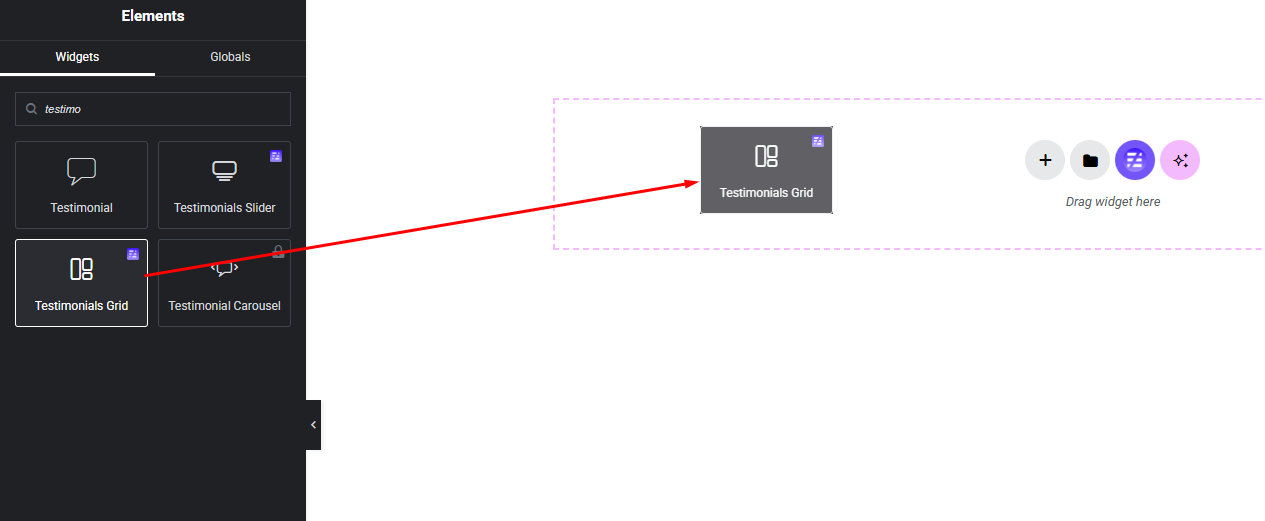
Add Testimonials Grid Widget:
Select the Testimonials Grid widget from the left panel, then drag and drop it into your desired area on the canvas.
Step 2:
Testimonials Grid Settings:
- Layout Settings
- Testimonials Settings
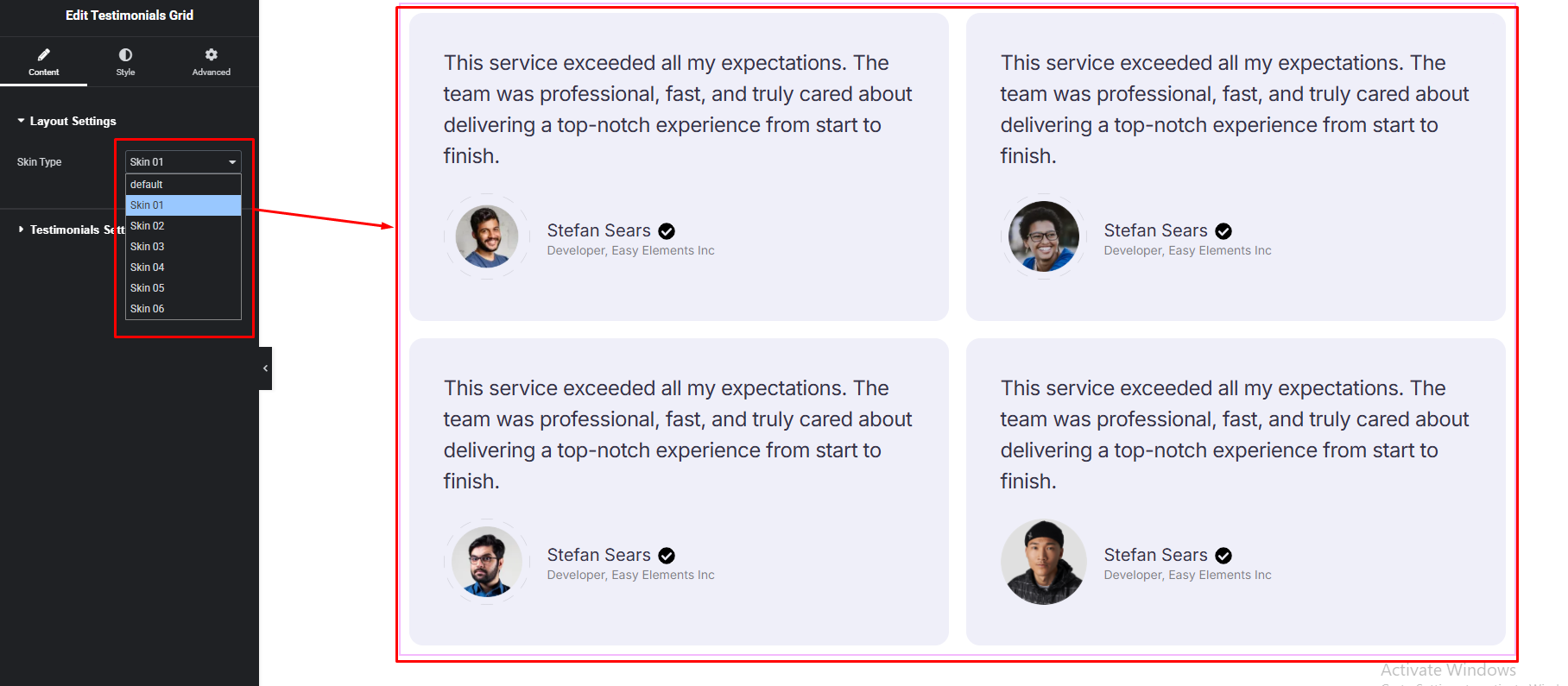
Layout Settings:
Choose the skin you like and use it.
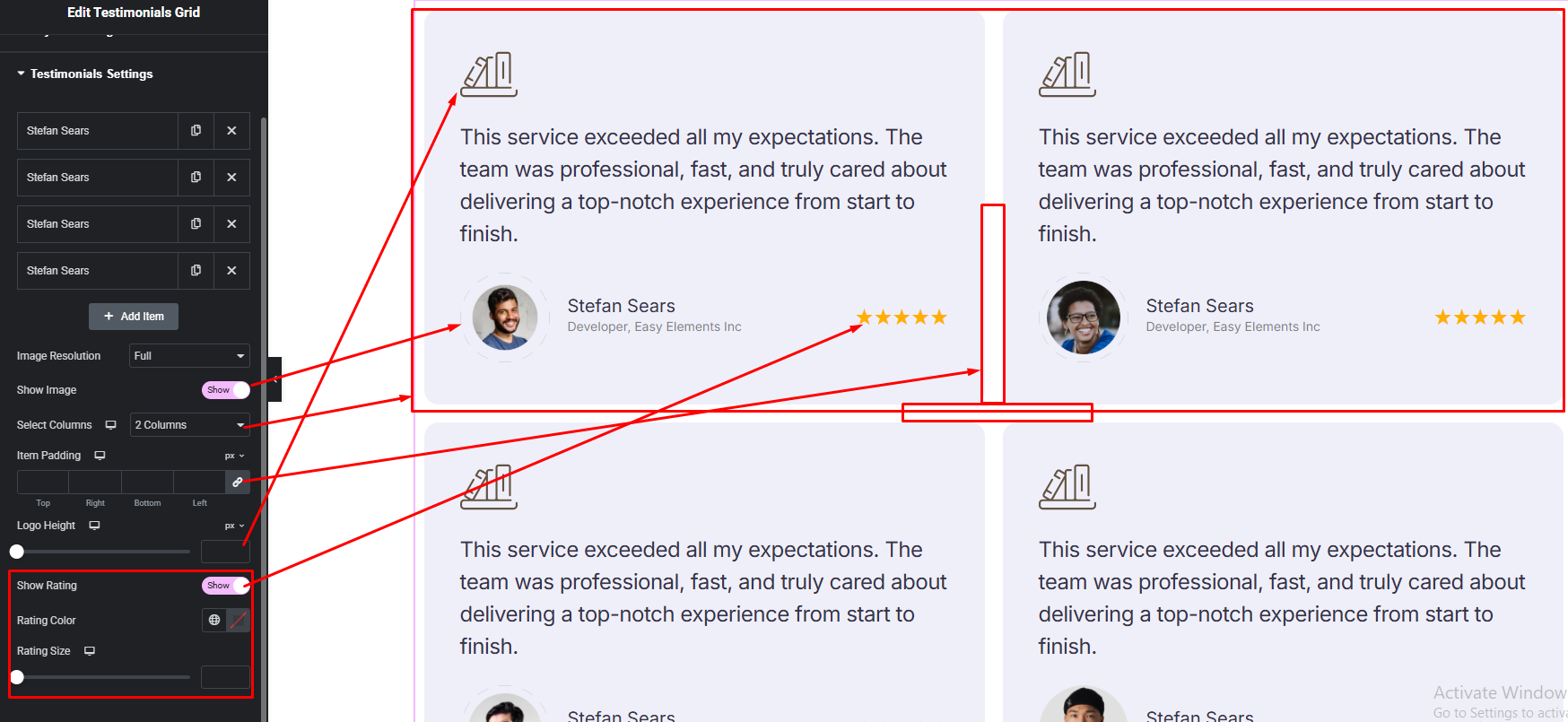
Testimonials Settings:
- Testimonial Item Fields
- Testimonial Item Options
Testimonial Item Fields:
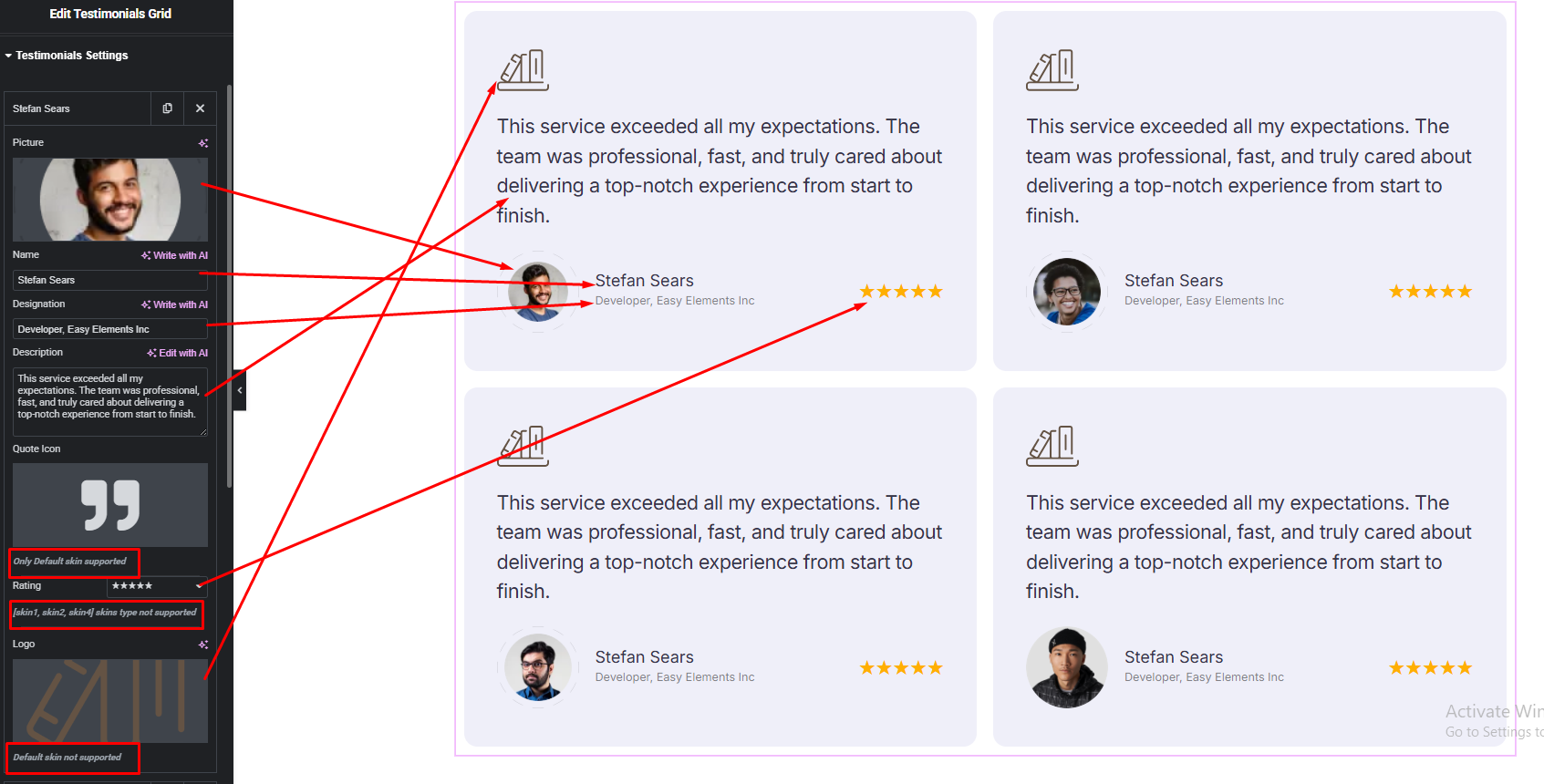
Testimonial Item Options:
Step 3:
Customize Testimonial Style:
Easily customize your widget’s appearance including Testimonial item background, border, padding etc. & Testimonial Name, Designation, Description and more —all from the Style panel.