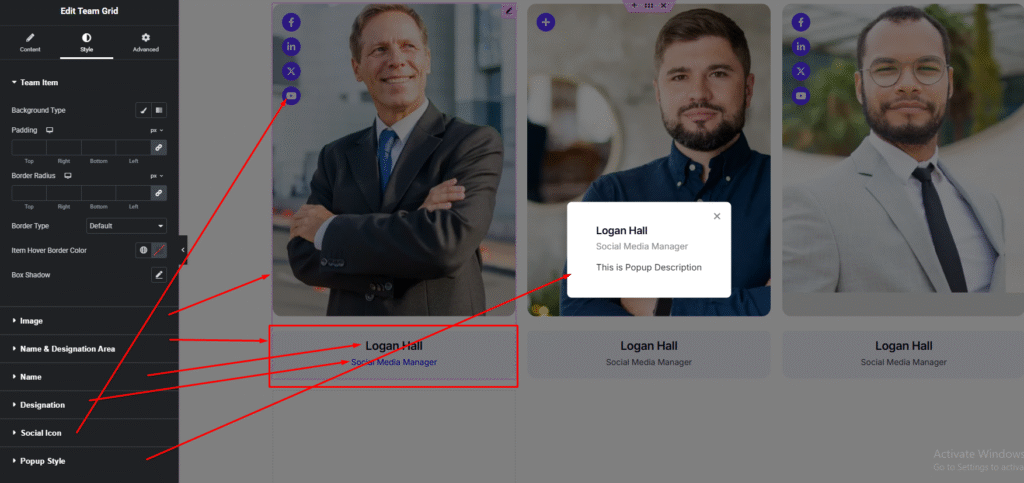



Showcase your team members in a clean and organized grid layout. With Team Grid, you can display names, positions, photos, and social links beautifully—helping visitors quickly connect with the people behind your brand.
How to Use Team Grid Widget of Easy Elements
Step 1:
Add Team Grid Widget:
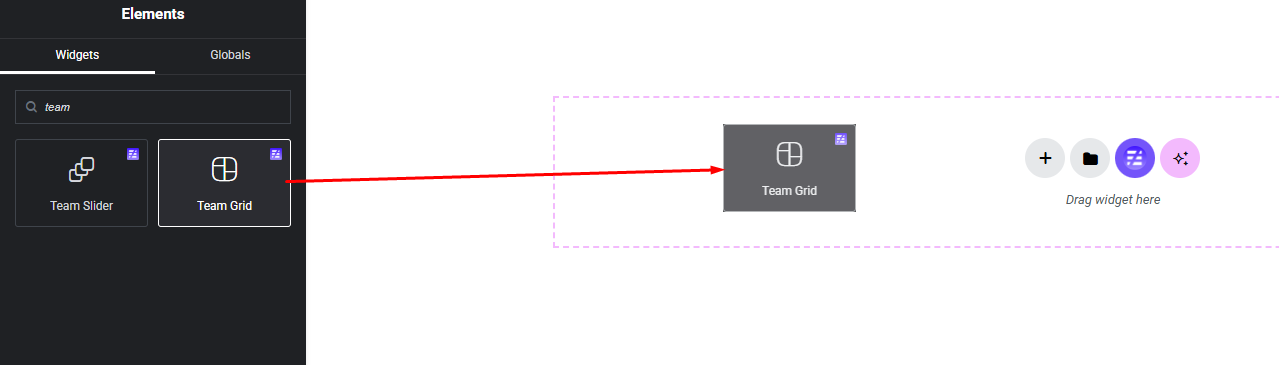
Select the Team Grid widget from the left panel, then drag and drop it into your desired area on the canvas.
Step 2:
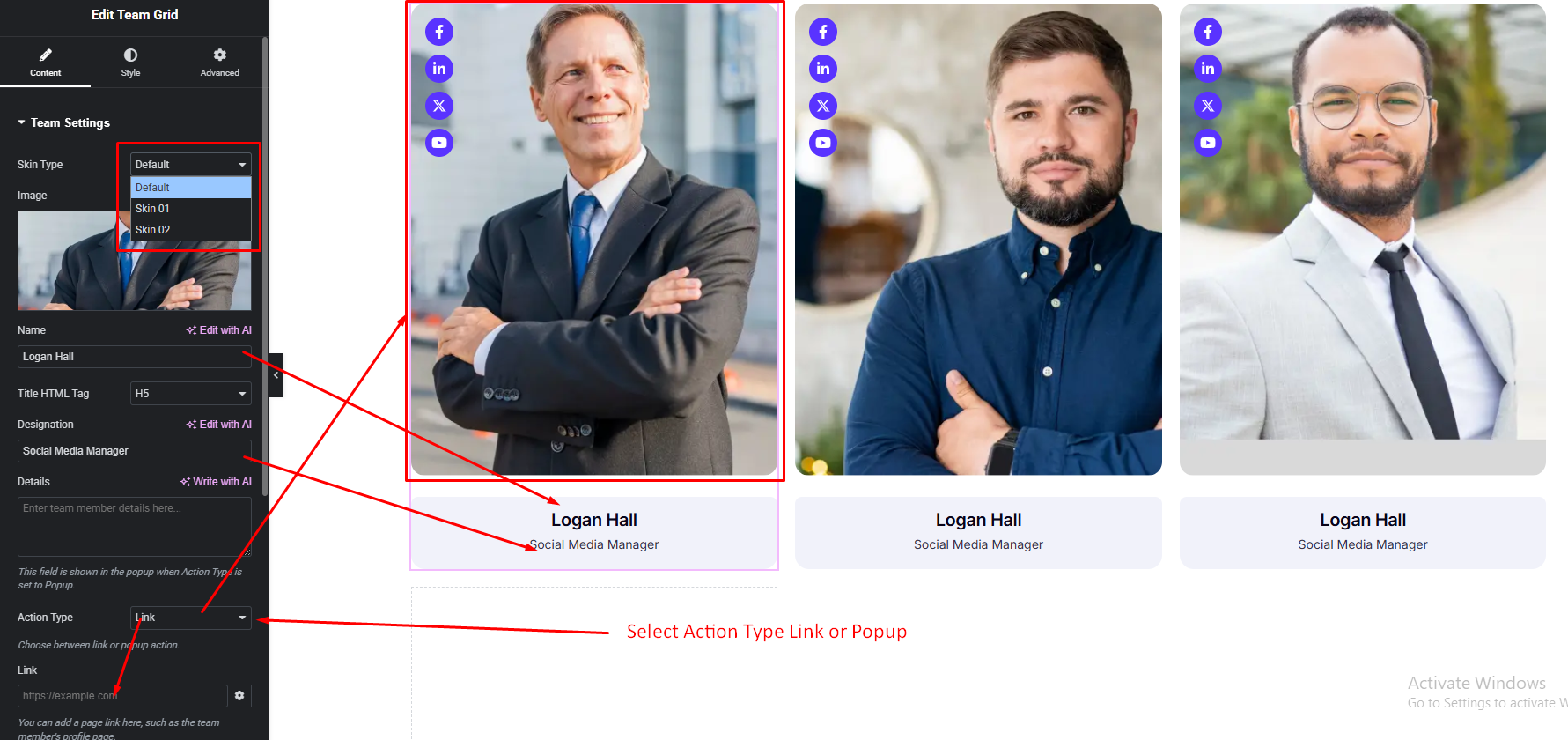
Team Grid Settings:
- Skin Type
- Team Image
- Name
- Name Title Tag (Default {h3})
- Designation
- Details (Action Type: Popup)
- Action Type
- Content Show Options
- Item Overly Background Color
- Social Icon Show/Hide
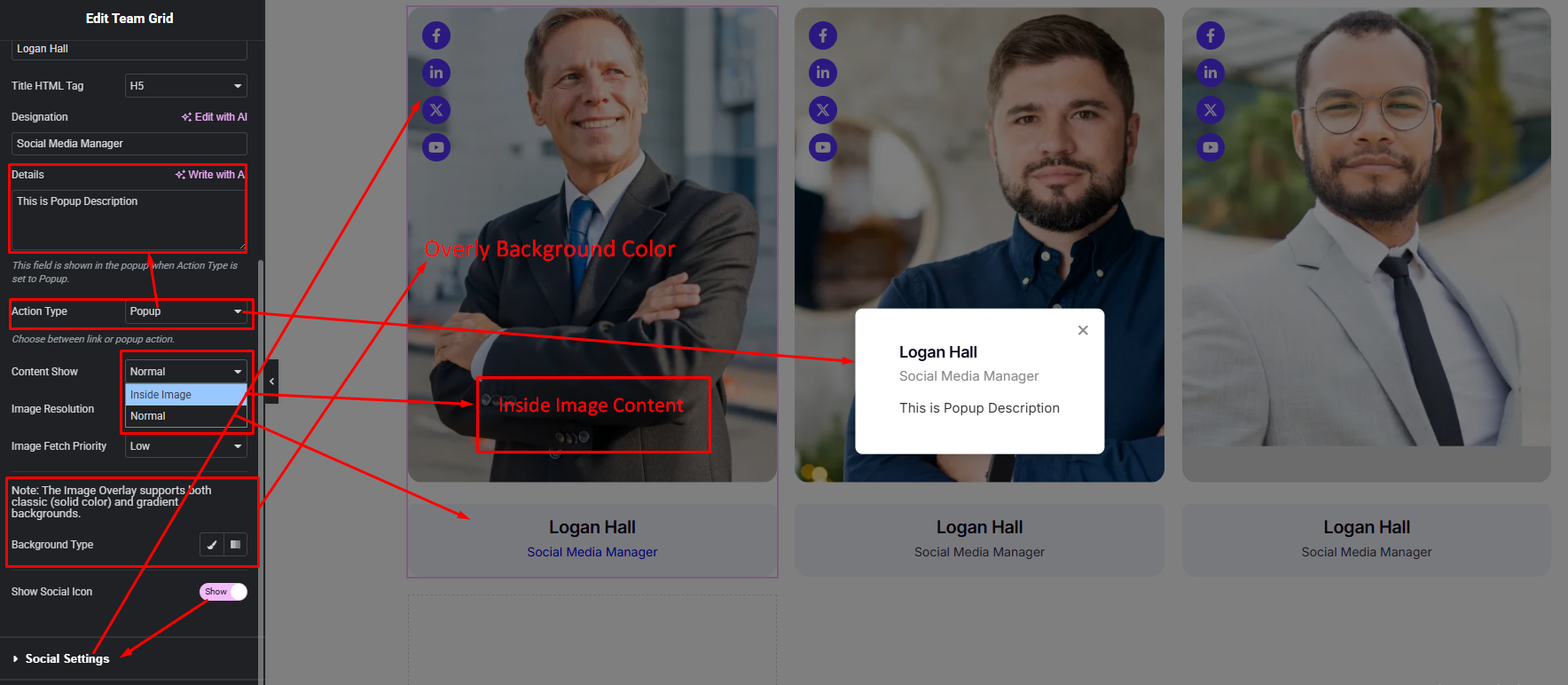
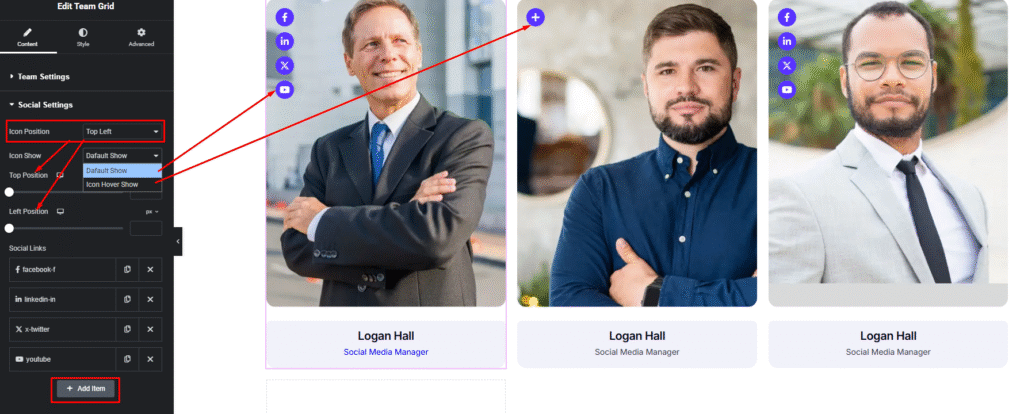
Social Settings:
Step 3:
Customize Team Style:
Easily customize your widget’s appearance including Team Grid item background, border, padding etc. & Team Name, Designation and more —all from the Style panel.